***
### Frequently Asked Questions
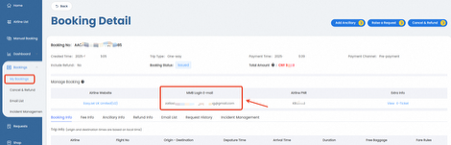
How to find the email id for "Manage My Booking"?
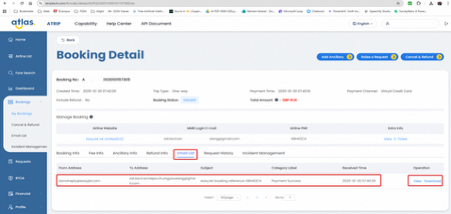
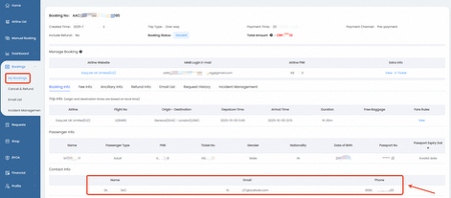
This information appears in the order details in both the API and Atrip Flight Deck. In the API, you can find it under the tag "airlineBookings→mmbEmail". In Atrip Flight Deck, it's located under "Manage booking→MMB Login E-mail”.
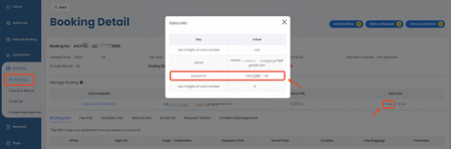
How to find the credentials you create for the particular booking?
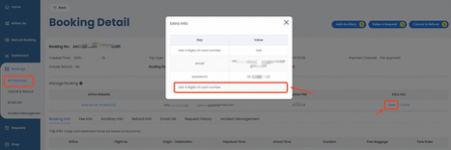
This information appears in the order details in both the API and Atrip Flight Deck. In the API, you can find it under the tag "airlineBookings→extras". In Atrip Flight Deck, it's located under "Manage booking→Extra Info”, please clikc the "View" button to see.
How to find the confirmation number except airline PNR for the Japanese airlines such as HD, 7G?
This information appears in the order details in both the API and Atrip Flight Deck. In the API, you can find it under the tag "airlineBookings→extras". In Atrip Flight Deck, it's located under "Manage booking→Extra Info”, please click the "View" button to see.
How can I get schedule change notification?
Airlines typically send schedule change notification emails to the contact email address. Please check the contact email inbox regularly.
If you use Atlas Email Service for your orders, Atlas will send you schedule change notifications via webhook when we receive the airline's schedule change email. These notifications are also visible in the incident management section of Atrip Flight Deck under the category "schedule change—email notification".
Additionally, Atlas monitors flight status before departure. If we detect a schedule change during this monitoring, we'll send an API notification via webhook. These notifications also appear in the incident management section of Atrip Flight Deck under the category "schedule change—API notification".
How can I identify if this PNR has got schedule change?
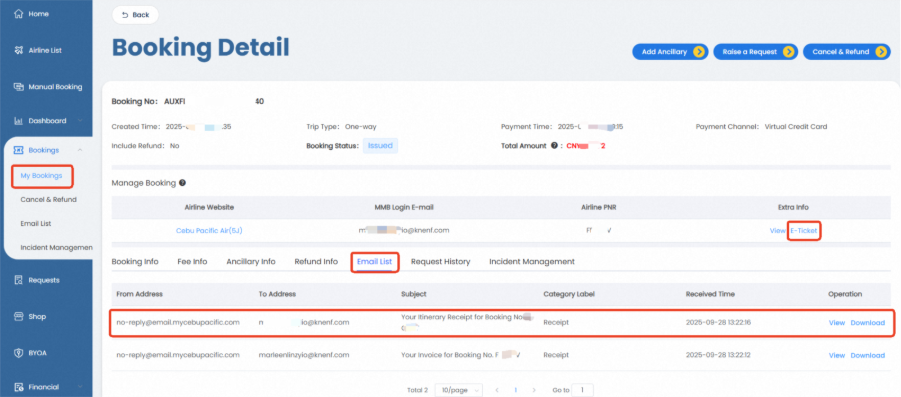
Airlines typically send schedule change notification emails to the contact email id. Please check the contact email inbox. If you are using Atlas Email Service, you can view emails received by the order contact in the Email List tab of the order details.
If no schedule change notification email was received in the contact inbox, you can log into the airline's official website Manage My Booking (MMB) to check. If a schedule change is displayed, this confirms the schedule change has occurred; if no schedule change is shown, you can try the following method.
For flights departing soon, you can check the flight status on the airline's official website “Flight Status” section. If the flight shows as cancelled or the departure time has changed, this indicates a schedule change has occurred; if the flight status is normal and the departure time remains unchanged, this means there is no schedule change.
If you are still unable to confirm the schedule change status through these methods, it is recommended to contact the airline's customer service center or live chat service.
[**View More FAQs**](/frequently-asked-questions/customer-support-faqs) **→**
***
## Still Need Help?
# ATRIP
# ATRIP User Guide: Navigating the Platform
Welcome to Air Travel Retailing and Information Platform [(ATRIP)](https://atriptech.com/#/login), Atlas’s centralised platform for managing low-cost carrier (LCC) content, bookings, and post-booking services. This guide walks you through each module available in ATRIP, based on the left-hand navigation menu, and explains what you can do in each section.
#### Home
The [Home](https://atriptech.com/#/workspace) page is your ATRIP overview dashboard.
Here, you can:
* View key snapshots such as incident updates, recent performance metrics, refund status, and account balance.
* Stay informed with Atlas News, including airline content updates, policy changes, and system announcements.
* Quickly access commonly used actions like Airline List, Fare Search and API Documentation.
The Home page helps you understand platform activity at a glance and decide where to navigate next.
#### Airline List
The [Airline List](https://atriptech.com/#/airline/list) module shows all airlines available on ATRIP.
You can:
* Browse the full list of Atlas’s LCC network including the available ancillary offerings, payment methods and booking window.
* Open an airline’s detail page to view more operational notes.
This module is especially useful for checking airline availability and offerings and staying updated on network changes.
#### Fare Search
The [Fare Search](https://atriptech.com/#/fareSearch/compare) module allows you to search and compare flight fares.
You can:
* Search for flights by route, flight date and airlines.
* Compare fares across supported airlines.
* Use search results for manual evaluation or operational guidelines.
Fare Search is designed for pricing validation, route checks, and pre-booking analysis.
#### Dashboard
The [Dashboard](https://atriptech.com/#/dashboard/dashboard) module provides visibility in performance and activity insights relevant to your business.
You can:
* Monitor your booking trends and operational metrics.
* Review performance indicators relevant to your business.
* Track activity over time to support analysis and reporting.
Dashboards help teams make informed decisions using real usage and performance data.
#### Bookings
The [Bookings](https://atriptech.com/#/order/list) module is where you manage existing bookings.
You can:
* Search and view booking records.
* Check booking status and details.
* Perform supported post-booking actions depending on airline rules.
This module is central to day-to-day booking operations and follow-ups.
#### Service Requests
The [Service Requests](https://atriptech.com/#/request/list) module handles post-booking services.
You can:
* View and manage service requests such as refunds, changes, or name corrections.
* Track request status and outcomes including Service Requests raised via EVA.
* Review historical service request records.
This module helps manage exceptions and post-booking efficiently.
#### BYOA (Bring Your Own Agreement)
The [BYOA](https://atriptech.com/#/byoa/list) module enables you to connect your own airline credentials directly to Atlas, instantly activating your airline content.
You can:
* Set up and manage your own airline credentials in ATRIP, activate it and instantly start providing content, without heavy tech lift.
This module is designed for partners with direct airline relationships. For more information on how BYOA works, read more [here](https://resources.atriptech.com/popular-topics/atrip/bring-your-own-account-byoa).
#### Financial
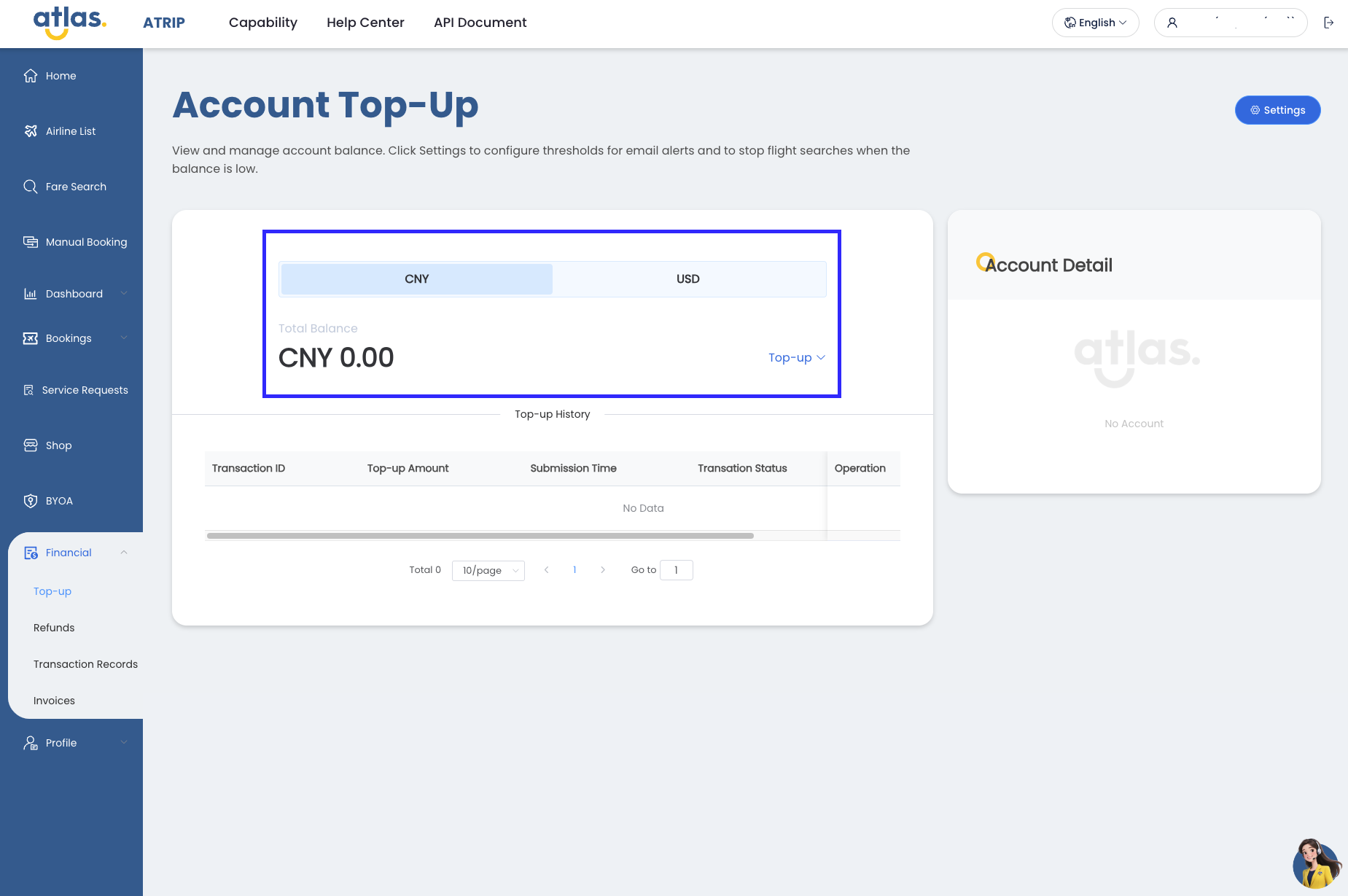
The [Financial](https://atriptech.com/#/financial/top-up) module provides visibility into your account’s financial activity.
You can:
* View and manage balances and transaction records.
* Track charges, credits, and settlement-related information.
* Monitor financial status related to bookings and services.
This module supports financial reconciliation and monitoring.
#### Profile
The [Profile](https://atriptech.com/#/profile/user) module allows you to manage your account settings.
You can:
* Update user and company information.
* Create and manage users.
* Manage preferences and access-related settings.
* Review account-level details.
Keeping your profile and access up to date ensures smoother platform usage.
#### Need More Help?
If you need additional assistance:
* Start exploring the [Help Center](https://resources.atriptech.com/) for detailed articles and FAQs.
* Refer to the [API Document](https://resources.atriptech.com/api-document) section if you are integrating ATRIP programmatically.
* Read Atlas’s latest update regarding airlines, products and more in [Atlas News](https://resources.atriptech.com/capability/atlas-news).
* Start interacting with [EVA](https://resources.atriptech.com/capability/atlas-news/atlas-launches-eva-the-new-ai-agent-reshaping-customer-service-experience), our Atlas’s Customer Service AI Agent available on your ATRIP (bottom right side) or contact your Key Account Manager for further guidance.
This guide provides a high-level overview. Individual modules may include additional features explained in their respective help articles.
# User Management
Last Updated: 22 July 2026
User Management allows you to add, remove, and manage user accounts, roles, and permissions within your organization.
#### **Accessing the User Management Configuration**
The “User Management” tab can be found in the “**Profile**” section of ATRIP.
Path: **ATRIP → Profile → User Management**

In User Management, you’ll be able to:
* View, Search and Filter Users
* Add New User & Assign Role
* Edit User Details
* Deactivate Users
#### View, Search and Filter Users
When you access User Management, a complete list of all users in your organization is displayed. At the top, you can view the total number of users.
To quickly find someone, use the search bar or apply filters such as User Role, Status, Last Modified, and Date Created. These tools make it easy to locate specific users and manage accounts efficiently.

In the **User Management** view, you can see key details for each user at a glance:
* **Contact Person** – Displays the user’s first name.
* **Email** – The user’s email address, which also serves as their login account.
* **User Role** – Indicates the user’s assigned role/permission level. Different roles provide access to different menus and functions within ATRIP.
* **Status** – Shows whether the user is currently Active or Inactive.
* **Last Modified** – The date and time when the user’s information was last updated.
* **Date Created** – The date and time when the user account was first created.
**Note:** The list may contain two types of users:
* **Manually Created Users** – Added directly by the customer.
* **SSO Users** – Logged in through Single Sign-On (SSO). These users are marked with an “SSO” tag next to their name for easy identification.
#### **Add New User & Assign Role**
Adding a new user is quick and straightforward:
1. **Enter user details** – Provide the first name, last name, and a valid email address.
2. **Assign permissions** – Select the appropriate role to define the user’s permission level.
Permission / Role
Admin
Customer Service
Operations
Finance
Developer
Business Development
Airline Directory
✔
✔
✔
✖
✔
✔
Airline Status
✔
✔
✔
✖
✔
✔
Fulfilment
✔
✔
✔
✖
✔
✔
Fare Search
✔
✖
✔
✖
✖
✖
Dashboard
✔
✔
✔
✖
✖
✔
Bookings
✔
✔
✔
✖
✖
✖
Service Requests
✔
✔
✔
✔
✔
✔
UAT Testing
✔
✖
✖
✖
✔
✖
Financial
✔
✖
✔
✔
✖
✖
User Management
✔
✖
✖
✖
✔
✖
The **email address serves as the user’s login account**. Once created, a welcome email will be sent to the user with instructions to set a password and activate their account. Make sure the email provided is active and accessible.
By default, all newly created users are set to **Active** status.

#### **Edit User Details**
Users can manage and update certain account information directly within User Management.
* Editable fields include First Name, User Role/Permissions and Status (Active/Inactive)
# Customer Operations Onboarding Guide
Operational Framework for Atlas’s Travel Sellers
### 1. Introduction
This guide is designed for **client customer operations, customer service and support teams working with Atlas**. It outlines **how to use ATRIP, EVA, and related operational channels** for day-to-day activities, with a **focus on post-booking workflows**.
By following this framework, clients can achieve **efficient service delivery and streamlined operations** resulting in reduced escalations and improved customer satisfaction.
### 2. Objectives
The objective of this guide is to establish a s**tructured, standardized, and SLA-driven operational framework** to support seamless integration of clients into the Atlas ecosystem.
This framework:
* **Defines the operational workflows for post-booking services**
* **Clarifies system usage and escalation channels**
* **Establishes service level expectations**
* **Aligns client operational teams with Atlas support processes**
The intent is to minimise delays, avoid misrouted requests, and ensure consistent service quality across all supported markets.
### 3. Post-Booking Services Workflow
**All post-booking services must follow the structured workflow outlined in this document**. Self-service channels must be utilised as the first level of resolution before escalation.
Diagram 1: Atlas Post-Booking Services Workflow
### 4. Systems and Channels Overview
#### 4.1 Air Travel Retailing and Information Platform (ATRIP)
ATRIP is the **primary operational platform and central system of record for all operational actions**.
Key Functions:
* Monitoring bookings
* Submitting post-booking requests
* Applying for refunds
* Managing post-booking ancillary services
Key Resources:
* [Navigating ATRIP](https://resources.atriptech.com/popular-topics/atrip/atrip-user-guide-navigating-the-platform)
* [User Management](https://resources.atriptech.com/popular-topics/atrip/user-management)
* [Help Centre](https://resources.atriptech.com)
* [Post-Booking Help Articles](https://resources.atriptech.com/popular-topics/post-booking)
#### 4.2 EVA - AI Customer Service AI Agent
EVA is Atlas's AI Customer Service Agent and the **primary first-line support channel for post-booking enquiries and requests**. Clients are required to utilise EVA before escalating via alternative channels, except in emergency scenarios as defined in Section 4.4.
EVA enables:
* Self-service resolution for supported workflows
* Structured submission of service requests
* Case tracking and monitoring
* Faster processing through guided workflows
[Read more about EVA’s capabilities.](https://resources.atriptech.com/capability/atlas-news/atlas-launches-eva-the-new-ai-agent-reshaping-customer-service-experience)
#### 4.3 Atlas API
Atlas API is an NDC-certified, simplified technology stack designed to support scalable integration. Clients are **encouraged to evaluate API integration to reduce manual workload and improve SLA adherence**. Available integrations include:
* Post-Booking Baggage Add-On: [API Doc](https://resources.atriptech.com/api-document/post-ticketing-service) | [Guide](https://resources.atriptech.com/popular-topics/post-booking/ancillary/post-booking-baggage-via-api)
* Refund: [API Doc](https://resources.atriptech.com/api-document/refund)
#### 4.4 Channel Usage Guideline
To ensure operational efficiency and SLA compliance:
* **ATRIP and EVA self-service options must be used wherever available before escalation**.
* Service Requests must be raised via ATRIP → EVA → Existing Booking/Ticket Help → Feedback/Dispute for cases that cannot be resolved through self-service or where SLA thresholds have been exceeded.
* Dedicated chat channels (e.g., Teams/Slack) are restricted to emergency transactions only — defined as bookings within 24–48 hours of departure requiring immediate intervention.
{% hint style="info" %}
Note: Improper channel usage may result in processing delays.
{% endhint %}
### 5. SLAs and Escalation Matrix
#### 5.1 Escalation Levels and Timelines
| Level | Description | Channel | Responsible Party | Timeline |
| ---------------------------------- | ------------------------------------------------------------------------------------------------- | -------------------------------------------------------------- | ------------------------ | ------------------------------------------------------ |
|
Level 0:
Self Service
| Initial handling via ATRIP/EVA using available self-service options (Refund, Add Ancillary, etc.) | ATRIP and EVA | Client Operations Team | Immediate system response, subject to processing rules |
| Level 1: Service Request | Escalation for disputes, clarifications, and issues that cannot be resolved via self-service | ATRIP → EVA → Existing Booking /Ticket Help → Feedback/Dispute | Atlas Support Specialist | Within 4 business hours |
| Level 2: Final Escalation | For unresolved cases following Level 1 escalation or critical operational issues | Email: | Atlas Operations Manager | Within 8 business hours |
#### 5.2 Standard SLAs per Post-Booking Services (ATRIP & EVA)
| Process | Description | Timeline | Notes |
| ----------------------------------- | -------------------------------------------------------------------- | ---------------------------- | ------------------------------------------------------ |
| Refund Processing | From submission of refund request in ATRIP until refund is processed | Differ depending on airlines | Subject to airline-specific timelines |
| Other Post-Booking Service Requests | Other post-booking service requests submitted via ATRIP and EVA | 4 business hours | Subject to airline-specific timelines where applicable |
{% hint style="info" %}
Note: The above reflect standard SLA commitments. Where separate commercial agreements exist, the applicable SLA terms shall follow the respective agreement. Airline-specific SLAs (e.g., 6E, DD) will follow respective airline policies.
{% endhint %}
### 6. Best Practices and Operational Controls
#### 6.1 Best Practices
* Verify fare rules and airline policy prior to submitting post-booking requests. Information is available via ATRIP, EVA, Atlas Help Centre, or the airline’s official website.
* Utilize self-service options before raising a Service Request.
* Provide complete and accurate information (PNR, passenger details, dates, and supporting documents) when raising a Service Request.
* Submit time-sensitive requests as early as possible, especially for departures within 24-48 hours.
#### 6.2 Common Pitfalls to Avoid
* Raising email or chat requests for issues that can be resolved via ATRIP and EVA.
* Missing or incomplete documentation for refunds and disputes leading to delayed resolution.
* Using chat channels for non-urgent queries outside the defined emergency window.
* Escalating prior to SLA expiry without documented justification.
### 7. Training, Support and Updates
For operational onboarding, refresher training sessions, or other feedback please send an email to: .
This document is reviewed and updated on a regular basis. Latest version available at resources.atriptech.com.
### 8. Useful Resources
* [Atlas Post-Booking Service Scope](https://resources.atriptech.com/popular-topics/post-booking/atlas-post-booking-service-scope)
* [Service Request User Guide](https://resources.atriptech.com/popular-topics/post-booking/service-request-user-guide)
* [Refund Guide](https://resources.atriptech.com/popular-topics/post-booking/refund)
* [Ancillary Services](https://resources.atriptech.com/popular-topics/post-booking/ancillary)
* [Flight Change](https://resources.atriptech.com/popular-topics/post-booking/flight-change)
* [Passenger Information Correction](https://resources.atriptech.com/popular-topics/post-booking/passenger-information-correction)
* [Customer Support FAQ](https://resources.atriptech.com/frequently-asked-questions/customer-support-faqs)
You can download the full Customer Operations Onboarding Guide for easy offline reference below:
{% file src="/files/Al51kH4Bv93gHkfltSLB" %}
# Bring Your Own Account (BYOA)
The BYOA (Bring Your Own Account) functionality is specifically for Travel Sellers with **direct airline partnerships.** This feature mitigates the challenges of resource allocation by providing an out-of-the-box solution by using their own credentials for fulfillment via Atlas. Atlas’s BYOA solution drastically reduces technical friction, providing travel sellers with immediate commercial autonomy and the ability to leverage existing airline contracts without costly development or integration efforts.
#### **What are the advantages of using the BYOA?**
Atlas' BYOA provides a seamless pathway that puts commercial control entirely in the hands of travel sellers' airline direct contracts, **delivering speed-to-market without technical or operational compromise.**
**Unique Features**
* **Zero-Integration**: Rapid, turnkey onboarding with no dev resources needed.
* **Operational Simplicity**: Minimal change management and no workflow disruption.
* Speed & fare accuracy with **reduced L2B risk**: fare search is done with Atlas public fare, not customer's account hence mitigating L2B risk.
* Commercial Independence: Customers **retain direct airline-linked rebates, reward points, and settlements**, while independently managing their own credentials, contracts, and terms.
#### Are there any pre-requisites for using this product?
There are no prerequisites for using this product except that Atlas should have activated the product for the required airline.
#### What is the BYOA workflow?
Currently, BYOA supports the configuration of credentials of various airlines in ATRIP. Atlas does not support the real-time requests of private fares using customers' credentials. This is because Atlas' fares are cached and it is not possible to make real-time requests using customers' credentials due to response time and L2B challenges.
In the future, it is planned that based on the published fare collection by Atlas, customers will be supported to configure calculation rules to calculate their own private fare rates.
Starting from "verify-order-payment", customers' credentials will be used to request the airlines. Customers' credentials will be used to generate orders, make payments and issue tickets.
#### Workflow Diagram
### How do I configure my airline credentials for use via Atlas?
**Step 1**: Click on **"BYOA" in ATRIP**
**Step 2**: Click on **"Create Account".** A pop-up window will be displayed. **Select the "Airline" and the "Vendor" from the drop-down menu**. Once selected, the field for the "Parameters & Value" would be accessible. **Enter your airline API credentials and click on "Confirm"**.
**Step 3**: Once this configuration is created, the user needs to **click the hyperlink on the "BYOA Management" screen and change the status to "online"**. Once the status is "Online", the fulfillment will be done using the customers' credentials. These transactions will be reflected on the airline's side as being done by the customer.
#### Frequently Asked Questions (FAQ)
**Q. Is there a cost involved in using this product?**
A. Please contact your account manager or sales director for further details.
**Q. Will I receive schedule change notifications on ATRIP or through webhook?**
A. BYOA orders are the same as ordinary orders, and they will receive a webhook of the schedule change notification.
**Q. My BYOA account seems offline? What should I do?**
A. The common causes of the BYOA account going offline are:
* Authentication failure (e.g. incorrect password)
* Insufficient account balance with Airline
You can recover the account following the below steps:
* Check account status in ATRIP
* Update credentials or recharge the airline account
* Manually re-enable the account
**Q. How can I re-enable the BYOA account manually?**
A. This can be done by clicking on the hyperlink next to the airline using BYOA feature.
**Q. On which email ID will I receive the notification if my credentials are incorrect?**
A. The email notification will be received on the email ID configured in ATRIP → Profile → My Profile → Notification → BYOA → BYOA Account Notice.
**Q. Once the credentials are configured on ATRIP, will Atlas automatically start the verify-booking-ticketing process using customer's credentials OR is any additional activation required?**
A. You must change the status to "online".
**Q. What happens if the booking fails due to low balance?**
A. The booking will be cancelled. You can regenerate the order and pay using the deposit with Atlas.
\
**Q. What steps do I need to take after topping up the balance?**
A. Kindly update the status of the airlines configured in BYOA Management to "Online".
**Q. Will the ticketing fee be deducted from Atlas balance or does this need to be invoiced separately?**
A. Atlas ticketing fee will be deducted from your balance with Atlas.
\
**Q. If I am using BYOA credentials for a specific airline, will I also be able to see Atlas fares as well, for the same airline?**
A. Currently, all the fares in the response are Atlas fares for BYOA feature. We only use the BYOA credential for verify and order.
\
**Q. If I have special fares with the airlines, will those special fares appear automatically, or do I need to add the promo codes? If I need to add promo codes, can I do it myself?**
A. We currently don't support private fares. We respond with Atlas fares.
# Ticketing
# Atlas Booking Fulfilment and Cancellation Guide
Last Updated: 4 September 2026
This guide applies to booking fulfilment orders submitted through two workflows:
1. Full Stack (Atlas Search / Verify / Order) Workflow
2. Fulfilment API Workflow
#### Ticket Issuance Time Standards
Atlas ticketing system features efficient processing mechanisms to ensure booking fulfilment for most orders.
**Full Stack (Atlas Search / Verify / Order) Workflow**
The Full Stack (Search / Verify / Order) workflow applies for business scenarios where you search for and obtain fares through Atlas, complete price verification, place the order, make payment and issue the ticket.
For regular flight bookings submitted through the Full Stack (Search / Verify / Order) workflow, the typical fulfilment timeline is as follows:
* ≥90% of orders are issued within 5 minutes.
* ≥98% of orders are issued within 1 hour.
{% hint style="info" %}
Note: The above timeline depends on the airline's system, inventory, payment, and technical connections all functioning normally. If there are delays or abnormalities in the airline's system, external system anomalies, or other factors beyond Atlas's control, the fulfilment timeline might be affected. The progress is subject to the relevant status returned by the system.
{% endhint %}
For "last-minute flight" booking where the scheduled departure is less than 15 hours away or scheduled for the same day — an independent real-time pricing/ticketing and timeout mechanism applies: a clear result is returned within 5 minutes of submission (see "Order Cancellation Rules" below).
**Fulfilment API Workflow**
This workflow applies for business scenarios where you have already received confirmed orders from your passengers. You can then submit relevant information to Atlas to complete price verification and booking fulfilment.
A clear processing result will be returned within 5 minutes of submitting a fulfillment request (see "Order Cancellation Rules" below).
#### Order Cancellation Rules
Depending on the workflow, payment method, customer-specific settings and flight type, Atlas handles cancellations according to the following details:
**Full Stack (Search / Verify / Order) Workflow**
I. Regular Flight Booking
a) VCC Passthrough
Orders will be automatically cancelled by the system if fulfilment is unsuccessful due to the following reasons:
* Temporary price changes by the airline.
* The target flight being sold out.
* Payment card verification failure.
* No ticket issuance confirmation received from the airline within 2 hours after successful payment.
b) Atlas Deposit
If fulfiment is unsuccessful due to the following reasons, Atlas will first communicate with you to confirm the solution before proceeding:
* The target flight being sold out.
* Airline system failure preventing ticket issuance.
c) Customer-Specific Settings (Applicable to All Payment Methods)
If specific settings have been set, the system will cancel orders based on the defined conditions. Common settings include:
* Time-based Settings: For example, setting "Auto-cancel if not issued within timeout period" (e.g., cancel if not issued within 15 minutes after payment).
* Price Change Settings: For example, setting "Auto-cancel upon price change" (i.e., the system automatically cancels the order if the airline's fare changes).
* Manual Cancellation: The customer initiates a "Stop Ticket Issuance" request within the system; the order is cancelled after successful system validation.
II. Last-Minute Flight Booking
For customers with the last-minute flight feature enabled, eligible orders go through real-time pricing/ticketing with only two possible outcomes:
* Ticketed within 5 minutes: ticketing result and PNR are returned
* Not ticketed within 5 minutes: the order is auto-cancelled, with no extended wait or manual handling.
If ticketing fails, you may resubmit the order based on the system's returned result.
**Fulfilment API Workflow**
If a fulfillment request isn't ticketed within 5 minutes of submission, the system auto-cancels it; you may resubmit your order.
{% hint style="info" %}
**Good to Know**
* The two workflows above are independent. You can choose to use them according to your specific business needs or use them in parallel.
* Last-minute flights remain subject to the airline's latest booking deadline, inventory, sales restrictions, and system availability — meeting eligibility does not guarantee successful ticketing.
{% endhint %}
# Stop Ticket Issuance
**The "Stop Ticket Issuance" operation is supported through both the ATRIP system and an API interface. The specific instructions are as follows:**
### **1.ATRIP**
**Path:** ATRIP -> Bookings -> My Bookings -> Booking Details ->Stop Ticket Issuance
**Instructions:**
On the Order Details page, click the "Stop Ticket Issuance" button. The system will take approximately 10 minutes to process the request.
If the interception is successful, a pop-up box will be displayed to show "Operation successful". If the interception fails, a pop-up box will be displayed to show the reason for the failure.
Please take note of this message and check the order status for updates.
### **2.API**
Endpoint:
**Request**
```
{
"cid": "XXXXXXXX",
"orderNo": "ZNMKU20220119160129691"
}
```
**Response**
```
{
"status": 0,
"msg": "We are trying to intercept the ticket issuance. Please check the order status for result after 8 minutes"
}
```
Success does not mean that the ticket issuance has been stopped successfully. It only means that the system will attempt to stop the ticket issuance.
The result of stopping ticket issuance needs to be obtained by querying the order status of Retrieve Booking (queryOrderDetails.do) after 8 minutes.
**orderStatus**: -3, means stop issuance successfully.
**orderStatus**: 2, means stop issuance failed, the order is issued.
The definition of the queryOrderDetails.do order status will be different when the request is sent after the "Stop Ticket Issuance" request.
# Order Regeneration
In daily business operations, it is common for customer bookings to be canceled or to expire for various reasons, requiring a new order to be placed. You can quickly create an order that is completely consistent with the original booking information using ATRIP's "Regenerate Order" feature, thereby efficiently completing the ticketing process and improving operational efficiency.
### **Regenerate Order Path:**
ATRIP -> Bookings -> My Bookings -> Booking Detail -> Regenerate

### **Operating Instructions:**
1. Locate the canceled order that needs to be regenerated and click the "Regenerate" button at the top right corner of the order details page.
2. Enter the order confirmation page, and the system will automatically populate the original order's passenger and itinerary information. If adjustments to passenger information are needed, you can directly add, delete, or modify them on the current page.
{% hint style="warning" %}
The number of passengers cannot exceed the number of remaining seats displayed on the page.
If an error occurs during the operation, the system will provide clear text prompts. At that time, please pay attention to the prompt content so that you can perform subsequent operations according to the guidelines.
{% endhint %}

3. Once you have confirmed that the itinerary and passenger information is correct, click the "Baggage Info" button to proceed.

4. On the luggage details page, you can add baggage information based on the passengers' requirements.

5. After confirming the baggage information has been added correctly, click the "Book" button to generate the new order.

6. Please carefully verify the new order information (note: the new order number is displayed at the top of the page) and confirm it promptly within the ticketing hold period.
Click the "Pay" button to complete the payment (the amount of the booking will be debited from the deposit), and you will successfully complete the reordering process.


7. Once the order has been generated, it will be displayed in the "My Bookings" list for easy management.

# Adding Infant/Child Ticket After Issuing Adult Ticket
Currently, Atlas does not support purchasing additional infant or child tickets separately once the adult tickets have been issued.
Issuing infant or child tickets involves specific airline rules and requires system-level integration to accurately link them with the corresponding adult tickets.
If you need to add an infant or child after the adult ticket has been issued, we recommend contacting the respective airline directly to complete the process efficiently.
# How to enable the ticketing function for flights at risk of selling out
This function is used to enable ticketing services for flights that are approaching takeoff or have limited remaining tickets.
Under normal circumstances, Atlas will automatically hide flights that are at risk of selling out. However, when you enable this function, you will be able to see these flights at risk of selling out and can place orders to issue tickets.
**Operation path: ATRIP -> Airline List -> Manage -> Adoption of Sold-Out Risk Data**


**Permission Description**: Only users with the admin role can enable this function; users without the admin role have no operation permission.
**Risk Warning:** After enabling this function, tickets can still be issued even if the flight is at risk of being sold out. However, Atlas shall not be held responsible for any potential serious loss risks arising therefrom.
**Display Method:** After enabling this function, flights at risk of being sold out will be marked with "Sell out risk" on the search result list page and details page of manual ticket booking on Atrip. When passing parameters via API, the "risksellout" field will be returned to indicate this risk.
**Ticketing Rules:** For resources marked as "Sell out risk", if the ticketing is not completed within 30 minutes after successful payment, the system will automatically cancel the order, and Atlas does not provide manual ticket issuance services.
{% hint style="warning" %}
**Note:** Flights with less than 8 hours before departure will not be displayed in the search results by default.
{% endhint %}
# Post-Booking
# Atlas Post-Booking Service Scope
Last Updated: 7 July 2026
Atlas provides comprehensive post-booking support for the most common and critical service needs across our partner airlines. Our service scope, detailed below, is continuously expanding based on customer feedback and operational priorities—we're currently investing in automation to add more airlines for VOID, Flight Change, and Passenger Information Correction services.
Based on this focused approach, our post-booking service scope is clearly defined below. This list will be updated periodically as we add new services. For service types or airlines not yet supported, we recommend using the airline's B2C or own B2B channels to complete servicing for greater accuracy and speediest resolution.
| Service Category | Service Type | Support Offered |
| --------------------------------------------------------------------------------------------------------------------- | --------------------------------------------------------------------------------------------- | ---------------------------- |
| [Refund](https://resources.atriptech.com/popular-topics/post-booking/refund) | Voluntary Refund | ✓ |
| | Involuntary Refund (due to airline schedule change) | ✓ |
| | Special Refund (Duplicate Booking, Denied Boarding, Compassionate Ground – Illness and Death) | ✓ |
| [VOID](https://resources.atriptech.com/popular-topics/post-booking/void/atlas-void-service-policy-explanation) | Ticket Void | ✓ |
| [Flight Change](https://resources.atriptech.com/popular-topics/post-booking/flight-change) | Voluntary Flight Change | Agent Required Airlines Only |
| | Involuntary Flight Change (due to airline change) | Agent Required Airlines Only |
| [Passenger Information](https://resources.atriptech.com/popular-topics/post-booking/passenger-information-correction) | Name Correction | Agent Required Airlines Only |
| | Title/Gender Correction | Agent Required Airlines Only |
| | Nationality Correction | Agent Required Airlines Only |
| | Date of Birth Correction | Agent Required Airlines Only |
| | Passport Details Correction (Number, Expiry Date) | Agent Required Airlines Only |
| Contact Information Update | Update Contact Details | Agent Required Airlines Only |
| Add Frequent Flyer Number | Add Frequent Flyer Number | ✓ |
| [Ancillary Services](https://resources.atriptech.com/popular-topics/post-booking/ancillary) | Add Checked Baggage | ✓ |
| | Seat Selection | × |
| | Meal Selection | × |
| | Wheelchair Assistance Request | × |
| | Upgrade Class of Service | × |
| Online Check-In | Online Check-In | × |
| Flight & Ticket Status | Flight Status Inquiry | × |
| | Ticket Validation | × |
| | Request Compensation for Schedule Change | × |
| | Confirm Protected Flight | × |
| Other Services | Reissue Ticket Using Voucher | Agent Required Airlines Only |
| | Information Support (e.g., Atlas Travel Agency Credentials, Agency Code, etc.) | ✓ |
# Service Request User Guide
#### Introduction to Service Request
Service Request (SR) is a dedicated channel provided by Atlas for its customers. It is used to **submit and follow up on various complex matters, including flight change requests, passenger information corrections, fare dispute feedback, and other operational issues that require post-booking service support.**
By submitting your requirements **through the “Service Request” workflow**, you can:
* **Standardize submission** and **properly document issues**
* **Track the progress** of the entire process
* Ensure **closed-loop resolution** with clear and trackable outcomes
{% hint style="info" %}
Note: Not all issues require Service Request submission. For requests that can be completed through system self-service (such as partial self-service flight change, refunds, and other post-booking services), we recommend prioritizing the use of the system’s self-service features.
{% endhint %}
#### How to Raise a Service Request
At present, **all Service Requests must be initiated through Atlas’s Customer Service AI Agent, EVA, available on your ATRIP**. The two methods to raise a Service Request are detailed below:
1. **Booking-related Service Request**
Applicable scenarios: \
All **issues related to a specific booking**, including but not limited to:
* Flight Change
* Passenger information correction
* Booking-related disputes
Path: **ATRIP → My Bookings → Booking Details → EVA (located at the bottom-right corner of the page)**
Advantages: \
Service Requests submitted through this path are **automatically linked to the relevant booking details**, such as the booking number, itinerary information, and booking status. This eliminates the need for additional information from your side and **significantly reduces the issue verification and processing time.**
2. **Non-Booking-related Service Request**
Applicable scenarios: \
**General enquiries that are not directly associated with a specific booking**, such as consultation on Atlas ticketing rules, policies, or other general matters.
Path: **ATRIP → EVA (located at the bottom-right corner of the page)**
Note: When submitting a Service Request (SR) through this path, you must **manually provide the relevant supporting details** to enable Atlas to accurately review and verify the issue.
#### Operational Instructions
Within ATRIP, the “**Raise a Request**” option **appears in EVA only when the system determines that the issue requires Atlas fulfillment or a live agent intervention**. If the Service Request (SR) creation option does not appear, it usually indicates that the issue can be resolved through self-service functions or general consultation.
**Example: Submitting a Service Request via EVA on the Booking Details Page**
**Step 1: Access the Booking Details Page and Click on EVA**
Log in to ATRIP, locate the relevant order from the order list, and open the Booking Details page. Then, click the EVA icon located at the bottom-right corner of the page to open the dialog window.
**Step 2: Interact with EVA and Select the Issue Category**
Follow EVA’s instructions and select the relevant issue category, for example: \
Existing Booking/Ticket Help → Flight Change → Voluntary Flight Change
Select the appropriate "request category" and add the booking number.
**Step 3: Trigger the Service Request (SR) Creation (Specific Scenarios Only)**
After you submit your request, the system will evaluate your booking details and the information provided. **If it determines that the request requires manual handling by Atlas or when specific business conditions are met, EVA will display a “Raise a Request” button within the conversation**. Click this button to proceed with the submission.
To **complete the process, please follow these steps:**
1. Confirm that the issue requires Atlas fulfillment or live agent intervention
2. Click the “Raise a Request” button as prompted by EVA
3. Follow EVA’s instructions to fill in all required information in the input fields
4. Review the details and confirm the submission
**Step 4: Submit a Service Request (SR)**
Once a Service Request (SR) is successfully submitted, EVA will display a confirmation message, which includes details such as the SR creation status, SR number, and a **direct link to the SR.**
You can click the link to access the Service Request Details Page, where you can **view updates, upload supporting documents, and communicate directly** with a live agent.
#### Service Request Management
**Viewing Submitted Service Requests**
Path: **ATRIP → Service Requests**
Available information includes:
* Service Request status
* Processing progress
* Service Request details and communication history
**Service Request Status Descriptions**
Each Service Request progresses through the following four statuses:
* **New**: Service Request has been successfully submitted and is awaiting an initial response from an Atlas specialist.
* **In Process**: An Atlas specialist has responded and is awaiting further feedback or additional information from you. You may click the Service Request Number to access the details, review the response, and provide the required updates.
* **Processed**: The request has been addressed, and the result is now available. You can click the Service Request Number to review the result. If you have any concerns or objections, you may request reprocessing within the same Service Request.
* **Completed**: Service Request workflow has been fully concluded, and the case is officially closed.
{% hint style="info" %}
Important Note: Please wait until the Service Request status changes to “Completed” before submitting another service request (SR) for the same order.
{% endhint %}
# Refund
# Atlas Refund Service Scope
Last Updated: 21 August 2026
Atlas delivers a seamless, automated refund experience for bookings made on our platform. Refunds are processed in line with the applicable airline rules and Atlas policies. We recommend reviewing and familiarizing yourself with our refund service scope and policy before getting started.
{% hint style="warning" %}
Important: Please confirm your refund scenario before submitting an application and select the correct application type to avoid delays in processing caused by an incorrect submission.
{% endhint %}
Refund Scenario
Refund Application Type
You or the passenger have not yet submitted a refund request to the airline and would like Atlas to assist in applying for a refund with the airline.
Atlas Refund
You or the passenger have already submitted a refund request to the airline directly, and the airline has confirmed the refund — you only need to wait for the airline's refund to be paid out before Atlas processes the refund.
Refund Claim
### I. Atlas Refund (Atlas-Assisted Refund Application)
Atlas Refund applies to refund request where **you or the passenger have not yet submitted a refund request to the airline yourself**, and you would like Atlas to assist in applying for a refund with the airline.
#### 1. Service Eligibility
Before submitting your request, please ensure your order meets the acceptance criteria:
Criteria
✅ In Scope
❌ Out of Scope
Refund Type
Voluntary refunds, involuntary refunds, and special refunds (such as duplicate ticketing, denied boarding, compassionate ground illness or death-related refunds)
Refund requests that do not meet the airline's refund policy or are submitted without the required supporting documentation
Payment Methods
Bookings paid using Atlas prepayment or VCC passthrough
Bookings paid directly to airline using your own B2B account
Application Status
New bookings not previously submitted for a refund to the airline
You or the passenger have submitted a refund request to the airline (please contact the airline directly to follow-up)
Ticket Status
The ticket status is "Unused", "Not Checked In", "Within Validity", and within the airline refund deadline
The ticket status is "Used", "Checked In", "Suspended", "Expired", or beyond the airline’s refund deadline
{% hint style="info" %}
Note: Atlas will assist in processing refund requests in accordance with airline rules, but whether the refund is ultimately approved, the refund amount, and the time the refund is settled are all determined by the airline's actual review outcome. Atlas cannot guarantee that a refund request will definitely be approved by the airline.
{% endhint %}
#### 2. Refund Application Guidelines by Reason
**2.1 Voluntary Refund**
A) Before Departure
Please **confirm in advance that the booking meets the airline’s refund rules and** [**deadlines**](https://resources.atriptech.com/popular-topics/post-booking/refund/refund-application-deadline). If the airline policy does not permit refunds, we will be unable to proceed.
Special Note (Voucher Refund): **Some airlines only allow refunds in the form of vouchers or travel credit if the request is made close to the departure** (e.g. 24/48 hours before departure). In such cases, we will provide the airline’s official response and voucher usage instructions. Final outcomes are strictly subject to airline policy.
B) Post-Departure
For refund requests submitted after the scheduled departure time, a **valid Airline No-Show Confirmation is required** (e.g. a screenshot from the airline’s system showing “Unused” or “No-show” status).
* If the required airline no-show confirmation is not provided, invalid, or cannot be verified, the refund request will be rejected automatically.
* Where no-show status can be confirmed directly via the airline’s departure records, we will proceed without additional client input.
* If no-show status requires manual confirmation via airline email, phone, or online customer service, you must support the request by providing acceptable airline-issued confirmation proof
Final eligibility and processing remain subject to airline validation and policy.
Guide: [Applying for Voluntary Refund](https://resources.atriptech.com/popular-topics/post-booking/refund/applying-for-voluntary-refund)
**2.2 Involuntary Refund**
Please **confirm in advance whether the airline policy allows refunds for the specific flight change**. If not supported, we reserve the right to decline the request.
We will verify the flight change information through the event logs, ticketing email and airline official website. If the flight change was not notified by Atlas, kindly provide supporting evidence such as a screenshot of airline's notification email/SMS. The **refund request will be rejected if the supporting document provided cannot prove the flight change or does not match the airline’s record**.
Force Majeure Disclaimer:
For disruptions caused by force majeure (e.g. weather, pandemics), airlines usually prioritize rebooking or issuing credits/vouchers rather than cash refunds. Final decisions are subject to airline policy.
Guide: [Applying for Involuntary Refund](https://resources.atriptech.com/popular-topics/post-booking/refund/applying-for-involuntary-refund)
**2.3 Compassionate Ground (Illness and Death)**
Refund requests submitted on compassionate grounds due to illness or death are treated as special refund applications. Depending on the airline's requirements, you may need to provide supporting documentation such as a medical certificate, death certificate, proof of relationship, or other relevant documents. Documentation requirements vary by airline and the airline's policy will prevail.
Compassionate refund requests **typically require manual review by the airline and may take longer to process than standard refund requests**. Atlas will submit the request on your behalf and continue to follow up with the airline; however, we cannot guarantee the airline's review timeline, response time, or refund processing time.
**Approval of a compassionate refund does not guarantee a full refund**. Depending on the airline's policy, refund fees or other deductions may still apply. The final refund decision and refunded amount are determined solely by the airline.
**2.4 Emergency Refunds**
Refund requests submitted within 48 hours before departure will be treated as an "Emergency Refund".
We strongly recommend contacting the airline directly via their official website or customer service to improve success rates and processing speed.
If you encounter difficulties, Atlas can assist by providing official airline contact details and communication support. However, outcomes are not guaranteed and remain subject to airline approval.
#### 3. Service Level Agreement (SLA)
**3.1 4-hour Processing Standard**
* Standard Procedure: For standard refund requests with complete documentation that meet the acceptance requirements, Atlas will register the request, verify information, and submit the refund request to the relevant airline within 4 hours. The system status will be updated to “In Progress” with next-step details. You can track refund progress in real time via ATRIP.
{% hint style="info" %}
Note: Refund requests submitted on compassionate grounds (illness and death), as well as other requests requiring additional documentation or special airline review, are not subject to the above 4-hour submission timeline. Processing times may vary depending on the airline's review requirements and response timelines.
{% endhint %}
**3.2 Follow-Up & Escalation**
Approval, review and refund settlement are sole discretion of the airline. We will continuously follow up and keep you informed.
* Daily follow-up: Refund request status will be updated within 24 hours with next-step notes. If no airline response is received within a reasonable timeframe, weekly escalation will be initiated
* B2B/API channels: direct airline contacts
* B2C channels: airline escalation paths shared with you
* Issue escalation: If you need to escalate or have concerns, please submit it via [EVA](https://resources.atriptech.com/popular-topics/post-booking/service-request-user-guide). We will respond within 4 hours with updates.
#### 4. Rejection and Disclaimer
**4.1 Incorrect Submission Handling**
If you or the passenger have already submitted a refund request to the airline directly, and also submit the refund request via Atlas Refund, Atlas will identify this during the review process and communicate the outcome as "Declined" on the refund case along with the reason for decline.
If you still need to continue pursuing the refund, please choose the appropriate next step based on the actual situation:
* If the airline has not yet confirmed the refund: please continue following up with the airline on the review result.
* If the airline has confirmed the refund and you need Atlas's assistance with the subsequent steps: please submit a Refund Claim.
{% hint style="warning" %}
Note: Atlas is not responsible for any refund processing delays, financial losses, or other related impacts arising from a mismatch between the refund application type submitted and the actual refund scenario.
{% endhint %}
**4.2 Rejection Proof**
If a refund is rejected due to airline policy or other reasons, we will upload full supporting evidence (policy references, screenshots, etc.) for your reference.
**4.3 Rejection Review**
You can initiate a review request within 7 calendar days after receiving the rejection notice. **After this period, the rejection decision is final and we will no longer accept review requests.**
**4.4 Long-Term Airline Non-Response**
If no substantive airline response is received within 45 calendar days after multiple follow-ups and escalations, the refund request will be marked “Airline Unresponsive”. All communication records will be provided, and Atlas will no longer be liable for the refund fulfillment. You may choose to continue waiting or terminate the process.
### II. Refund Claim (Airline Approved Refund – Request Atlas Payout)
Refund Claim is used **when you need Atlas to assist with the subsequent refund process after the airline has already confirmed the refund**; it does not mean Atlas will submit a new refund request to the airline.
#### 1. Service Eligibility
Applicable only when **all below conditions are satisfied**:
* You or the passenger have already submitted a refund request to the airline directly;
* The airline has reviewed and confirmed the refund;
* The only remaining step is for the airline to complete the refund, after which Atlas needs to process the refund based on the actual amount received.
#### 2. Required Documentation
Please provide **official airline refund proof**, including:
* Refund date
* Refund amount
* Refund transaction number (ARN)
* Last four digits of the refund card
{% hint style="warning" %}
Note: ARN is a critical reference for tracking refund status. If the airline is unable to provide an ARN, it typically indicates that the refund has only been processed by the airline. The refund may not yet have entered the banking or card payment clearing system. Please continue to follow up with the airline for the latest refund status.
{% endhint %}
#### 3. Refund Process
After a Refund Claim is submitted:
* The Atlas system will continuously and automatically check whether the airline's refund for that order has been received;
* Once receipt of the airline's refund is confirmed, Atlas will automatically process your refund based on the actual amount received.
Guide: [Refund Claim Process](https://resources.atriptech.com/popular-topics/post-booking/refund/refund-claim-through-atlas-after-completing-the-refund-request-with-the-airline)
#### 4. Incorrect Submission Handling
If you find that a Refund Claim was submitted in error, **you may withdraw the refund request yourself as long as the case is still awaiting refund. After withdrawal, please re-select the correct refund application type based on the actual scenario.**
{% hint style="warning" %}
Note: Atlas will not automatically convert a Refund Claim into an Atlas Refund. Atlas is not responsible for any resulting losses or impacts, including missing the airline's refund deadline, caused by a customer submitting a Refund Claim for an Atlas Refund scenario.
{% endhint %}
### III. Explanation of Ultra-Long-Term Refund Request
According to IATA practices, airline tickets are generally valid for one year from the date of issuance or from the first sector of travel. After the validity period expires, airlines usually no longer accept refund requests.
To prevent refund requests from remaining in a 'processing’ state for extended periods, **Atlas will automatically close unresolved refund requests based on the following criteria:**
Atlas Refund:
* The first flight departure date was more than 1 year ago; and
* The refund request has been submitted for more than 1 month but has not yet been completed.
Refund Claim:
* The invoice was issued more than 365 days ago; and
* The refund request has been submitted for more than 1 month but has not yet been completed.
**Once a refund request is automatically closed, Atlas will no longer perform further follow-up, manually review, or handle any related disputes for that request.**
### IV. System Access
You can manage all refund-related operations via ATRIP, including:
* Submitting refund requests
* Uploading supporting documents (check-in proof, flight change evidence, etc.)
* Tracking refund progress
* Viewing airline responses
* Viewing rejection reasons and supporting details
* Withdrawing a Refund Claim that is awaiting refund
# Adjustment to Tax Refund Policy for Selected Airlines
Tax refund services for selected airlines will be suspended effective 13 April 2026.
In response to ongoing uncertainty in tax refund processing performance across certain airlines, which has impacted the efficiency and reliability of refund operations, Atlas is implementing adjustments to its tax refund handling policy for the affected carriers.
#### Background
Based on operational experience, the following airlines have consistently demonstrated challenges in handling tax refund requests. These include, but are not limited to:
* Lack of response over extended periods
* Rejection of requests initiated by non-passenger parties (eg. Agents or OTAs)
* Inability to provide critical status confirmations such as “no-show”
Such limitations significantly affect the processing of post-departure tax refund requests, resulting in unpredictable turnaround times and reduced operational reliability.
#### Affected Airlines
The following airlines are impacted by this policy adjustment:
* **Thai Vietjet Air (VZ)**
* **Cebu Pacific Air (5J)**
* **Cebgo (DG)**
* **Eurowings (EW)**
#### Effective Date
This policy adjustment **will take effect from 13 April 2026.**
#### Policy Changes
**Suspension of Tax Refund Services**
Atlas will suspend tax refund handling services (including post-departure tax refund processing) for the airlines listed above.
**Scope of Application**
* **New tax refund requests** \
Tax refund requests for the affected airlines will no longer be supported.
* **Existing but incomplete refund cases** \
These cases will continue to be followed up on a best-effort basis. However, no service level commitment (SLA) can be guaranteed in terms of processing time or outcome.
#### Disclaimer of Responsibility
Atlas **will not be held responsible for delays, failures, or inability to process tax refunds due to airline-related issues**. If you wish to request a tax refund, **we recommend contacting the airline directly**.
If a refund is successfully obtained directly from the airline and credited back to your Atlas account, you may submit a Refund Claim via ATRIP. Upon confirmation of receipt, Atlas will credit the amount to your account accordingly.
For further guidance, please refer to:
* [How to claim a refund from an airline via Atlas](https://resources.atriptech.com/popular-topics/post-booking/refund/refund-claim-through-atlas-after-completing-the-refund-request-with-the-airline)
* [Atlas Refund Service Scope](https://resources.atriptech.com/popular-topics/post-booking/refund/atlas-refund-service-scope)
#### Risk Advisory
Tax refund processing for the affected airlines relies heavily on manual workflows, including email-based communication and manual status verification. This introduces a high degree of uncertainty and variability in processing outcomes.
To minimise prolonged case backlogs and potential disputes, Atlas has implemented this policy change in line with its commitment to operational consistency and service reliability.
# What to Expect: Refunds by Carrier & Type
To support accurate customer expectations, please note that refund processing times vary by airline. They may vary significantly based on the airline’s own refund policies and procedures, as well as the specific type of refund requested.
*Important: **This report is for reference only and is based on Atlas’s historical refund data for 2025.** This report will be updated periodically with the latest refund data.*
Actual refund processing times may vary depending on specific circumstances (such as airline policy adjustments, holidays, special circumstances, etc.), please refer to the [Refund Processing Time](https://resources.atriptech.com/popular-topics/post-booking/refund/refund-processing-time) shared below.
#### Refund Processing Time Bands
Processing Time Bands provide an indication of how long a refund is likely to take.
| Speed Tier | Typical Processing Time | What This Means |
| --------------- | ----------------------- | ---------------------------------------------------- |
| Fast | 1-3 days | Refund is processed quickly, usually within one week |
| Relatively Fast | 4-7 days | Refund typically completed within two weeks |
| Normal | 8-14 days | Standard industry processing time |
| Slow | 15-30 days | Refund may take up to a month |
| Very Slow | 30+ days | Refund may require 1–2 months |
#### Refund Processing Time by Refund Type
Refund timelines depend on the type of refund submitted. Below are the grouped performance tiers for 2025:
**Voluntary Refunds**
Customer-initiated changes or cancellations. Average duration: 17 days.
* Fast & Relatively Fast (≤ 7 days): 8B, AK, BX, HD, IX, LJ, OV, SG, U2, ZE
* Normal (8–14 days): 5J, BC, IJ, QP, RS
* Slow (15–30 days): 7C, FD, ID, IU, IW, JT, QG, QH, SM
* Very Slow (30+ days): E5, OD, SL, VZ
**Involuntary Refunds**
Refunds caused by flight changes or cancellations. Average duration: 19 days.
* Fast & Relatively Fast (≤ 7 days): BX, F9, IJ, IX, J9, U2
* Normal (8–14 days): 5J, 6E, 7C, 8B, OV, QG, SM, TO, TR, UO
* Slow (15–30 days): 3F, FY, ID, IU, JT, MM, QH, QP, W4, ZE
* Very Slow (30+ days): 8D, DD, SG, SL, VJ, VZ
**VOID & Special Refunds**
VOIDs are typically the fastest to process, while Special Refunds (e.g., medical or bereavement) depend on documentation.
* VOIDs (Avg. 6 days): F9 and ZE process these quickly (Fast); 7C typically falls into the Normal range.
* Special Refunds (Avg. 6 days): 6E is Relatively Fast; IJ typically falls into the Normal range.
#### **Important Notes**
* Processing time is measured from airline acceptance through to refund completion.
* Bank or payment gateway settlement processing may add additional days.
* Timelines may be extended in peak travel periods or in the event of airline operational disruptions.
#### Follow Up Effectively
* Time your follow-ups: Submit enquires 1–2 weeks after the expected refund timeframe has passed.
* Allow for airline variability: Longer processing do not necessarily indicate an issue, particularly for slower processing airlines.
* Keep references details: Retain refund submission confirmations to support tracking and any required escalation.
# What types of refunds does Atlas handle?
Atlas handles various types of ticket refunds supported by airlines, including:
* **Voluntary refunds** – when the passenger requests a cancellation.
* **Involuntary refunds** – when the airline makes changes (e.g., flight cancellations or schedule changes).
* **Void tickets**
* **Special scenarios**, such as duplicate booking refunds and denied boarding refunds
Refunds are supported for tickets issued through **both Pay to Atlas and VCC Passthrough** methods. Refund eligibility is not restricted by the original ticket payment method.
{% hint style="warning" %}
**Note:**
Due to PCI rules, Atlas cannot retain the full credit card number provided by the airline during the refund process, so it does not support airline HD refunds in the VCC Passthrough scenario.
Due to the fact that applications for refunds due to illness or death involve complex review procedures of airlines, requiring the submission of a large number of certificates and multiple communications, processing them through Atlas will seriously affect efficiency. To ensure service quality and timeliness, we are temporarily unable to accept the "illness and death refund" business and recommend handling it directly through the official channels of the airline.
{% endhint %}
# Atlas Refund Amount Calculation Rules
Atlas will process your refund based on the actual amount received from the airline, converted at a fair exchange rate. The specific rules are as follows:
#### **1. Full Refund**
**Applicable scenarios**: In cases of involuntary refunds or voiding, the airline fully refunds the payment in cash.
**Calculation rule**: Atlas will issue a full refund based on the order transaction amount, using the original payment currency and the actual amount you paid.
The order transaction amount refers to the amount you actually paid to Atlas when placing the order.
**Example**: If the order transaction amount was CNY 1,000 at the time of booking, and the order meets the conditions for a full refund and the airline has completed the full refund, Atlas will refund CNY 1,000 to you.
#### **2. Partial Refund**
**Applicable scenarios**: In cases of voluntary refunds, tax refunds or involuntary refunds, where the airline charges a refund fee or agrees to refund only a partial amount.
**Calculation rule**: Atlas will use the actual refund amount received from the airline as the basis, convert it from the airline’s refund currency to your original payment currency based on the exchange rate from the day before the refund operation, and credit it to your account.
**Example**: You paid 1000 CNY when placing the order. After applying for a refund, the airline deducts a service fee and refunds 50 USD to Atlas. Assuming the exchange rate on the day before the refund operation is 1 USD = 7.0 CNY, the converted amount is 50 USD × 7.0 = 350 CNY. Therefore, Atlas will refund you 350 CNY.
{% hint style="warning" %}
The refund amount does not include the ticketing fee from the original order. This fee is a cost already incurred during ticket issuance and therefore cannot be refunded. Thank you for your understanding.
{% endhint %}
# Refund Request Deadline
Last Updated: 28 August 2026
The deadline for submitting a refund request depends on the refund type, the airline's rules and requirements, as well as the ticket validity period.
Ticket validity is typically one year:
* Unused tickets: From the ticket issue date.
* Partially used tickets: From the departure date of the first flight segment.
Atlas system automatically validates the applicable deadline when a refund request is submitted.
{% hint style="warning" %}
Note: Refund requests submitted after the applicable deadline cannot be accepted. To avoid missing the deadline, submit your request as early as possible.
{% endhint %}
#### Voluntary and Involuntary Refunds
You may refer to the table below to quickly identify the submission deadline for voluntary and involuntary refund requests across different airlines.
**Important Notes:**
* The Submission Deadline displayed on this page represents the default time limit configured in the Atlas system. The actual refund acceptance time limit may vary depending on the airline’s policy, whether the refund is voluntary or involuntary, the fare type, and other applicable factors. The airline’s rules and regulations in effect at the time the refund request is submitted will prevail.
* In the “Time Value” column, a minus sign (–) indicates that the refund request must be submitted before the corresponding time point, while the absence of a minus sign indicates submission after the corresponding time point.
* For example, “VJ: –1 day” means the request can be submitted up to one day before travel.
Airline
Type
Time Value
Unit
3F
Travel Date
90
Days
3K
Travel Date
180
Days
3L
Travel Date
365
Days
3O
Travel Date
180
Days
4N
Travel Date
10
Days
5F
Travel Date
90
Days
5J
Travel Date
90
Days
5W
Travel Date
30
Days
6E
Travel Date
90
Days
6J
Travel Date
30
Days
7C
Issue Date
395
Days
7G
Travel Date
30
Days
8B
Travel Date
20
Days
8D
Travel Date
30
Days
8P
Travel Date
10
Days
9C
Issue Date
365
Days
9P
Travel Date
180
Days
A2
Travel Date
-6
Hours
A3
Travel Date
180
Days
AD
Travel Date
90
Days
AK
Travel Date
180
Days
AN
Travel Date
10
Days
AS
Travel Date
10
Days
BC
Travel Date
10
Days
BF
Travel Date
10
Days
BT
Travel Date
365
Days
BV
Travel Date
30
Days
BX
Travel Date
-6
Hours
CD
Travel Date
10
Days
D7
Travel Date
180
Days
D8
Travel Date
180
Days
DD
Travel Date
30
Days
DE
Travel Date
10
Days
DG
Travel Date
90
Days
DM
Travel Date
10
Days
DS
Issue Date
330
Days
DX
Travel Date
10
Days
DY
Travel Date
10
Days
E4
Travel Date
10
Days
E5
Travel Date
180
Days
EC
Issue Date
330
Days
EI
Travel Date
10
Days
EW
Issue Date
330
Days
F3
Travel Date
90
Days
F9
Travel Date
30
Days
FA
Travel Date
180
Days
FD
Travel Date
180
Days
FH
Travel Date
10
Days
FR
Travel Date
30
Days
FT
Travel Date
10
Days
FY
Travel Date
20
Days
FZ
Travel Date
330
Days
G4
Travel Date
30
Days
G9
Travel Date
365
Days
GK
Travel Date
180
Days
GM
Travel Date
10
Days
GQ
Travel Date
180
Days
GR
Travel Date
10
Days
H4
Travel Date
20
Days
H7
Travel Date
10
Days
HD
Travel Date
30
Days
HP
Travel Date
10
Days
HV
Travel Date
180
Days
I5
Travel Date
180
Days
ID
Travel Date
90
Days
IJ
Travel Date
30
Days
IT
Travel Date
10
Days
IU
Travel Date
90
Days
IW
Travel Date
90
Days
IX
Travel Date
90
Days
J9
Travel Date
180
Days
JH
Travel Date
31
Days
JT
Travel Date
90
Days
KC
Travel Date
20
Days
KM
Travel Date
10
Days
KT
Travel Date
180
Days
LG
Issue Date
365
Days
LJ
Issue Date
395
Days
LS
Travel Date
180
Days
MM
Travel Date
30
Days
MZ
Travel Date
375
Days
N0
Travel Date
-6
Hours
NO
Travel Date
10
Days
NQ
Travel Date
10
Days
OA
Travel Date
10
Days
OD
Travel Date
90
Days
OG
Travel Date
10
Days
OV
Travel Date
365
Days
P6
Travel Date
10
Days
PB
Travel Date
10
Days
PC
Travel Date
365
Days
Q9
Travel Date
10
Days
QG
Travel Date
90
Days
QH
Travel Date
90
Days
QN
Travel Date
10
Days
QP
Travel Date
180
Days
QQ
Travel Date
10
Days
QZ
Travel Date
180
Days
RS
Issue Date
365
Days
RW
Travel Date
10
Days
SG
Issue Date
500
Days
SL
Travel Date
90
Days
SM
Issue Date
365
Days
SY
Travel Date
10
Days
T3
Travel Date
10
Days
TF
Travel Date
10
Days
TO
Travel Date
180
Days
TR
Travel Date
10
Days
TW
Travel Date
180
Days
U2
Issue Date
330
Days
U8
Travel Date
10
Days
UO
Travel Date
90
Days
V7
Travel Date
10
Days
VJ
Travel Date
-1
Days
VY
Travel Date
30
Days
VZ
Travel Date
88
Days
W4
Travel Date
30
Days
W6
Travel Date
30
Days
W9
Travel Date
30
Days
XC
Travel Date
10
Days
XJ
Travel Date
180
Days
XQ
Travel Date
-6
Hours
XR
Travel Date
10
Days
XY
Travel Date
90
Days
XZ
Travel Date
-6
Hours
YQ
Travel Date
-6
Hours
YT
Travel Date
180
Days
Z0
Travel Date
-6
Hours
Z2
Travel Date
180
Days
ZE
Issue Date
395
Days
ZG
Travel Date
90
Days
# Refund Processing Time
The refund processing time includes the airline's reply time and the airline's refund duration. You can check the estimated refund processing time for each airline through the following table:
| Airline | Airline Reply Time: Voluntary (Days) | Airline Reply Time: Involuntary(Days) | Airline Refund Duration: Voluntary (Days) | Airline Refund Duration: Involuntary (Days) |
| ------- | ------------------------------------ | ------------------------------------- | ------------------------------------------ | -------------------------------------------- |
| 7C | 1 | 1 | 10 | 10 |
| JT | 45 | 45 | 30 | 30 |
| VJ | 20 | 20 | 15 | 15 |
| U2 | 10 | 10 | 30 | 30 |
| EC | 10 | 10 | 10 | 10 |
| F9 | 1 | 1 | 10 | 10 |
| 5J | 10 | 10 | 30 | 30 |
| 6E | 5 | 10 | 10 | 10 |
| W4 | 20 | 20 | 30 | 30 |
| W6 | 20 | 20 | 30 | 30 |
| W9 | 20 | 20 | 30 | 30 |
| IU | 45 | 45 | 30 | 30 |
| BC | 1 | 1 | 10 | 10 |
| EW | 10 | 10 | 10 | 10 |
| TR | 1 | 1 | 10 | 10 |
| SL | 20 | 20 | 40 | 40 |
| MM | 1 | 1 | 10 | 10 |
| PC | 1 | 1 | 10 | 10 |
| IX | 5 | 10 | 10 | 10 |
| TO | 5 | 10 | 30 | 30 |
| DD | 10 | 10 | 45 | 45 |
| VZ | 10 | 10 | 45 | 45 |
| BX | 1 | 1 | 10 | 10 |
| SM | 10 | 10 | 10 | 10 |
| HV | 5 | 10 | 10 | 10 |
| RS | 1 | 1 | 10 | 10 |
| LJ | 1 | 1 | 10 | 10 |
| ID | 45 | 45 | 30 | 30 |
| 8B | 10 | 10 | 10 | 10 |
| KC | 10 | 10 | 10 | 10 |
| G4 | 1 | 1 | 10 | 10 |
| LS | 10 | 10 | 10 | 10 |
| FA | 10 | 10 | 30 | 30 |
| XQ | 1 | 10 | 10 | 10 |
| 3F | 10 | 10 | 30 | 30 |
| Z0 | 1 | 10 | 30 | 30 |
| XY | 10 | 10 | 10 | 10 |
| D8 | 10 | 10 | 30 | 30 |
| QH | 10 | 10 | 30 | 30 |
| F3 | 10 | 10 | 30 | 30 |
| 5W | 10 | 10 | 30 | 30 |
| QG | 10 | 10 | 10 | 10 |
| DG | 10 | 10 | 10 | 10 |
| DY | 1 | 10 | 10 | 10 |
| H4 | 10 | 10 | 30 | 30 |
| AK | 10 | 10 | 10 | 10 |
| 5F | 10 | 10 | 30 | 30 |
| FY | 10 | 10 | 30 | 30 |
| FD | 10 | 10 | 30 | 30 |
| VY | 1 | 10 | 30 | 30 |
| 3O | 10 | 10 | 30 | 30 |
| SY | 1 | 10 | 30 | 30 |
| DE | 1 | 10 | 30 | 30 |
| H7 | 1 | 10 | 30 | 30 |
| ZG | 1 | 10 | 10 | 10 |
| AS | 1 | 10 | 10 | 10 |
| OV | 10 | 10 | 10 | 10 |
| J9 | 10 | 10 | 10 | 10 |
| DS | 10 | 10 | 30 | 30 |
| QP | 10 | 10 | 10 | 10 |
| IT | 1 | 10 | 10 | 10 |
| 7G | 1 | 10 | 30 | 30 |
| A3 | 10 | 10 | 10 | 10 |
| QZ | 10 | 10 | 30 | 30 |
| HD | 1 | 10 | 10 | 10 |
| XR | 1 | 10 | 30 | 30 |
| 9P | 10 | 10 | 30 | 30 |
| IW | 10 | 10 | 30 | 30 |
| G9 | 10 | 10 | 30 | 30 |
| JH | 1 | 10 | 30 | 30 |
| I5 | 10 | 10 | 30 | 30 |
| NK | 10 | 10 | 10 | 10 |
| XC | 1 | 10 | 30 | 30 |
| FZ | 10 | 10 | 10 | 10 |
| 3L | 10 | 10 | 10 | 10 |
| DM | 1 | 10 | 30 | 30 |
| FH | 1 | 10 | 30 | 30 |
| V7 | 1 | 10 | 30 | 30 |
| EI | 1 | 10 | 30 | 30 |
| NQ | 1 | 10 | 30 | 30 |
| OD | 45 | 45 | 30 | 30 |
| T3 | 1 | 10 | 30 | 30 |
| Z2 | 10 | 10 | 30 | 30 |
| BT | 10 | 10 | 10 | 10 |
| GQ | 10 | 10 | 30 | 30 |
| XZ | 1 | 10 | 30 | 30 |
| DX | 1 | 10 | 30 | 30 |
| SG | 10 | 10 | 30 | 30 |
| D7 | 10 | 10 | 30 | 30 |
| E5 | 10 | 10 | 30 | 30 |
| FT | 1 | 10 | 10 | 10 |
| GR | 1 | 10 | 30 | 30 |
| N0 | 1 | 10 | 30 | 30 |
| HP | 1 | 10 | 30 | 30 |
| RW | 1 | 10 | 10 | 10 |
| MZ | 1 | 10 | 10 | 10 |
| 6J | 1 | 10 | 10 | 10 |
| 3K | 10 | 10 | 30 | 30 |
| YT | 10 | 10 | 30 | 30 |
| U8 | 1 | 10 | 30 | 30 |
| GK | 10 | 10 | 30 | 30 |
| TW | 10 | 10 | 30 | 30 |
| Q9 | 1 | 10 | 30 | 30 |
| A2 | 1 | 10 | 30 | 30 |
| QN | 1 | 10 | 30 | 30 |
| XJ | 10 | 10 | 30 | 30 |
| BV | 1 | 10 | 30 | 30 |
| KT | 10 | 10 | 30 | 30 |
| AD | 10 | 10 | 30 | 30 |
| 8P | 1 | 10 | 30 | 30 |
| TF | 1 | 10 | 30 | 30 |
| NO | 1 | 10 | 30 | 30 |
| OG | 1 | 10 | 30 | 30 |
| QQ | 1 | 10 | 30 | 30 |
| E4 | 1 | 10 | 30 | 30 |
| 4N | 1 | 10 | 30 | 30 |
| YQ | 1 | 10 | 30 | 30 |
| AN | 1 | 10 | 30 | 30 |
| KM | 1 | 10 | 30 | 30 |
| PB | 1 | 10 | 10 | 10 |
| BF | 1 | 10 | 30 | 30 |
| OA | 1 | 10 | 30 | 30 |
| GM | 1 | 10 | 30 | 30 |
| P6 | 1 | 10 | 30 | 30 |
| CD | 1 | 10 | 30 | 30 |
# Checking Refund Quotation
You can initiate a refund quotation through ATRIP.
**Refund Quotation Path:**ATRIP → Bookings → My Bookings → Booking Details

### Steps to Check The Refund Quotation
1. Check Refund Rules
In the booking details page, click “View” under Fare Rules to see the airline’s refund rules.

2. Check Refund Amount
If you need to calculate the specific refund amount, you can follow the process below:
* Click the "Cancel & Refund" button.

* Select the specific passengers and segments you want to check, then click "Atlas Refund".

* The specific refund amount can be seen on this page.

# Applying for Voluntary Refund
Voluntary refunds can be initiated via ATRIP.
**Refund Path:**
**ATRIP -> Bookings -> My Bookings -> Booking Details ->Cancel & Refund**

**Refund Process:**
1. Click the "**Cancel & Refund**" button.
2. Select the specific passengers you want to refund.

3\. Select the refund type:
* If you need Atlas to submit a void request to the airline on your behalf, please click “**Atlas Refund”**, Atlas will provide you with refund service;
* If you or the passenger has submitted a refund request to the airline and has been confirmed by the airline, please click “**Refund Claim”** and Atlas will refund you immediately after receiving the refund from the airline.
{% hint style="warning" %}
Refund Claim does not apply to orders using the VCC Passthrough payment method (identifiable through the payment channel: virtual credit card in the order details). This is because when clients use their own credit card for payment, the information exchange only occurs between the client and the airline, and Atlas is unable to determine the actual refund amount received.
{% endhint %}

4\. Submit the refund application.
**1)Atlas Refund:**
Atlas provides two ways of refund, in cash and in vouchers (specifically subject to airline policies). After choosing "Voluntary Refund", follow the on-screen instructions to complete the process and confirm the submission of the application.
**Note: Once the refund application is submitted, it cannot be withdrawn. Please proceed with caution.**
* **Cash refund page:**

* **Voucher refund page:**


**2)Refund Claim:**
According to the page instructions, select "**Voluntary Refund**", fill in the airline fulfillment date, upload the proof of airline confirmation of fulfillment, then click the "confirm" button to submit the refund application.

5\. After successful submission, Atlas will receive and process your ticket refund request. Additionally, your application record will be displayed on the **"Refund Info"** and **"Cancel & Refund"** pages, where you can track the progress of the void request.
* **Refund Info Page:**

* **Cancel & Refund Page:**
# Applying for Involuntary Refund
Involuntary refunds can be initiated via ATRIP.
**Refund Path:**
**ATRIP -> Bookings -> My Bookings -> Booking Details ->Cancel & Refund**

**Refund Process:**
1\. Click the "Cancel & Refund" button.
2\. Select the specific passengers you want to refund.
\
3\. Select the refund type.
* If you need Atlas to submit a void request to the airline on your behalf, please click “**Atlas Refund”**, Atlas will provide you with refund service.
* If you or the passenger has submitted a refund request to the airline and has been confirmed by the airline, please click “**Refund Claim”** and Atlas will refund you immediately after receiving the refund from the airline.
{% hint style="warning" %}
Refund Claim does not apply to orders using the VCC Passthrough payment method (identifiable through the payment channel: virtual credit card in the order details). This is because when clients use their own credit card for payment, the information exchange only occurs between the client and the airline, and Atlas is unable to determine the actual refund amount received.
{% endhint %}

4. Submit the refund application.
**1)Atlas Refund:**
Atlas provides two ways of refund, in cash and in vouchers (specifically subject to airline policies). After choosing "**Involuntary Refund**", follow the on-screen instructions to complete the process and confirm the submission of the application.
**Note: Once the refund application is submitted, it cannot be withdrawn. Please proceed with caution.**
* **Cash refund page:**

{% hint style="warning" %}
If Atlas has detected a flight change, there is no need to upload proof. If Atlas has not detected a flight change, proof will be required.
{% endhint %}
* **Voucher refund page:**


**2)Refund Claim:**
According to the page instructions, select "**Involuntary Refund**", fill in the airline fulfillment date, upload the proof of airline confirmation of fulfillment, then click the "confirm" button to submit the refund application.

5. After successful submission, Atlas will receive and process your ticket refund request. Additionally, your application record will be displayed on the "Refund Info" and "Cancel & Refund" pages, where you can track the progress of the void request.
* **Refund Info Page:**
* **Cancel & Refund Page:**
# Refund Claim Through Atlas After Completing the Refund Request with the Airline
If you or the passenger have submitted a refund request to the airline and have been confirmed by the airline, you can submit a '**Refund Claim**' on the ATRIP platform. Atlas will refund you immediately after receiving the refund from the airline.
#### Important Notes
1. **This refund process does not apply to orders using the VCC Passthrough payment method** (identifiable through the payment channel: virtual credit card in the order details). This is because when clients use their own credit card for payment, the information exchange only occurs between the client and the airline, and Atlas is unable to determine the actual refund amount received.
2. **According to IATA standard, a ticket is generally valid for one (1) year from the date of issuance.**\
After the validity period expires, Atlas will no longer be able to process related refund requests. For any incomplete **Refund Claim** that meets **both** conditions below, the system will automatically reject and close the request:
* It has been **1 year since the ticket issuance date**; and
* It has been **1 month since the customer submitted the refund request**.
**Claim Path:**
ATRIP → Bookings → My Bookings → Booking Details → Cancel & Refund
**Refund Process:**
1. Click the "**Cancel & Refund**" button.
2. Select the specific passengers and segments you want to refund.
3. Click the " **Refund Claim** " button.
4. According to the page instructions, select the reason for the refund, fill in the airline company's fulfillment date, upload the proof of airline confirmation of fulfillment, then click the "Confirm" button to submit the refund request.

5. Once the submission is successful, Atlas will receive and process your refund request. Atlas will issue the refund to you immediately upon receiving it from the airline. Additionally, your refund information will be displayed on both the "Refund Info" and "Cancel & Refund" pages, allowing you to track the progress of the refund on either page.
* Refund Info Page:
* Cancel & Refund Page:
# Checking Refund Status
**Atlas provides two methods for checking the refund status: single check and batch check.**
**1. Single check**
Check Path: ATRIP -> Bookings -> My Bookings -> Booking Details -> Refund info

The refund status is updated in real-time, and you can access the latest updates on this page.
**2. Batch check**
Check Path: ATRIP -> Bookings -> Cancel & Refund

**Check Process:**
* Click “Download Template” to download the Excel template.

* Fill in the order number that needs to query the status of the refund form into the downloaded Excel template.

* Upload the Excel file you just filled out through 'Batch Search'

* After uploading, you can obtain all the refund forms to be checked and their corresponding statuses.

If there are records of query failures, you can view details here.

# Checking Actual Refund Amount
* For orders with **Pre-payment,** the actual refund amount can be checked via ATRIP.
* For orders with **Virtual Credit Card**, Atlas is unable to determine the actual refund amount.
For Pre-payment orders, Atlas offers two methods to verify the actual refund amount: single check and batch check.
**1. Single check**
Check Path:
ATRIP -> Bookings -> My Bookings -> Booking Details -> Refund info ->Refund Total Amount

Before the refund is completed, the "Refund Total Amount" displayed here represents the estimated refund amount.
After the refund is completed, when the status is "Refunded", the "Refund Total Amount" displayed here represents the actual refund amount.
**2. Batch check**
Check Path: ATRIP -> Bookings -> Cancel & Refund

\
Check Process:
1. Click “Download Template” to download the template.

2. Fill in the order number that needs to query the refund amount of the refund form into the downloaded Excel template.

3. Upload the Excel file you just filled out through 'batch search'

4. After uploading, you can obtain all the refund forms to be checked and their corresponding refund amount.
If there are records of query failures, you can view details here.
{% hint style="info" %}
**Kind reminder : If you need a refund settlement certificate from the airline, you can contact Atlas to obtain it.**
{% endhint %}
# Using Credit Shell
Currently, Atlas only supports the use of **VietJet (VJ)** credit shells.
For VJ credit shells:\
You can **submit a Service Request via EVA** and describe your credit shell usage request. Atlas will assign a dedicated staff to assist you with the process.
Path: **ATRIP → Bookings → My Bookings → Booking Details → EVA → Ticketing Enquiries → Issue Tickets → Issue New Ticket with Coupon → Raise A Request**
For other airlines, please contact the respective airlines directly for assistance with credit shell usage.
# Ryanair (FR) Refund Policy
Updated 10 July 2026
According to our agreement with Ryanair, Atlas is only responsible for handling the post-booking refund requests listed below. For other post-booking needs such as flight changes, purchasing additional services (e.g. baggage, seat selection), or correcting passenger information — please visit the airline's [official website](https://www.ryanair.com/).
#### Scope of Refund Supported by Atlas
* Involuntary refund
* Refund for seats due to aircraft change
* Government Tax
* Refund for Bereavement
#### Refund Policy and Rules
1. **Involuntary Refund**
If the flight is rescheduled or delayed due to Ryanair's reasons, the OTA may determine whether an involuntary refund can be requested for the passenger according to the following rules:
**Earlier Departure**
* Earlier by more than an hour: Refundable
* Earlier by less than an hour: Non-refundable
**Delayed Departure**
* Delayed for more than 5 hours: Refundable
* Delayed for less than 5 hours: Non-refundable
Note: Final eligibility is subject to Ryanair's review.
2. **Seat Refunds**
Passengers who have been moved aircraft and whose "extra legroom seat" was not available are eligible for a refund.
**Eligibility:**
* The passenger purchased an extra legroom seat;
* The original seat could not be provided due to an aircraft change by Ryanair;
* The passenger can provide proof of the original seat purchased and the new seat received.
**Evidence required:** The OTA will need collect original seat purchase record and proof of new seat information from passengers. This information is typically available on the boarding pass.
**Refund processing:** If the evidence provided meets the requirements, the OTA can process the refund for the passenger.
Note: These refunds may also be spot checked by Ryanair to confirm the passenger has been refunded.
3. **Government Tax**
Government Tax is available to be claimed back by a passenger who did not fly, but must be requested by the passenger — it will not be processed without a claim.
**Eligibility:**
* The passenger did not board the flight;
* The ticket price includes refundable government taxes and fees.
* For a full list of taxes and fees, please refer [here](https://www.ryanair.com/ie/en/useful-info/help-centre/Government-tax-table/government-tax-table);
* The claim must be submitted within one month of the flight departure date.
**Fees:**
* Ryanair charges a €/£20 administration fee to process Government Tax refunds.
* If the claim is eligible, this fee will be charged to the OTA's card used at the time of booking.
* Ryanair advises OTA to pass this charge on to passengers.
Note: These refunds may also be spot checked by Ryanair to confirm the passenger has been refunded.
4. **Bereavement**
If the passenger or a fellow traveller is unable to travel due to the death of an immediate family member, the OTA can assist with submitting a bereavement refund claim. Applications must be submitted within 10 days before the flight departure. Full terms and conditions are available [here](https://www.ryanair.com/ie/en/useful-info/help-centre/terms-and-conditions/termsandconditionsar_1182589074).
Immediate family members include only:
* Spouse or civil partner
* Children (including stepchildren)
* Parents (including stepparents)
**Evidence required**: The OTA must collect the following from the passenger:
* Death notice with date of bereavement within 10 days of intended travel;
* The death certificate/death notice within 10 days prior to the booked departure date;
* Proof of the passenger's relationship to the deceased;
* Confirmation of the number of passengers on the booking who require a refund.
**Refund processing and settlement**: Ryanair will review the refund case, and upon approval, will directly issue Travel Credits to the passenger, which is the price of the Ryanair ticket already paid. OTA partners do not need to refund passengers; the relevant amounts are settled directly between Ryanair and the passengers.
# Spring Japan (IJ) Special Refund Policy and Procedures
Spring Japan (IJ) has launched a dedicated portal to handle refund requests related to specific special situations. This process is designed to streamline the submission and approval of eligible refund claims.
**Important Notice:**
**Although involuntary refund provisions are included in Spring Japan publicly stated policy, for this specific situation, the airline has designated "voluntary refund" as the only application channel (this applies to both system and manual processing channels).**
You may refer to the policy below:
### **How to Submit Your Refund Request**
Follow the steps below to ensure your request is processed correctly and without delay.
**Step 1: Submit a “Voluntary Refund” Request in ATRIP**
This is a mandatory initial step. Submit the refund request as Voluntary Refund in ATRIP. Once the request is submitted, the system will automatically synchronize the refund application with Spring Japan through the interface.
Note: \
The service fee displayed in the system is a withholding amount and does not represent the final settlement amount.
**Step 2: Submit a Service Fee Refund Request (IMPORTANT)**
After completing the refund request in ATRIP, you must submit a separate application to request a refund of the service fee through the ticketing system:
* Select the work order category: \[Feedback/Dispute]
* Clearly specify the following in the ticket content: \
“Applying for an involuntary refund under Spring Japan special policy. Order number: XXXX. Requesting refund of service fee.”
If you need to request service fee refunds for multiple orders, you may compile the details weekly or monthly, consolidate them into a table, and submit them in a single ticket.
After the application is submitted, Atlas will assign a dedicated team member to verify eligibility based on Spring Japan special involuntary refund policy. Once confirmed, the service fee will be refunded accordingly.
# VOID
# Atlas VOID Service Policy Explanation
VOID is a post-booking service that allows clients to void an eligible ticket within the airline's permitted VOID window after ticket issuance. VOID and refund are two distinct types of post-booking service. Atlas manages VOID as an independent post-booking service and does not categorise it under refunds or special refund processing.
Atlas provides automated system acceptance, submission, and result synchronisation for VOID requests. Whether a VOID request is ultimately successful depends on airline rules, the applicable VOID window, booking status, and system response.
#### Scope of Acceptance
Atlas currently supports VOID requests submitted through our platform for eligible bookings. A booking must meet all of the following conditions:
* The booking was ticketed through Atlas
* The relevant airline has VOID service enabled on the platform
* The VOID request is submitted within the applicable system VOID window
* The booking status meets the conditions for VOID processing
* The system supports automated submission and result return for that booking
To reduce the risk of VOID failure due to approaching airline deadlines, Atlas applies system VOID windows based on each airline's VOID rules:
* For airlines that permit voiding within 24 hours of ticketing, the Atlas system VOID window is set to within 23 hours of ticketing.
* For airlines that permit voiding on the day of ticketing only, the Atlas system VOID window closes at 23:30 on the day of ticketing.
VOID service coverage will expand progressively based on airline policy and system support. Whether a specific booking is eligible for VOID can be confirmed via ATRIP or the API response.
The following scenarios are not currently supported: PNR split VOID, partial passenger VOID, partial segment VOID, and any scenario requiring offline or manual processing.
#### Processing Principles
**24/7 Automated Processing:** The system supports round-the-clock automated processing. Clients may submit a VOID request at any time, provided the request falls within the applicable system VOID window and meets all relevant conditions.
**Automated Processing Only — No Manual Intervention:** Given the time-sensitive nature of VOID processing, all VOID requests are submitted and executed exclusively through system automation. Manual VOID processing and manual fallback handling are not available. If a specific airline, booking, or scenario does not currently support automated VOID, Atlas will not be able to accept that VOID request.
**Immediate Failure Notification:** If automated execution fails, Atlas will notify the client of the failure result within 5 minutes and close the VOID process. Clients may then determine whether to take further action through other available channels based on the booking's status at that time.
#### VOID Outcome and Notes on Refund
A successfully submitted VOID request does not guarantee that the VOID will ultimately be approved, or that a refund will be issued. VOID requests may be unsuccessful due to airline policy restrictions, expiry of the VOID window, ineligible booking status, or airline system failure.
The final VOID outcome, refund status, refund amount, and refund timeline are all subject to airline rules, system response, and Atlas's reconciliation process. A successful VOID does not mean an immediate refund — the actual refund timeline depends on the airline's refund cycle, fund return processing time, and Atlas's reconciliation process.
#### Terms of Service
Before using Atlas VOID Service, please read and confirm the [Terms of Service: Atlas VOID Service](https://resources.atriptech.com/terms-of-service/atlas-void-service). The terms provide further detail on the scope of service, usage limitations, airline decisions, refund notes, and liability boundaries.
# Atlas VOID Service Quick Guide
Helping you understand VOID service rules, how to submit requests, and how to check processing progress
Use this guide to understand the VOID service scope, fees, responsibilities, and step-by-step processes for VOID via ATRIP and API.
#### Before Submitting a Request: Confirm Scope, Service Rules and Supported Airlines
**1. Atlas VOID Service Policy Explanation**
Use this to understand the scope and basic processing rules of the VOID service, including:
* Scenarios where VOID is supported;
* Scenarios where VOID is currently not supported;
* VOID request window;
* VOID outcome and refund notes.
Click to view: [Atlas VOID Service Policy Explanation](https://resources.atriptech.com/popular-topics/post-booking/void/atlas-void-service-policy-explanation)
**2. Atlas VOID Terms of Service**
Use this to understand fee rules, service responsibilities, and liability limitations when using the Atlas VOID Service, including:
* Atlas’s service scope description and responsibilities;
* How VOID outcomes are determined and Atlas's liability;
* Airline rejection, failed VOID, and refund explanations;
* Service fee rates and the conditions under which fees apply.
Click to view: [Atlas VOID Terms of Service](https://resources.atriptech.com/terms-of-service/atlas-void-service)
**3. Supported Airlines**
Currently, there are more than 20 airlines supported for VOID operations across four regions, with more airlines being added on an ongoing basis.
Region
Airlines
Americas
AS , DM, F9, G4, PB, SY, Y4
Europe
A3, D8, EI, DY, N0, OA, VF, Z0
Japan
ZG (U.S. routes only)
Korea
7C, BX, LJ, RS, TW, ZE
#### Submitting a Request and Monitoring Progress
Once you've confirmed the order meets VOID conditions and reviewed the applicable rules, refer to the guide below based on your preferred workflow.
**1. VOID via ATRIP**
VOID requests can be made via Atlas’s ATRIP platform. Click to view the guide: [Applying for VOID through ATRIP.](https://resources.atriptech.com/popular-topics/post-booking/void/applying-for-void-through-atrip) Learn more about:
* How to submit a VOID request;
* How to view processing status and progress;
* How to view VOID outcome and related order information.
**2. VOID via API**
You can also submit a VOID request via API for a more automated process. Click to view [VOID API Documentation](https://resources.atriptech.com/api-document/readme/post-booking-overview/post-booking-operations/void) to learn:
* VOID quotation and eligibility;
* VOID request submission;
* VOID status query;
* Webhook notifications;
* API integration requirements and parameter descriptions.
#### Quick FAQ Lookup
If you have further questions about the Atlas VOID service, please reach out to our AI assistant EVA on ATRIP, or contact your Account Manager for assistance.
# Applying for VOID through ATRIP
**Path:** ATRIP → Bookings → My Bookings → Booking Details → VOID
{% hint style="warning" %}
If you do not see a VOID button, it means VOID service is not available for that airline.
VOID requests can only be submitted at the PNR level (not for partial passengers).
A VOID request cannot be submitted once the window period has expired.
If some passengers in the order have already requested a refund for other reasons, a VOID request cannot be made.
{% endhint %}
### **VOID Process**
#### 1. Start the VOID Request
* Click the VOID button.
* Confirm the passengers and flight details requiring VOID.
* Select one of the following options:
* **Atlas Refund** – Atlas will submit the VOID request to the airline on your behalf.
* **Refund Claim** – Choose this if you or the passenger has already submitted a refund request directly with the airline and it has been confirmed. Atlas will refund you once the airline refund is received.
**Note: Once the VOID application is submitted, it cannot be withdrawn. Please proceed with caution.**
{% hint style="warning" %}
**Refund Claim** does not apply to orders using the VCC Passthrough payment method (identifiable through the payment channel: virtual credit card in the order details). This is because when clients use their own credit card for payment, the information exchange only occurs between the client and the airline, and Atlas is unable to determine the actual refund amount received.
{% endhint %}
#### 2. Submit the VOID Request
* **Atlas Refund:** After selecting "Atlas Refund," the corresponding void information will be displayed on the page. Click **Confirm** to submit the VOID request.
* **Refund Claim:** After selecting "Refund Claim," please follow the instructions on the page to **fill in the airline fulfillment date, upload the proof of airline confirmation of fulfillment**, and then click **Confirm** to submit the VOID request.
#### 3. Track the Request
After successful submission, Atlas will process your VOID request. You can track its progress under:
* **Refund Info** page:

* or **Cancel & Refund** page:
# Flight Change
# Atlas Flight Change Policy Guidelines
Last Updated: 10 September 2026
#### **General Principles for Flight Changes**
Atlas typically does not directly handle flight change services, primarily due to the following reasons:
1)The process of changing a flight involves multiple steps, including passenger information verification, confirmation of available seats, and fee calculations, making the overall procedure relatively complex.
2)The additional fees, fare differences, and service charges required for changes depend on real-time airline pricing rules, cabin availability, and other dynamic factors, making it impossible to provide an accurate estimate in advance.
Therefore, **we recommend that you directly contact the respective airline through their official website or customer service call center** to inquire about the latest change policies and complete the necessary procedures. This ensures timely information synchronization and efficient, accurate processing.
#### **Special Circumstances Change Assistance Service**
Only under specific circumstances, such as when the airline permits changes solely through a ticketing agent (Atlas) (applicable airlines are listed below), Atlas may assist with flight change requests. However, the following conditions must be met:
**1) Application Time:** Requests must be submitted at least 48 hours before the scheduled departure time.
**2) Processing Outcome:** Atlas does not guarantee that the change will be successful; it can only be completed upon confirmation from the airline.
**3) Service Fee:** A service fee will be charged for processing changes. Please refer to the contract between you and Atlas for specific details.
#### **List of Airlines for Which Atlas Can Assist with Flight Changes**
**Voluntary Change Scenarios**
Airline Name
Airline Code
AirAsia Cambodia
KT
AirAsia Indonesia
QZ
AirAsia Malaysia
AK
AirAsia Philippines
Z2
AirAsia Thai
FD
AirAsia Thai X
XJ
AirAsia X
D7
AJet
VF
Batik Air
ID
Citilink
QG
Condor
DE
Eastar Jet
ZE
FlyArystan
FS
Flydubai
FZ
Jeju Air
7C
Lion Air
JT
Nok Air
DD
Spring Japan
IJ
Sunexpress
XQ
Super Air Jet
IU
T'way Air
TW
Vietjet Air
VJ
Wings Air
IW
**Involuntary Change Scenarios**
Airline Name
Airline Code
AJet
VF
Batik Air
ID
FlyArystan
FS
Jeju Air
7C
Lion Air
JT
Malindo Air
OD
Super Air Jet
IU
Thai Lion Air
SL
TransNusa
8B
Vietjet Air
VJ
Wings Air
IW
# Flight Change Request Deadline
**The flight change request must meet the following conditions:**
1. Submitted at least 48 hours before the flight departure.
2. Follow the airline’s fare rule for flight change.
# Obtaining A Quote for Flight Change
When you reschedule a flight voluntarily, the total cost is made up of two parts:
1. **Rescheduling Rules (set by the airline)**
2. **Fare Difference (between your original flight and the new one)**
Follow the steps below to check both in ATRIP.
#### Step 1: Check Rescheduling Rules
* Go to **ATRIP → Bookings → My Bookings → Booking Details → Booking Info**
* Review the airline’s rules for flight change (e.g., change fees, conditions). Click "View" to see the corresponding Fare Rules.

#### Step 2: Check the Price Difference
* Go to **ATRIP → Fare Search**.
* Search for the new flight you wish to take.
* Compare the new fare with the original booking fare.
* The difference between the two is the possible flight change cost.

# Requesting A Flight Change
Last Updated: 25 August 2026
For airlines within Atlas's scope of service, you can submit a Service Request via EVA and outline your flight change request. Atlas will assign a dedicated staff to handle your request.
Path: **ATRIP → Bookings → My Bookings → Booking Details → EVA → Existing Booking/Ticket Help → Flight Change → Voluntary Flight Change / Involuntary Flight Change → Raise A Request**
Note: For an airline where Flight Change is not supported by Atlas, clicking "Voluntary Flight Change/Involuntary Flight Change" will display a message recommending you to contact the airline directly.
When submitting the request, please provide the following details:
* **Type of flight change (Voluntary/Involuntary)**
* **Passenger name**
* **New Itinerary**
{% hint style="warning" %}
**Note:**
* For a **voluntary flight change**, please **provide the maximum acceptable payment amount,** including airline flight change penalty and fare difference between the original and new flights. **If the actual flight change cost falls within this maximum acceptable amount, Atlas will proceed with the change directly without seeking further confirmation.**
* Once a flight change request has been submitted, it **cannot be withdrawn**, and once the change has been processed, it **cannot be cancelled or reversed**. Please proceed with caution.
* Voluntary flight changes generally take up to 4 hours to process (within Atlas's working hours), while involuntary flight changes are subject to the airline's response time.
* If the airline is not within Atlas's scope of service, we recommend contacting the airline directly to process the flight change.
{% endhint %}
# Passenger Information Correction
# Atlas Passenger Information Correction Policy
Last Updated: 17 July 2026
**I. General Policy**
Atlas does not typically handle passenger information correction requests (such as name, passport number, etc.) directly. The primary reasons for this are:
* **Identity Verification Requirements:** Airlines often require passengers to provide identification documents, such as a passport, for verification when processing information changes. It is more secure for these to be handled directly through respective airline channels.
* **Complex Procedures:** Passenger information like names has strict formatting requirements. When multiple parties are involved, the risk of errors (e.g., misspellings, incorrect formats) increases.
* **Processing Time:** Submitting requests directly to the airline connects you straight to their systems, allowing for a shorter process, quicker responses, and a lower chance of travel disruptions due to delays.
Therefore, **we recommend that you contact the respective airline directly through their official website or customer service call center** to inquire about their policies and process any corrections. This ensures information is updated promptly and operations are handled efficiently and accurately.
**II. Special Circumstances Assistance**
Atlas can only assist with passenger information correction in specific situations, namely when an airline's policy stipulates that such changes must be processed through the ticketing agent (Atlas). The list of applicable airlines is provided in the section below.
If your airline is on the list, and you require our assistance, the following conditions apply:
* **Request Deadline:** Corrections must be requested at least 24 hours before the scheduled flight departure.
* **Outcome:** Atlas cannot guarantee the correction will be successful. We can only process it upon confirmation from the airline.
* **Service Fee:** A service fee will be applied for processing passenger information correction. Please refer to your contract with Atlas for the specific rates.
**III. List of Airlines Supported by Atlas**
1. **Name Correction Scenarios**
Name Correction refers to correcting errors in the booking so that the name matches the passenger’s identity document. This includes spelling mistakes, missing or extra characters, reversed first and last names, or addition/removal of middle names.
Example: **JHON → JOHN**
Supported airlines for **name correction**:
| Airline | Airline Code |
| --------------- | ------------ |
| Aegean Airlines | A3 |
| Air Transat | TS |
| Eastar Jet | ZE |
| Flydubai | FZ |
| Jeju Air | 7C |
| Spring Japan | IJ |
| Vietjet Air | VJ |
**Note:** \
If you correct a passenger name through Atlas's B2B channel, in addition to a basic service fee from Atlas, the airline will typically charge a name correction fee. For reference, the airline fees are approximately:
| Airline | Airline Code | Estimated Fee (Name Correction) |
| --------------- | ------------ | --------------------------------------------------- |
| Aegean Airlines | A3 | ≥ EUR 23 |
| Eastar Jet | ZE | International: ≥ KRW 10,000 / Domestic: ≥ KRW 5,000 |
| Flydubai | FZ | ≥ USD 136.13 |
| Jeju Air | 7C | ≥ KRW 20,000 |
| Spring Japan | IJ | ≥ CNY 120 |
| Vietjet Air | VJ | ≥ USD 152.40 |
Atlas will convert these fees into your agreed settlement currency using the applicable exchange rate.
2. **Title/Gender Correction**
| Airline | Airline Code |
| -------------- | ------------ |
| Eastar Jet | ZE |
| Flydubai | FZ |
| FLYONE Armenia | 3F |
| Jeju Air | 7C |
| Spring Japan | IJ |
| Vietjet Air | VJ |
3. **Nationality Correction**
| Airline | Airline Code |
| -------------- | ------------ |
| Eastar Jet | ZE |
| FLYONE Armenia | 3F |
| Jeju Air | 7C |
| Spring Japan | IJ |
| Vietjet Air | VJ |
4. **Date of Birth Correction**
| Airline | Airline Code |
| --------------- | ------------ |
| Aegean Airlines | A3 |
| Eastar Jet | ZE |
| FLYONE Armenia | 3F |
| Jeju Air | 7C |
| Spring Japan | IJ |
| Vietjet Air | VJ |
5. **Passport Details Correction (e.g., Passport Number, Expiry Date)**
| Airline | Airline Code |
| -------------- | ------------ |
| Eastar Jet | ZE |
| FLYONE Armenia | 3F |
| Jeju Air | 7C |
| Spring Japan | IJ |
| Vietjet Air | VJ |
# How to Apply for Passenger Information Correction
For airlines within [Atlas's scope of service](/popular-topics/post-booking/passenger-information-correction/atlas-passenger-information-correction-policy), you can submit a Service Request and specify your correction request. Atlas will assign a dedicated staff to handle your case.
Path: **ATRIP → Bookings → My Bookings → Booking Details → EVA → Correct Pax Info**
Note: If the booking is for an airline not supported by Atlas, clicking "Correct Pax Info" will display a message recommending you to contact the airline directly.
When submitting a request, please provide the following details:
* Correction required: Passenger Name / Passport Information / Gender / Date of Birth / Nationality
* Passenger name
* The correct information
{% hint style="warning" %}
Note:
* The typical response time for passenger information correction requests is 4 hours (during Atlas business hours only).
* It is strongly recommended to provide a passport photo to ensure accuracy. If unavailable, we will submit the information to the airline based on the text details you have confirmed. You will be solely responsible for any errors and subsequent risks (such as being denied boarding) that may arise.
* Once a correction request is submitted, it cannot be withdrawn. Please proceed with caution.
* If the relevant airline is not within Atlas's scope of service, we recommend contacting the airline directly to process passenger information changes.
{% endhint %}
# Atlas Name Change Policy
**Name change** refers to r**eplacing the originally booked passenger with a different passenger.**
This is **distinct from a name correction**, which covers minor typographical errors (e.g. spelling mistakes) and does not involve changing the passenger’s identity.
#### Atlas Name Change Policy: Not Supported
Atlas **does not support name change requests**. The reasons for this are:
* Name changes are **restricted by most airlines**
* Approval is **fully airline-controlled** and varies by fare rules
* Many airlines treat name changes as a **ticket reissue or cancellation** rather than a modification
* Handling name changes within Atlas introduces **operational, compliance, and ticketing risk**
**Recommendation**
If a passenger needs to be replaced with another individual, you should:
* **Contact the airline directly** via airline direct B2C or B2B channels
* Review the airline’s fare rules and name change policy
* Be prepared for reissuance, additional fees, or denial depending on airline rules
Any name change approved by the airline will be handled **outside of Atlas**.
# Ancillary
# Atlas Ancillary Services Scope
At Atlas, we understand that ancillary products play a critical role in both revenue generation and traveller satisfaction.
To help our partners maximise conversion and enhance the end-customer journey, we focus on supporting the most in-demand and commercially impactful ancillary services both within the booking flow and for completion post-booking.
#### In-Flow Ancillary Services (During Booking)
Atlas supports a range of airline ancillary services directly within the booking journey, prior to booking confirmation. Where enabled by the airline and distribution channel, these services can be offered seamlessly to travellers at the point of purchase.
✅ **Supported In-Flow Products**
* **Baggage Add-On** (Prepaid Additional Baggage)
In-flow purchase of baggage for all airlines that offer this service
* **Seat Selection** (Paid & Complimentary, airline dependent)
In-flow seat selection for most airlines, including both paid and complimentary seat options (subject to airline availability and fare rules).
* **Fare Families**
Airline-branded fare families with bundled ancillaries (bags, seats, flexibility, priority).
The above services are available within the standard booking journey and are processed instantly alongside the ticket purchase.
#### Post-Booking Ancillary Services
After a booking has been confirmed, Atlas supports:
**✅ Supported Post-Booking Services**
* **Post-Booking Baggage Add-On**
Additional baggage allowance can be purchased **via ATRIP or API**. This service is supported for fully integrated airlines and remains a core, high-quality ancillary capability within Atlas.
Please visit the relevant guide: [Post-Booking Baggage via ATRIP](https://resources.atriptech.com/popular-topics/post-ticketing/post-booking-baggage-via-atrip) | [Post-Booking Baggage via API](https://resources.atriptech.com/popular-topics/post-ticketing/post-booking-baggage-via-api)
#### Ancillary Services Currently Not Supported
Atlas **does not support** the following ancillary services:
* Seat Selection - post-booking
* In-Flight Meal Booking – in-flow and post-booking purchase of meals or special meal requests
* Special Service Requests (SSR) – such as wheelchair assistance or other service-related needs
* Other Unlisted Ancillary Products – such as cabin upgrades, online check-in, and entertainment or Wi-Fi packages
If you wish to purchase any of the above services, we recommend **contacting the respective airline’s customer service directly or managing your booking via the airline’s official website** or mobile app. This ensures that your request is processed accurately and in a timely manner.
#### **Future Development**
Atlas continuously gathers customer feedback and evaluates market demand to guide future enhancements. As part of our long-term roadmap, we plan to expand support for additional ancillary services in alignment with airline capabilities and customer needs.
Please stay tuned for future updates as we continue to enhance our ancillary service coverage.
# Post-Booking Baggage via ATRIP
### Overview
Post-Booking Baggage is a solution Atlas has developed to eliminate the complexity of purchasing and managing baggage add-ons after a booking is made. With this solution, you can search and order baggage add-ons whether the booking is made through Atlas or other platforms. This solution helps travel sellers:
* Unlock new ancillary sales opportunities even after ticketing.
* Scale with confidence as the solution eliminates the need to juggle multiple airline portals.
* Streamline baggage management in one seamless workflow, making monitoring effortless and revenue optimization simple.
Post-booking baggage can be added to an existing booking through ATRIP or API. **This guide explains the step-by-step process for adding baggage via ATRIP**. For instructions on adding baggage via API, please refer to [Post-Booking Baggage via API](https://resources.atriptech.com/popular-topics/post-ticketing/post-booking-baggage-via-api).
### Steps to Add Baggage via ATRIP
1. Go to My Bookings and select the order number where you want to add ancillary baggage.

2. Click on the Add Ancillary button.

3. Select the required cabin baggage and/or checked-in baggage.
4. Click Confirm to proceed.

5. Click the Pay button to complete payment for the ancillary baggage.
*Note: This operation cannot be undone once submitted. Please proceed with caution.*

6. Go to Booking Details and check the Ancillary Info section for the updated status.

# Post Booking Baggage via API
### Overview
Post-Booking Baggage is a solution Atlas has developed to eliminate the complexity of purchasing and managing baggage add-ons after a booking is made. With this solution, you can search and order baggage add-ons whether the booking is made through Atlas or other platforms.This solution helps travel sellers:
* Unlock new ancillary sales opportunities even after ticketing.
* Scale with confidence as the solution eliminates the need to juggle multiple airline portals.
* Streamline baggage management in one seamless workflow, making monitoring effortless and revenue optimization simple.
### Use Cases
* Internal orders (Atlas-issued tickets)
Seamlessly search and quote baggage fare using existing order number.
* External orders (Non-Atlas-issued tickets)
Two methods are supported:Method 1: Search First
* Use the flight segment information to search for baggage options.
* Once satisfied with the quote, create an Atlas order number using PNR Claim.
* Proceed to place the baggage order.
Method 2: Import First
* Directly import the PNR to generate an Atlas order number.
* Use the order number to search and purchase baggage.
### Workflow Summary
#### 1. Atlas Tickets
* Step 1: Retrieve the order number.
* Step 2: Use the `Search Ancillary` API to view available baggage.
* Step 3: Place the order using`Order Ancillary` API.
* Step 4: Complete payment with the `Payment` API.
* Step 5: Use `Retrieve Booking` API to confirm updated booking.
#### 2. Non-Atlas Tickets
Method 1: Search First
* Step 1: Use Segment Info using `Search Ancillary` API to view available baggage.
* Step 2: If confirmed to proceed, use `PNR Claim` API to import the booking into Atlas.
* Step 3: Place the order using `Order Ancillary` API.
* Step 4: Complete payment with the `Payment` API.
* Step 5: Use `Retrieve Booking` API to confirm updated booking.
Method 2: Import First
* Step 1: Use `PNR Claim` API to import the booking into Atlas.
* Step 2: Use the `Search Ancillary` API to view available baggage.
* Step 3: Place the order using `Order Ancillary` API.
* Step 4: Complete payment with the `Payment` API.
* Step 5: Use `Retrieve Booking` API to confirm updated booking.
### Search Options
* By Flight Segment: Use if you need to check baggage quote before creating the order.
* By Order Number: Use when baggage is linked to an existing booking in Atlas.
### API Reference
* PNR Claim API – Import external bookings.
* Search Ancillary API – Retrieve available baggage options.
* Order Ancillary API – Add selected baggage to booking.
* Payment API – Process payment.
* Retrieve Booking API – Verify booking status after baggage added.
### Sample Requests & Responses
* Show JSON request and response for:
* [`PNR Claim`](https://resources.atriptech.com/popular-topics/post-booking/ancillary/spaces/cAlPPpTunfEGdmk5fy1e/pages/e907e496aa81ef9e795dca08c0688095ac06d50f#post-pnr-claim.do)
* [`Search Ancillary`](https://resources.atriptech.com/popular-topics/post-booking/ancillary/spaces/cAlPPpTunfEGdmk5fy1e/pages/cb094c471c6ff36b157f3b3c5ce3806bfd078c12#post-postbookingancillarysearch.do)
* [`Order Ancillary`](https://resources.atriptech.com/popular-topics/post-booking/ancillary/spaces/cAlPPpTunfEGdmk5fy1e/pages/cb094c471c6ff36b157f3b3c5ce3806bfd078c12#post-postbookingancillaryorder.do)
* [`Payment`](https://resources.atriptech.com/popular-topics/post-booking/ancillary/spaces/cAlPPpTunfEGdmk5fy1e/pages/9210d75d535cb9ce94ac571ee40ed5805c0d7d77#post-pay.do)
* [`Retrieve Booking`](https://resources.atriptech.com/popular-topics/post-booking/ancillary/spaces/cAlPPpTunfEGdmk5fy1e/pages/9210d75d535cb9ce94ac571ee40ed5805c0d7d77#post-queryorderdetails.do)
### Error Handling & Notes
* Common errors: invalid PNR, baggage unavailable, duplicate order.
* Best practices:
* Always confirm availability with `Search Ancillary` before ordering.
* Ensure payment is completed before retrieving updated booking.
* Notes: baggage availability depends on airline policies.
### FAQ
1. Can I add baggage for multi-segment flights?
Yes. Additional baggage can be added for a multi-segment itinerary. Do note that the product code should be exactly the same.
1. Is baggage refundable after purchase?
Whether the baggage is refundable or not depends on the airline policy regarding the post-booking baggage.
1. What happens if the payment fails?
The ancillary baggage order will be "cancelled", and no additional baggage will be added to the order.
### Rules & Restrictions
Note: "Product code" contains various baggage offerings in aspects of baggage pieces and weights for each airline.
1. Single Booking Limit: Check-in baggage and Carry-on baggage can be added to the segment of passenger either in-booking or post-booking phase altogether or separately, but each type of baggage can only be added one time for the given segment throughout the whole flow. This rule aims to simplify the baggage booking flow for customers by sending the query only one time to book multiple baggage.
2. Restrictions for Infants: Baggage ancillary is not allowed to be booked for infant passengers.
3. Post-Booking Baggage Additions: It is not allowed to add the same type of post-booking baggage to a ticketed order the second time unless the first purchase fails during payment.
Please refer to the below scenarios:a. When the post-booking order is in "ticket-in-process" and "ticketed" status, it's not allowed to order another one. If any query is called, the API will respond with an error message.b. When the post-booking order is in "cancelled" status, the customer can create another order.c. When the post-booking order is in "unpaid" status, the customer can create another order. However, if one of the orders completes the payment and moves to "ticketing-in-process" status, the other orders will stop processing the payment.
1. Existing Baggage Policies: In case the air ticket order already contains free baggage, it’s subject to airline’s ancillary policy whether additional baggage is allowed to be purchased either at the booking flow or the post-booking flow.
2. Consistent Product Codes in Connecting Flights: Same “product code” for baggage is mandatory to be added to each segment in connecting flights. If the "product code" is different for each of the segments (in the same direction) or not added for all the sectors, the API will respond with an error message.
3. Round-Trip Baggage Rule: Rule No.6 doesn't work for round trip flights. This means that the outbound and inbound segments can have different product codes. For example, outbound journeys may have a product code of 1PC and 10KG while the inbound journey may have a product code of 20KG. This is allowed.
4. API Request Information: The details of only the passenger for whom the ancillary needs to be added must be sent in the API RQ.
# Flight and Ticket Status
# How to determine if a flight change has occurred?
**You can refer to the following steps to determine if a flight change has occurred.**
**Step1**: Check whether you have received a flight change notification email. If you have, then a flight change has occurred. If not, then proceed to the next step.
Check Path: ATRIP -> Bookings -> My Bookings -> Booking Details -> Email List

**Step 2**: Check the airline's MMB system and verify if there is any flight change information displayed. If there is, then a flight change has occurred. If not, then proceed to the next step.
**Step 3**: Review the airline's Flight Status page:
If the flight can be located and the status is "cancelled", then a flight change has occurred.
If the flight can be located and the status is "normal", then there has been no flight change.
If the flight cannot be located, and departure is not imminent, then the occurrence of a flight change cannot be confirmed.
# How to Obtain Proof of Schedule Change
You can obtain official proof of a schedule change using the methods below:
**Method 1: Through the Airline’s Official Email**
**If you use** [**Atlas’s email service**](https://resources.atriptech.com/popular-topics/notification/email-list)**:** \
Atlas automatically receives flight change notification emails sent by the airline. You can view these notifications in the **Email List** section on the **ATRIP Booking Details** page.
**If you do not use Atlas’s email service:**\
Atlas will not be able to retrieve schedule change notifications directly.
* If your company’s email address was used when issuing the ticket, the airline’s notification will be sent to your inbox.
* If the passenger’s email address was used instead, the notification will be sent directly to the passenger.
In either case, **please log in to the email account used during ticket issuance** — whether yours or the passenger’s — to check for any schedule change notifications sent by the airline.
**Method 2: Through the Airline’s Official Website**
You can also verify and obtain proof of a schedule change directly on the airline’s official website by following these steps:
1. **Locate the Access Point** \
Look for sections such as “Manage My Booking” or “Flight Status” on the airline’s homepage.
2. **Check Flight Information**
* On the **Manage My Booking** page, enter the passenger’s name, PNR, and any other required details to access the booking information.
* On the **Flight Status** page, enter the flight number and travel date to view the most recent updates.
3. **Obtain Proof of Change** \
If you find updates such as revised departure times, cancellations, or schedule adjustments, you can:
* Take a full-screen screenshot showing the change, or
* Use available options such as **“Send Itinerary Details” or “Print Itinerary”** to download or save the official confirmation as a PDF file.
These documents can serve as valid proof of flight change.
**Helpful tips:**
If you experience issues accessing the airline’s website:
* Try using a **different browser**.
* Switch to a **more stable network connection**, as some international airline sites may require stronger connectivity for proper access.
# How to Check Your Ticket Status
To efficiently **verify** whether a ticket has been **used, canceled, or remains active**, you can use the following methods:
**Method 1: Check via the Airline’s Official Website**
1. Visit the airline’s official website.
2. Navigate to the “**Manage My Booking**” section (usually found in the top menu bar on the homepage).
3. Enter the required passenger details, such as the **name and PNR** (booking reference), to access the booking page.
4. **Review** the flight segment status under **Booking Details**. If the status shows **“Completed,” “Used,” or “Flown,”** it indicates the ticket has already been used.
**Note:** \
If you cannot access the “Manage My Booking” page (for example, due to the travel date being too far in the past), please contact the airline’s customer service team for further verification.
**Method 2: Contact the Airline’s Customer Service**
1. Use the **airline’s online chat** feature (typically located in the bottom-right corner of the website) or find the customer service hotline under the **Contact Us section**.
2. Provide the following details to the customer service agent:
* Ticket number
* Passenger name
* Flight number
* Travel date
* Other relevant details
3. **Clearly state** that you would like to verify whether the ticket has been used or canceled.
4. **Wait** for the agent to confirm the ticket status.
**Helpful tips:**
If you experience issues accessing the airline’s website:
* Try using a **different browser**.
* Switch to a **more stable network connection**, as some international airline sites may require stronger connectivity for proper access.
# Protected Flight: Information Retrieval and Next Steps Guide
If your booked international flight has been reassigned to a *protected flight* by the airline due to operational reasons (such as cancellation or schedule change), this guide explains how to verify your flight details and the steps you can take next to efficiently manage your post-booking arrangements.
1. **Core Principle: No Additional Action Required for Low-Cost Carrier (LCC) Protected Flights**
For protected flights arranged by Low-Cost Carriers (LCCs), passengers typically do not need to perform any manual confirmation or additional actions.
Simply proceed to the airline’s check-in counter at the airport before the new flight’s departure, using the same travel document (e.g., passport) used during booking.
The airline automatically arranges the protected flight, ensuring your itinerary remains valid even if you do not confirm it manually.
2. **Retrieving Your Protected Flight Information**
Airlines generally send detailed information about your protected flight—such as the new flight number, departure and arrival times, and cabin class—to the email address used during ticket issuance. You can access this information using the following methods
* **If you use the Atlas Email Service:** \
**Log in to the ATRIP → My Bookings → Booking Detail → Email List** to view the airline’s notification email regarding the protected flight.
* **If you do not use the Atlas Email Service:** \
Log in to the **email account used for booking** and search for an email from the airline’s official domain (e.g., @airline.com). The subject line will typically include keywords such as “Schedule Change” or “Flight Update.”
**Note**: The airline’s official email serves as the sole source of accurate protected flight information. No further verification through other channels is necessary.
3. **If You Are Unsatisfied with the Protected Flight**
If the protected flight arranged by the airline is unsuitable (for example, due to inconvenient timing), you may choose an alternative option provided in the airline’s email. These options generally include:
* **Refund:** \
Some airlines include a self-service refund link in the notification email or specify refund procedures, such as contacting airline customer service or applying through the original booking channel.
* **Rebooking:** \
The airline may list other flight options for rebooking. Follow the instructions provided in the email to choose an alternative flight. In some cases, rebooking may require assistance from airline customer service.
**Note**: All available options and procedures depend on the official communication you receive from the airline.
# Atlas Schedule Change Compensation Application Service Information
To support the efficiency of your business operations and maintain a high-quality service experience, we would like to clarify Atlas’s policy regarding compensation following a flight change, cancellation or delay.
Where a flight change, cancellation, or delay results in additional losses for the passenger — including but not limited to accommodation, transportation, meals, lost working time, or other itinerary-related costs — the relevant compensation application will be reviewed and determined by the airline in accordance with their conditions of carriage, applicable local regulations, and the specific circumstances of the event.
#### Scope of Service
As a flight fulfilment services platform, **Atlas cannot submit compensation claims to airlines on behalf of passengers, participate in the airline's liability determination process, or make commitments regarding compensation outcomes**. This is because such claims typically require:
* **Proof of the passenger's actual losses** — such as receipts for hotel stays, transportation, and other incurred expenses
* **Assessment of the relationship and airline liability** — determined by the airline based on the specific circumstances of the event
* **The airline's internal compensation policy, review process, and final decision**
#### Recommended Process
If you need to apply for compensation arising from a flight change, cancellation, or delay, we recommend that the passenger or relevant agent submit the claim directly through the airline's official website, official customer service channels, or designated complaint channels. This ensures the airline can review all relevant materials and process the application directly.
Should you require supporting documentation from Atlas — such as order information, ticketing records, or other transaction-related materials we are able to provide, please contact us. We will actively cooperate within the scope of our responsibilities to assist your application.
Atlas will continue to provide stable, efficient flight fulfilment services, and remains ready to assist with flight change-related ticket refunds and changes.
# Ticketing Information
# How to Obtain the Itinerary Receipt?
There are two main ways to obtain the itinerary receipt: **through the ticket confirmation email** or **via the airline's official website**. The specific steps are as follows:
### 1.Via the ticket confirmation email (MMB Login Email)
Depending on whether you used the Atlas email service, there are two scenarios:
**1.1 Having used the Atlas email service**
If you used the Atlas email service when booking your flight, you can directly obtain the itinerary receipt through the Atrip platform.
**Access Path:** ATRIP -> Bookings -> My Bookings -> Booking Detail -> Eticket or Email List
**1.2 Not having used the Atlas email service**
If you did not use the Atlas email service, the electronic itinerary receipt will be sent directly to the email address you provided when confirming your ticket. Please log in to that email to find and retrieve it.
### 2. Via the Airline's Official Website
2.1 Visit the official website of the corresponding airline and find the "Manage Booking" or a similar function (the name may vary by airline).
2.2 After entering, follow the prompts on the page to input relevant information (such as passenger name, ticket number, etc.) to search for your order.
2.3 On the order details page, locate the option related to " Itinerary Receipt."
2.4 Click on buttons such as "Get Itinerary" or "Download Itinerary" to view, download, or print the itinerary receipt.
{% hint style="warning" %}
**Tips:**
If you encounter issues where the airline's official website cannot be opened, you can try the following solutions:
* Switch to a different browser
* Change your network environment (some overseas airline websites require optimized network settings for smooth access)
{% endhint %}
# How to Check Reserved Ticketing Information
On ATRIP, you can easily view all reserved details related to your ticket issuance, including the **confirmation email address, Manage My Booking (MMB) login password, last four digits of the payment card, and passenger contact details.**
1. **Reserved Email Address for Ticket Confirmation**
Path: ATRIP → Bookings → My Bookings → Booking Detail → MMB Login Email
(The email displayed here is the reserved email address for ticketing.)
2. **MMB Login Password**
Some airlines such as easyJet (U2) require a password to access the Manage My Booking (MMB) page. You can check it as follows:
Path: ATRIP → Bookings → My Bookings → Booking Detail → Extra Info (View) → Password
3. **Last 4 Digits of Payment Card Number**
Path: ATRIP → Bookings → My Bookings → Booking Detail → Extra Info (View) → Last 4 Digits of Card Number
4. **Passenger Contact Details**
Path: ATRIP → Bookings → My Bookings → Booking Detail → Extra Info (View) → Contact Info
# Wizz Air Post-Booking Handling Guide
This guidance applies to Wizz Air bookings, including W4, W6, and W9, and outlines rules and requirements for post-booking servicing, including refunds, rescheduling, passenger information corrections, and ancillary product add-ons.
#### Post-Booking Handling Rules
According to Wizz Air’s requirements, post-booking requests such as [refunds](https://www.wizzair.com/en-gb/help-centre/delay-cancellation-and-refund), [rescheduling, and passenger information corrections](https://www.wizzair.com/en-gb/help-centre/booking-modification) (e.g. name changes) need to be submitted to the airline by the passenger directly. Atlas is unable to handle these post-booking services. Passengers can log in to Manage Booking on the Wizz Air website or app with the ticketing email address to complete the required operation. Click here to learn [How to Check Reserved Ticketing Information](https://resources.atriptech.com/popular-topics/post-booking/ticketing-information/how-to-check-reserved-ticketing-information).
Ancillary products can usually be added on the airline’s website using the PNR and the passenger’s surname, without logging in to a Wizz account.
The availablity of specific services, [applicable fees](https://www.wizzair.com/en-gb/information-and-services/prices-discounts/all-services-fees), and final servicing outcomes are subject to Wizz Air’s rules, the information displayed through the airline’s official channels, and the airline’s final confirmation.
For updated Wizz Air post-booking rules, please visit [the airline’s official Help Centre](https://www.wizzair.com/en-gb/help-centre/current-flight-status#/).
#### Refund and Refund Payment Handling
According to Wizz Air’s rules, refunds are issued in the form of **Wizz Air account credits**. These credits can be used for future Wizz Air flight bookings or ancillary products.
If the passenger wishes to receive a cash refund, they may convert the credits into a cash refund in accordance with the airline’s rules. The cash refund must first be returned by the airline to the original form of payment before any further refund handling can proceed.
After the airline has returned the cash refund to the original form of payment, the next steps will depend on the payment method used for the order:
* **VCC payment orders**: Refund status and amounts should be checked directly through the original payment method used for the transaction.
* **Pre-payment orders**: You may submit a [Refund Claim](https://resources.atriptech.com/popular-topics/post-booking/refund/refund-claim-through-atlas-after-completing-the-refund-request-with-the-airline) in ATRIP to claim the refund. Upon receipt of the refunded amount from Wizz Air, Atlas will process the refund to you based on the actual reimbursement amount.
#### Important Notes
Wizz Air post-booking servicing may involve airline rules, passenger-initiated requests, credit-to-cash conversion, and refunds to the original form of payment. Final outcomes may be affected by the airline’s policy, review progress, approval decisions, and fund settlement status.
The availability of servicing options, approval of requests, refund method, refund amount, and processing timelines are subject to Wizz Air’s final handling outcome and actual fund settlement status. Atlas cannot guarantee any specific outcome and cannot be held liable for denied, delayed, partial, or rejected requests. \
\
Atlas may update post-booking servicing guidance based on information provided by the airline. As airline policies and procedures may change without notice, Atlas cannot guarantee that published information will always reflect the airline’s latest rules and cannot be held liable for airline-initiated changes.
# Payments & Billing
# Atlas Hybrid Payment Solution
#### What is Atlas Hybrid Payment Solution?
Atlas offers two flexible payment methods to support how you pay for bookings — Atlas Deposit and VCC Passthrough. Depending on your setup and preferred workflow, you can use them interchangeably to manage transactions with ease.
* **Atlas Deposit**
Atlas Deposit lets you create and top-up an account with Atlas, which Atlas then uses to pay airlines on your behalf.
* Multi-currency support — hold and settle in your currency of choice
* Local payment coverage — Atlas provides bank accounts across different countries and regions to meet local payment requirements
* Flexible settlement — settle in your preferred currency on a per-transaction basis
* All airlines supported
* **VCC Passthrough**
VCC Passthrough lets you book using your agency or traveller's card, with Atlas passing the card details directly to the airline for ticketing.
* Card-direct booking — use your agency or traveller's card without additional funding setup
* Loyalty & rebate benefits — your traveller or agency continues to earn card rewards and loyalty points on eligible bookings
* Supported airlines — please check out our [Airline Directory](https://atriptech.com/#/airline/list) to view which airlines allow VCC Passthrough or speak to your Atlas account manager to know more.
#### Hybrid Payment Solution: Flexible Retries When Payments Fail
Payment failures can happen. To reduce friction and avoid lost bookings, Atlas has introduced the Hybrid Payment Solution.
With Hybrid Payment, **if a VCC Passthrough payment fails**, you can:
* **Retry the same payment method** (VCC Passthrough), or
* **Switch to a different payment method (Deposit)** and complete the booking without starting from scratch, or
* **Use another card for payment (available via API only)**
This feature is available on via:
* **ATRIP** – where you can manually regenerate order and pay with deposit.
* **API** – where you can programmatically retry with the same card, switch to deposit payment method or use another card.
#### ATRIP
Here’s how you can use a different payment method to retry the failed VCC passthrough booking on ATRIP:
* Path: **ATRIP → Bookings**. Locate the order number. Then, click **“Regenerate”** to recreate the order and you will be able to view the new order details.

* Click **“Pay” and the order will be paid by deposit**.

#### API
Here’s how you can retry payment for your booking when VCC passthrough failed through API:
**Scenario A: Atlas payment (pay.do) failed**
Regardless of the reason for the failure, if the order was not successfully paid for, **you can retry with the same card, switch to deposit mode of payment, or use another card for payment**.
```http
{
"orderNo": "XXX",
"supportCreditTransPayment": null,
"creditCard": null // use this for another card
}
```
**Scenario B** : Atlas payment(pay.do) failed
Cancel order → Regenerate order → Payment with deposit/ Use another card
If a payment fails due to a card issue, the system automatically cancels the order and sends a notification detailing the cancellation reason via webhooks.
```http
{
"type": "order.cancelled",
"data": {
"orderNo": "{canceled order no}",
"errorCode": "604", // for example
"errorMessage": "Payment declined by airline"
}
}
```
**You can then take the following actions:**
[Regenerate order (regenerateOrder.do)](https://resources.atriptech.com/api-document/other-functions#post-regenerateorder.do):
```http
{
"originalOrderNo": "{original order no}"
}
```
Then, make a payment with deposit or use another card [(pay.do)](https://resources.atriptech.com/api-document/shopping-and-ticketing#post-pay.do):
```http
{
"orderNo": "{new order no}",
"supportCreditTransPayment": null,
"creditCard": null // use this for another card
}
```
# Multi-currency Account
**What is a Multi-currency account?**
A Multi-currency Account lets customers specify the settlement currency for each transaction.
Previously: Customers needed separate Atlas accounts for each currency, and the same email could not be used across accounts. \
Now: **One account can handle multiple currencies, all through a single API**.
Benefits:
* **Flexibility & Control**: Choose your preferred settlement currency per transaction, based on market condition or financial strategies.
* **Cost-effective**: Atlas provides local bank accounts in multiple countries, enabling faster and cost-effective payments.
**Supported Currencies:**
**AED, AUD, CAD, CHF, CNH, CZK, DKK, EUR, GBP, HKD, HUF, IDR, ILS, JPY, MXN, NOK, NZD, PLN, RON, SEK, SGD, THB\*, USD, ZAR**\
*\*THB is only available for top-up made using Citi.*
**How It Works**
* Request relevant bank information from Atlas.
* Transfer funds and upload documents in ATRIP.
* Add the "currency" element in the search request with your desired settlement currency.
**Account Top-up**
* Select your preferred currency when making a top-up.
* Balances are displayed dynamically for each currency.
* Top-up history can be viewed by settlement currency.
**Transaction Records**
In Transaction Records, currency filter is available to help find transactions quickly.
**Invoice Management**
In Invoice Management, currency filter has also been added for easier tracking.
**Invoice and Reconciliation Statements**
* Invoices are generated separately for each settlement currency.
* Transaction fees and post-booking services fees are converted into the chosen settlement currency in invoices/statements.
Sample invoices and statements as per below:
**Settlement Currency: CNY**


**Settlement Currency: USD**


**Emails: Invoices and Statements**
Invoice and statement emails are sent separately for each currency.


**Emails: Insufficient Balance**
Account balance alerts are triggered when funds in a specific currency drop below the threshold.

#### **API Update**
**Search Request**
```
{
"tripType": "2",
"adultNum": 1,
"childNum": 0,
"infantNum": 0,
"fromCity": "KRK",
"toCity": "LTN",
"fromDate": "20240326",
"retDate": "20240423",
"airlines": ["W6"],
"currency": "GBP",
"displayCurrency": "PHP",
"requestSource": "Organic"
}
```
Notes:
* "currency" defines the settlement currency.
* By default, Atlas uses the contract currency if none is specified.
* In "Search" and the subsequent responses, the pricing as per the settlement currency will be provided in the "currency" element and the subsequent "price" element.
**Transaction Fee Conversion**
Transaction fees are converted to the settlement currency based on the **verify response timestamp** (when ticket price is quoted).
# Top-up User Guide
This guide explains how to top up your ATRIP account balance and where to view the top-up details.
#### Top-up
Atlas supports top-up in your **local currency\*** — the most convenient option for your team, with the lowest transfer costs and fastest processing times. Your supported currencies are automatically matched to your trading account, so there's no manual configuration required.
{% hint style="info" %}
\*Note: Local currency top-up is available for most trading currencies. At this time, INR is not yet supported.
{% endhint %}
**How to Submit a Top-up Request**
Path: **ATRIP → Financial → Top-up**
1. Select the preferred currency
2. Click “Top-up”
3. Submit the required details
Funds will be updated in your ATRIP account balance after payment verification and financial review.
{% hint style="info" %}
Enter the net amount after deducting the bank charges levied by your bank. For example:
Transfer Amount: GBP 20,000
Bank Charges: GBP 15
Top-up Amount: GBP 19,985
{% endhint %}
**Please allow sufficient processing time for bank transfers and review. Delays may result in insufficient balance, which can affect booking or ticketing operations.**
#### Top-up Notifications
You may opt to receive email notifications when a top-up is successfully credited.
**Email Notification Details**
Notification emails include top-up amount, currency and transaction timestamp. Please reach out to your Account Manager to configure this email notification for your team.
# Invoice Management
In ATRIP, you can view, download, and configure how invoices and billing statements are received.
Path: **ATRIP → Financial → Invoices**
All invoices available in ATRIP are listed here. You can download invoices and reconciliation statements using the **Download** button.
**Permission:** Admin only
#### **Configuration**
Click **Configuration Rules** to open a slide-out window. Here you can set how invoices are received and manage the email recipients.
**Invoice Cycle**
* Customize the frequency of receiving invoices.
* You can set different cycles for Tax Invoice & Credit Note and Billing Statement.
* Example: *Tax Invoice & Credit Note* = Monthly, *Billing Statement* = Weekly.
* Available options include:
* Do not send
* Once a month
* By week (You can select one or more days from Monday to Sunday)
**Format**
* Choose the format for *Billing Statement*: .csv or .xls
**Email Subscription**
* Add up to 10 email addresses to receive invoices.
* Once updated, click **Confirm**.
* Please note that this has already been configured for the existing users. A new user will need to self-configure this section to receive the invoices. The default for a new user is “Do not send”.

# Understanding Your Atlas Billing Statements
This guide walks you through your Atlas billing statements — what each section means, how charges are calculated, and what to look out for each billing cycle. Whether you're reconciling accounts or raising a query with your team, this guide gives you the clarity you need to read and manage your statements with confidence.
#### Core Billing Fields
Field
Description
Example
Order Type
Type of order:
Regular = Ticketing
Refund = Refund
Regular
Airline
Airline two-letter IATA code
For round trips, multiple airlines are separated by commas
6E,6E
Ticketed Time
Payment time (Ticketing) / Refund time (Refund)
Date Format: YYYY-MM-DD
Time Zone: GMT+8
2026-03-11 23:48:01
Passenger Name
Name of the passenger
TEST/TEST
Ticket Number
Ticket Number
UBLUWP
Fare Price
Fare Price (excluding taxes)
341.07
Tax
Taxes
55.38
Total Fare
Total Price (Fare Price + Taxes)
396.45
Service Fee
Service fee charged by Atlas:
Service Fee (Ticketing)
Refund Service Fee (Refund)
6.88
CCY
Currency of the transaction
CNY
Payment Method
Payment method:
“balance payment” = Payment by Account Balance
“credit card” = Payment by VCC Passthrough
“paid in B2B account” = Payment through BYOA model
balance payment
Booking Number
Atlas Order Number
TESTA20260224174117189
First/Second/Third/Fourth Flight Date
Departure date of each flight segment
20260412
First/Second/Third/Fourth Flight Number
Flight number of each segment
7C302
Trip Type
Trip type:
OW = One-way
RT = Round-trip
OW
Routing
Departure-Arrival City
CJU-KWJ
Trip
Departure-Arrival Airport
CJU-SEL
Airline PNR
Airline Passenger Name Record (PNR)
YFPGJN
Ancillary Type & Name
Type and Name of Ancillary Service
SP_SCI_BAG_1PC_23KG
Ancillary Category
Category of Ancillary Service
StandardCheckInBaggage
Ancillary Purchase Method
Purchase Method of Ancillary Service
Bundle
Billing Date
Billing Date for each record
Date Format: YYYY-MM-DD
Time Zone: GMT+8
2026-03-11
{% hint style="info" %}
Important notes:
* Some fields may be blank; this is normal and does not indicate an error
* This **bill mainly reflects the changes in the amount of Account Balance**
* In non-"balance payment" scenarios, the fare and tax are for reference only, and the actual amount shall be subject to your credit card statement or airline bill
* In non-"balance payment" scenarios, only the Service Fee (Ticketing) and Refund Service Fee (Refund) will be deducted from the account balance
* All dates and times use the GMT+8 time zone
{% endhint %}
#### Billing Summary Fields
| Field | Description | Example |
| --------------------------------- | --------------------------------------------------------------------------------------------------------------------------------------------------------------------------------------------------------- | ---------------------------------- |
| Agency Transaction Period (GMT+8) |
Billing Cycle
Time Zone: GMT+8
| 2026/03/09-2026/03/11 |
| Agency Name | Your Company Name | Travel ABC Group |
| Agency Currency | Billing Currency | USD |
| Tax Invoice No. | Tax Invoice Number | TAX-INVOICE-202603TEST0011CNY-0005 |
| Credit Note No. | Credit Note Number | CREDIT-NOTE-202603TEST0011CNY-1005 |
| Agency Opening Balance | Opening balance of your account at the start of this billing period | 105 |
| Usage |
Note: Only the accumulated ticketing amount of "balance payment" method is counted
| -180 |
| -Service Charge |
Total Service Fee
Note: Including service fees for ticketing and refund
| -20 |
| -Debit Note | Total debited amount based on Debit Notes | -30 |
| -Refund |
Total Refund Amount
Note: Only the accumulated refund amount of "balance payment" method is included
| 30 |
| -Credit Note | Total credited amount based on Credit Notes | 5 |
| Payment received | Total payments received from your company | 300 |
| -TOP-UP |
Total top-up amount you recharged to your account
Note: Top-up is one of the income items and may appear in multiple lines. If there is no adjustment in the period, this field may be empty
| 300 |
| Adjustment Amount | Total adjustment amount for this billing period | 50 |
| -Commission Rebate |
Total Rebate
Note: Rebate is one of the adjustments items and may appear in multiple lines. if there is no adjustment in the period, this field may be empty
| 50 |
| Agency Closing Balance |
Closing balance of your account at the end of this billing period
| 260 (=105 -195 +300 +50) |
# Exchange Rate Usage Policy
#### Atlas Exchange Rate Principles
Atlas uses real-time exchange rates for all currency conversions and amount calculations related to ticket pricing, refunds, and other settlement transactions.
A real-time exchange rate refers to the exchange rate available at the specific time a transaction is processed, such as during fare quotation, refund processing, fare difference settlement, or any other financial settlement activity.
As exchange rates may fluctuate due to market conditions, payment channels, or settlement providers, the exchange rate applicable at one processing stage may differ from that used at another stage.
Accordingly:
* Ticket prices are converted using the real-time exchange rate available at the time the fare is quoted.
* Any subsequent refunds, fare difference settlements, or other financial transactions will be converted using the real-time exchange rate available at the time those transactions are processed.
To ensure a consistent approach throughout the booking lifecycle, Atlas uses real-time exchange rates for all transactions, including fare quotations, payments, refunds, and other settlements. Atlas does not switch between real-time and fixed exchange rates at different stages of the same booking.
#### Impact of Exchange Rate Fluctuations
The converted amount for the same booking may vary between pricing, refunds, and other settlement activities due to exchange rate fluctuations.
**Fare Quotation and Payment**
Fare quotation and payment are part of the same booking confirmation process. \
\
When a customer completes payment based on the displayed fare quote, Atlas will honor the quoted amount as the final amount payable by the customer.
If exchange rates fluctuate during the short period between fare quotation and payment, Atlas will absorb any resulting difference. Customers will not be charged any additional amount as a result of such fluctuations.
**Refunds and Other Settlements**
Refunds, fare difference settlements, and similar transactions are separate financial events that occur after the original booking has been completed.
The relevant amounts will be converted using the real-time exchange rate available at the time the transaction is processed. As a result, the final converted amount may differ from the amount calculated during the original booking.
Such differences are a normal consequence of the exchange rate movements and do not represent any change to the underlying booking value, refund policy, or Atlas service fees.
#### Additional Notes
A fixed or locked exchange rate refers to an exchange rate agreed at a particular point in time and maintained unchanged for a defined scope or period.
Atlas currently does not support the use of fixed or locked exchange rates for fare quotations, payments, refunds, or related settlement transactions.
Where specific commercial arrangements have been formally agreed between Atlas and a client, those agreed terms shall avail.
{% hint style="info" %}
Atlas is not responsible for gains or losses resulting from exchange rate fluctuations between the original booking transaction and any subsequent refund or settlement transaction.
{% endhint %}
# Notification
# Email List
**Background**
Some airlines block bookings which have emails from OTAs and travel companies as they want to promote their own sales channels. To overcome this blockage from airlines and to provide unique content to our customers, Atlas uses their own email service and changes the original email to an Atlas email when creating the booking with the airline.
The customer will not receive this email as the airline does not have the customer email id. Hence, Atlas has developed a feature whereby these emails can be viewed and actioned by the customer’s operations team members.
The “Email List” can be accessed with the below 3 methods:
1. ATRIP
2. Email List API
3. Email Notification Webhook
**Objective**
The objective of having this list is that the customer can inform the passenger of any schedule changes or other important announcements made by the airline.
**Email List Categories**
The emails for the below categories will be displayed in the “Email List”:
* Schedule change
* Receipt
* Payment Success
* Verification
* Trip Reminder
* Promo code
* Travel Itinerary
* Advertisement
* PNR Cancellation Success
* Payment Due
* Unidentified
* Duplicated Schedule Change
* Unaccounted Cancellation
**ATRIP**

All emails can be managed here, including flight changes, itineraries, etc. All emails sent by the airline to the contact email address will be displayed here, including advertisements.
The location of the email list is ATRIP --> Bookings --> Email List
**Processing of the Email List**
The email received in the email list can be “viewed”, “downloaded” and then “processed”.
**Viewing the Email**

Click on the “View” hyperlink. The email received from the airline will open in a new tab as shown below. The customer may then forward the email to the passenger as per their in-house process.

**Downloading the Email**

Click on the “Download” hyperlink. The email received from the airline will be downloaded on the laptop/PC. The customer may then forward the email to the passenger as per their in-house process.
**Processing the Email**
The emails can be processed in 2 ways:
1. By clicking on “View” and then clicking on the “Handle” button.
2. By clicking on one or more emails on the summary screen and then clicking on the “Batch Handle” button.
*“**View” and click on the “Handle” button***
Once the “View” hyperlink is clicked, the below screen will be displayed with the email in the browser.
Click on the “Handle” button on the top right of the screen

On clicking the “Handle” button, the below pop-up window will be displayed with the drop-down options.

Select the appropriate option and click ”Confirm”. When you check the Email List summary, the status would have changed to ”Processed”.
**The options available are:**
* No Change (There is no change in the booking)
* Flight Change Confirmed (There has been no flight change)
* Micro Schedule Change (The schedule change is minimal)
* API Notified (The customer has been notified via the email list API)
* Wait (Customer will be informed later)
***Batch Update***
Select one or more emails from the email list. Then click on “Batch Handle” button.

A pop-up window will be displayed as shown below:

Select the appropriate option and click ”Confirm”. When you check the Email List summary, the status would have changed to ”Processed”.
**Email List API**
Endpoint:
**Request**
```
{
"orderNo":null,
"emailReceivingDateStart":"2023-11-01 00:00:00",
"emailReceivingDateEnd":"2023-11-30 00:00:00",
"createTimeStart":null,
"createTimeEnd":null,
"emailCategories": ["Travel Itinerary","Verification"],
"pageIndex":1,
"pageSize":100
}
```

| | | |
| ----------------------- | -------- | ------------------------------------------------------------------------------------------------------------------------------------------------------------------------------------------------------------------------------------------------------------------- |
| orderNo | Optional | Order Number |
| emailReceivingDateStart | Optional | Receiving time Start. |
| emailReceivingDateEnd | Optional |
Receiving time End.
You can only query data for up to one month at a time.
{
"records": [
{
"orderNo": "OPQRN20230520100137937",
"emailReceivingDate": "2023-11-02 07:29:28",
"uniqueCode": "d08a419d46bb93b8fd9e7ac3ea29a227",
"emailCategory": "Travel Itinerary",
"from": "infoEticket@lionair.co.id",
"to": "bearrpemvgwqyafo@nwt.ttjipiao.top",
"emailSubject": "Lion Group Reservation to PANGKALANBUUN, INDONESIA, November 02 for MS CATHERINE DEWOLFF",
"emailLink": "http://order-oss-sg.oss-ap-southeast-1.aliyuncs.com/2023/11/d08a419d46bb93b8fd9e7ac3ea29a227.eml?Expires=1706010036&OSSAccessKeyId=LTAI5tDmTE9iwtNdsqxVXuom&Signature=9%2Bwzk6GcZRcnUIx8w5rbBHCirjI%3D",
"createTime": "2023-11-02 07:29:32"
},
{
"orderNo": "OPQRN20230520100137937",
"emailReceivingDate": "2023-11-02 07:31:06",
"uniqueCode": "4c5f214942b33659ad21d54366af32fa",
"emailCategory": "Travel Itinerary",
"from": "infoEticket@lionair.co.id",
"to": "bearrpemvgwqyafo@nwt.ttjipiao.top",
"emailSubject": "Lion Group Reservation to PANGKALANBUUN, INDONESIA, November 03 for MS CATHERINE DEWOLFF",
"emailLink": "http://order-oss-sg.oss-ap-southeast-1.aliyuncs.com/2023/11/4c5f214942b33659ad21d54366af32fa.eml?Expires=1706010036&OSSAccessKeyId=LTAI5tDmTE9iwtNdsqxVXuom&Signature=RWgF9%2BQcrUi7bv%2FA9Q29Zf%2BkZqM%3D",
"createTime": "2023-11-02 07:31:09"
}
],
"hasNext": false,
"status": 0,
"msg": "success"
}
| | | |
| ----------------------- | -------- | ----------------------------------------------------------------------------------------------------------------------------------------------------------------------------------------------------- |
| orderNo | Required | Order Number |
| emailReceivingDate | Required | The time at which the email has been received from the airline. |
| uniqueCode | Required | Unique Code of the email |
| emailCategory | Required |
Options:
Schedule change
Receipt
Payment Success
Verification
Trip Reminder
Promo code
Travel Itinerary
Advertisement
|
| from | Required | Email “from” address |
| to | Required | Email “to” address |
| emailSubject | Required | Email “Subject” |
| emailLink | Required | Email Link. Email Link is only valid for 10 mins. |
| createTime | Required |
Create time End.
You can only query data for up to one month at a time
|
| emailNotificationStatus | Optional |
Notification Status
0=Notification not sent successfully
1=Notification sent successfully
|
The customer can download “emailLink”.
The email will be downloaded and when opened, it will show the email as sent by the airline:

**Email Notification via Webhook**
The customer server URL needs to be configured in ATRIP to receive the webhook notifications.
**Webhook Notification**
```
{
"cid":"pxmhg93103",
"data":{
"orderNo":"AEQTO20230711142920543",
"emailReceivingDate":"2023-08-04 15:58:52",
"uniqueCode":"017e7e70d729f6392144953bae1a68
68",
"emailCategory":"Unidentified",
"from":"brb@blueribbonbags.com",
"to":"dioneblebp@msbzt.com",
"emailSubject":"Change to the time of your flydubai flight: Booking reference: 7RGWPY",
"emailLink":"http://order-oss-sg.oss-ap-southeast-1.aliyuncs.com/2023/08/42e157e7f9f60e2ccda3693b19d2659a.eml?Expires=1691139906&OSSAccessKeyId=LTAI5tDmTE9iwtNdsqxVXuom&Signature=r69CnS7lt1rc8f4nZRrdxufI7Fk%3D",
"createTime":"2023-08-04 15:58:56"
},
"notificationId":"20230804160506282JUWFJ",
"status": -1,
"type":"email.all"
}
```
| orderNo | Order Number |
| ------------------ | ----------------------------------------------------------------------------------------------------------------------------------------------------------------------------------------------------------------------------------------------------------------------------------------------------------------------------------- |
| emailReceivingDate |
The time Atlas received the airline's email.
Format: yyyy-MM-dd HH:mm:ss UTC+08:00
|
| uniqueCode | Unique Code of the email |
| emailCategory |
Atlas email categories. Atlas categorizes emails but does not guarantee accuracy in classification.
Options:
Schedule change
Receipt
Payment Success
Verification
Trip Reminder
Promo code
Travel Itinerary
Advertisement
|
| from | Email “from” address |
| to | Email “to” address |
| emailSubject | Email “Subject” |
| emailLink | Email Link. Email Link is only valid for 10 mins. |
| createTime | The time when Atlas created this email record in the Email list. Generally, it will be later than the receiving time. |
| notificationId | Unique Code of the notification |
| status | Always equal to -1, internal field |
| type | Notification type. When type=email.all, the notification is the Email Notification. |
[^1]:
# Notification Subscription
The Notification Subscription feature on ATRIP allows you to self-configure and subscribe to business notifications across multiple channels — including Email, Webhook, Slack, and Microsoft Teams. This gives you flexibility and control over how your team receives important updates from Atlas.
Path: **ATRIP → Profile → My Profile → Notification**
ATRIP Permission: **Admin**
{% hint style="info" %}
Note: Following airlines is required to receive **Airline Status** notifications. To follow an airline, go to [Airline Directory](https://atriptech.com/#/airline/list) and click the star icon in the Follow column. You will only receive airline status alerts for airlines you have followed.
{% endhint %}
#### **Email Notification**
There are five types of email notifications that can be configured:
* Ticketing Delay
* Airline Status
* Emails from Airline (Flight Change-related)
* Refund Success and Rejection
* BYOA Account Notice
* Path: **Profile → My Profile → Notification → Email tab**
* Set up to 10 email addresses as recipients for your preferred email notification types by clicking **Edit** on Email Configuration.
#### **Webhook Notification**
There are five types of webhook notifications that can be configured:
* Airline Status
* Ticketing Completion
* Incident Notification via API and Airline Emails
* Emails from Airline
* Refund Status
* Path: **Profile → My Profile → Notification → Webhook tab**
* Enter or update your Webhook URL.
* Select the types of notifications you wish to receive via webhook.
* Click Save Configuration when you are done.
For technical details, please refer to the [API Document](broken://spaces/cAlPPpTunfEGdmk5fy1e) section for webhook API documentation.
#### Slack Notification
Currently, there is one type of notification that can be configured. Additional notification types may be added in the future.
* Airline Status
{% hint style="info" %}
Prerequisite: The **Eva-System/Technical Support App must be added to your target Slack channel before completing setup**. In your shared Slack channel with Atlas, check if you could mention @Eva-System/Technical Support. If it’s available, it means that your Account Manager has installed it for you. You can proceed to configure your Slack channel to receive Airline Status notification. If you face any difficulties, contact your Account Manager.
{% endhint %}
* Path: **Profile → My Profile → Notification → Slack tab**
* Click **How to get it** to view the step-by-step configuration guide built into the page.
* Follow the instructions to connect your Slack channel.
* Click Save Configuration to save your settings.
* Click Send Test Notification to confirm your channel is receiving alerts correctly.
#### Microsoft Teams Notification
Currently, there is one type of notification that can be configured. Additional notification types may be added in the future.
* Airline Status
There are no prerequisites required to configure Microsoft Teams notifications.
* Path: **Profile → My Profile → Notification → Teams tab**
* Click **How to get it** to view the step-by-step configuration guide built into the page.
* Follow the instructions to connect your Teams chat.
* Click Save Configuration to save your settings.
* Click Send Test Notification to confirm your channel is receiving alerts correctly.
You can enable multiple notification channels simultaneously. There is no requirement to configure all channels — set up only what fits your team's workflow.
# Ticketing Delay Notification
Due to various reasons, there can be a rare delay in ticket issuance. In such scenarios, the order is automatically routed to the Exception Queue.
You can choose to receive ticket delay notifications through one or more of the following methods:
**Email:** You can configure your email address in ATRIP.
**DingTalk:** Atlas will set up a bot in your DingTalk group to send notifications.
**Slack:** Atlas will set up a bot in your Slack group to send notifications.
1. **Email Notification Configuration**
You can self-configure the email addresses you would like to set to receive these notifications.
**Configuration Path**: ATRIP → Profile → My Profile → Notification → Email Notification

Once configured, the added email addresses will receive notifications explaining the reason for the delay. If you need to contact the Operations team about the affected order, you can respond via a service request stating the order number. regards to that order number.
**Possible reasons for ticketing delay:**
* System Issue
* Sold Out
* Awaiting Airline Confirmation
* Awaiting Customer Confirmation
* Airline System Issue
* Payment Issue
**Where can I see the ticketing delay notification in ATRIP?**
You can view the **Ticketing Delay Notification** on the **Booking Details** screen. Hover your mouse over the booking status to see the reason for the delay. Refer to the below screenshot as a reference.

**When is a Service Request created?**
A **Service Request** is automatically created only when the delay reason is **“Awaiting Customer Confirmation”**. In this case, you’ll need to reply with the required information before the ticket can be issued.
2. **DingTalk Group Message Configuration**
If you opt for notifications to be sent via DIngTalk, Atlas will assist in configuring this feature for you.
**How to configure?**
**Step 1: Add the robot in the DingTalk group and obtain key parameters in the URL**
Path: **DingTalk → Group Settings → Bot → Add Robot → Customize.**

* Add a bot to the DingTalk group and obtain the key parameter in the URL.
* Check the "Add Signature" option in the security settings and write down the signature value. This value will be the value corresponding to the \`secret\` value in the URL later.
* In the security settings, check the box for signing and note down the signing value, which will correspond to the \`secret\` value in the URL later.

* After clicking "Complete", note down the `access_token` in the webhook. This value needs to replace the `accessToken` value in the subsequent URL.
**Step 2: Configure in Ops Deck**
Path: **Client Library → Details → Operational Configuration → Notification Configuration → DingTalk.**
* Enter the URL in this format:
{% embed url="" %}
* Replace:
\ with the value you obtained from the DingTalk bot webhook.
\ with the signing value you recorded earlier.
* Once done, paste the new URL into the DingTalk input field in **Ops Deck** as shown below:

3. **Slack Group Message Configuration**
If you opt for notifications to be sent via Slack, Atlas will assist in configuring this feature for you.
**How to configure?**
**Step 1: Configure a Slack channel app and obtain the webhook URL.**
* Open your preferred Slack channel.
* Right-click and select **View channel details.**
* Go to **Integrations → Apps → Add an App.**
* Follow the setup prompts.
* Copy the **Webhook URL** displayed on the final page.
> Please ensure you have the necessary permissions to add apps and integrations to the Slack channel. Once you have the Webhook URL, you can use it to send notifications or messages to the Slack channel as part of your operational configurations.


**Step 2: Configure in Ops Deck**
Path: **Client Library → Details → Operational Configuration → Notification Configuration → Slack**
In the Slack section, enter the Webhook URL you obtained. This enables ticketing delay notifications to be sent directly to your Slack channel.

# Security
# Security & Compliance
**Introduction**
Travel and tourism rank third in cyber security incidents, according to the Trustwave 2020 Global Security Report.
To protect your business and ours, we enhanced our data and cyber security protocols and built new tools to help you mitigate associated risks.
With these new tools, you can better protect your company’s data and get more control over your account and security settings.
**Now you can easily:**
* Manage who has access to your Atlas account at any time.
* Protect it from unauthorized users.
* Set up authentication rules in line with your company’s protocols.
* Monitor and audit all activity, simplifying your compliance process.
* Respond immediately to any incidents.
**Access Keys (AK/SK)**
AK/SK means "Access Key" and "Secret Key". These keys are used for accessing APIs or other services that require secure authentication.
Users must provide these keys when making API calls, and the system uses these keys to verify the user's identity and access privileges. Proper management of these keys is critical for account security, as anyone with access to these keys can access the associated resources.
1\. Access Key (AK): This is a publicly visible identifier, like a user ID, used to identify the sender of a request. It tells the service which user or account is attempting to perform an operation.
2\. Secret Key (SK): This is a private credential, like a password, known only to the user who is authorized to set up the access keys (the account administrator). It is used to verify that the sender of the request has the authority to access the service and to ensure that the request is genuinely initiated by that user.
AK/SK together are also known as ‘access keys'.
**Configuration Process**
How to set up your Access Keys on the ATRIP Flight Deck:
* To set up or reset your access keys, visit the **Company Information\*** section of the ‘My Profile’ page on the ATRIP Flight Deck account and follow the instructions on the page.

* Click on “New Access Key”. A slide-out window will open and click on “Confirm” to generate the new key. You can select between 3, 6 and 12 months for the validity period.

* You will see a new security key on the screen. Make sure to copy it and store it securely before you complete the setup.

* Then click on “Complete”. Once you complete the setup, you won’t be able to see the security key on the ATRIP Flight Deck. It protects your access keys from unauthorized users.
* Once you get a new security key, your technology team needs to reset the keys in your system immediately to complete the process.
* Each customer can generate no more than 2 AKSK at the same time.
* You can delete the old AK as shown below

**Note**: Only Account Administrators have access to the Company page on the ATRIP Flight Deck and can issue new access keys. If it's you, please follow the instructions above. If you don’t have access to this function, please contact your account administrator when it’s time to update the keys.
*\*To ensure you receive all our updates and important information, please **add our email address "***n" ***to your trusted contacts list.** This will prevent our messages from ending up in your spam folder.*
**Single Sign-On (SSO)**
Single Sign-On (SSO) allows your team to access the ATRIP Flight Deck with a single set of credentials – the same set they use to access your own systems.
This feature is particularly useful when you have a large team, and many people need regular access to the ATRIP Flight Deck.
Using Single Sign-On has benefits for all members of the team.
Account administrator: No need to manually add new people to your ATRIP Flight Deck and remember to remove them when they leave your company.
Technology team: Maintain centralized access control to manage and enforce security policies from a single point.
Operations and Finance teams: No need to remember or store a unique ATRIP Flight Deck set of credentials. No matter how large your team is, SSO gives them seamless access to the ATRIP Flight Deck.
It enhances security, too - the password ‘fatigue’ often leads to weaker, less secure password practices. Single Sign-on protocol mitigates this risk.
**Configuration Process**
We currently only support SSO via SAML.
Visit Flight Deck --> My Profile --> Authentication --> SSO.

Enable SSO and click ‘Edit’ to finish configuration.

We will generate the Entity ID, Reply URL and Logout URL automatically. Customers can configurate them in SAML.

Then customers need to upload the XML file by clicking here.

Customers need to set up the attributes as our requirements.

All users created through SSO will be assigned a default role. Customers can select the role that suits their needs here.

Click 'Save' to complete the basic configuration.
**Testing and Usage**
After completing the previous basic configuration, you must click this button to perform a test. If you can log in to Flight Deck after clicking, it means the configuration was successful. Otherwise, there may be an issue with the previous setup. Please check again.

It's important to note that if there are existing password-based login accounts in the customers' system, these accounts are still valid. If users need to use SSO as the sole method of login, they can disable these accounts themselves in the user management section or contact their Key Account Manager to disable them in bulk.

To facilitate the use of the SSO feature for our clients, they can click these two buttons to copy the link and embed it into their system. It is important to note that clients need to manually concatenate the booking number within the booking detail link.

**Password Policy**
If you prefer to use separate credentials to access the ATRIP Flight Deck, you can now set up custom password rules for your account.
Make it as long and complex as it fits you! You can adjust password requirements to your company’s standards and regulate how strong your team’s passwords should be.
**Configuration Process**
Visit Flight Deck --> My Profile --> Authentication --> Password

Click "Edit" to configure the password. The option are as below:
* Password Length: Default 12 characters, selectable 8-16.
* Complexity: Includes uppercase letters, lowercase letters, numbers, special characters; default all selected.
* Expiration Period: Default 90 days, input range 0-999 natural numbers.
* Password History Non-Repetition: Default 5 times, selectable 0-10.
* Account Lockout: Default 5 failures, selectable 0-10; default lockout duration 30 minutes, input range 0-999 natural numbers.

Click ‘Confirm’ to complete the configuration.
**Multi-Factor Authentication (MFA)**
You can protect your account even further by enabling Multi-Factor Authentication (MFA).
MFA requires users to set up an extra verification method to gain access to the ATRIP Flight Deck or to use specific features (ex., payments and balance top-up).
MFA significantly decreases the chance of unauthorized access to your account and protects your data.
**Configuration Process**
Visit Flight Deck --> My Profile --> Authentication --> MFA (Multi-Factor Authentication)

Click "Enable" to activate MFA feature. Configuration options appear (all are selected by default). Click "Confirm" to apply.

After saving, all users of this customer will need to go through the initial MFA binding process after password login.
Other steps invoke MFA verification based on user configuration.
SSO login users do not require MFA verification during login.
**User Binding Process**
**Initial MFA Binding**
* Display QR code for binding.
* Enter identity verification code.
* Click "confirm" to see success or failure result.
* Click "Back" to return to the previous page.


**Rebinding**
* For security reasons, we currently do not support individual users re-binding MFA. Please contact the administrator to perform this operation.
* Admin can visit ‘User Management’ and select the user to unbind.

**IP Whitelisting**
IP whitelisting is a security measure that allows access to the Atlas API only from specified IP addresses. By restricting access to specific, approved IP addresses, you can significantly reduce the risk of unauthorized access and potential cyber-attacks.
We upgraded this feature to make it more convenient. You can now add an unlimited number of IP addresses using netmasks to specify ranges and include notes for easier identification.
Visit Flight Deck --> My Profile --> Company Information

Customers can find all the whitelisted IP addresses here. The IP addresses can be deleted, if required.
Click the ‘Add’ button to slide out a right sidebar to add IP addresses.
**IP addresses standards:**
* Each entry is on a separate line, separated by a line break.
* IP Address/Netmask range and remark for each entry are separated by "|” , for example "192.168.1.0/24|Remark".
* A maximum of 50 entries can be added.
Click ‘Confirm’ to save.
**Audit Log**
The Audit Log on the ATRIP Flight Deck provides a comprehensive report on all system and user activities. Detailed records of user activities enable your company to stay compliant with regulatory requirements, simplify reporting and support internal audits.
The audit log also helps investigate incidents and verify data integrity on a regular basis.
Visit Flight Deck --> My Profile --> Audit Log
Customers can enter filtering and search criteria based on their needs to perform a search.
* We only retain the audit log data from the past year
* We only allow each download for up to 1 month.
* Sensitive information cannot be logged, such as passenger details, payment, and card information.
Click "view" to find out more details.
# Sandbox and Production Credentials Creation via ATRIP
### **Sandbox Credentials**
Visit Flight Deck --> Profile--> My Profile --> Company Information

Click the “Generate” button, then configure the password and click the “Confirm” button to complete the creation of the Atrip sandbox test account.

When you complete the above steps, you can see the AK and SK information you need to test our API

### **Production Credentials**
The production credentials will be unlocked after the successful completion of the UAT certification process. These will be displayed in the "Live Info" section.

Click on “New Access Key” button and select the “Validity Period” and click “Confirm”
The ”Secret Key (SK) will be displayed. You need to capture this and click on ”Complete” button.
You can have a maximum of 2 AK/SK at the same time.
# Atlas Feature
# Email Service
These Terms of Service ("Terms") govern your access and use of the Atlas Email Service. Please read these Terms carefully before accessing or using the Service. By accessing or using the Service, you agree to be bound by these Terms and all applicable laws and regulations. If you do not agree to all of these Terms, you may not access or use the Service.
**1. Use of this Service**
You are seeing these terms and conditions because you have agreed to utilise the Atlas Email Service. This service is meant to provide \[an email address for the purpose of enabling Atlas to generate an order for your use].
**2. Usage Limitation**
-This email service must be used in conjunction with Atlas' order generation and is not provided separately.
\- Email receipt is subject to the limitations of the sender and of the network you are operating within. Atlas cannot guarantee the timeliness of email receipt, and does not guarantee or warrant that any emails sent by Atlas will be received by you, or not otherwise caught by a filter.
\- \[Email account details] provided by Atlas are only for the purpose of receipt of emails and no
"capability is provided for the sending or replies to emails.
\- Atlas’ default setting for Atlas Email Service will be “inactive”, unless you have communicated directly with our designated account manager, who can then facilitate the activation process on your behalf. Certain airlines require the use of the Atlas’ Email Service to make a booking and Atlas emphasizes that the use of the Atlas Email Service requires the express acknowledgement and agreement by you for the same.
**3. Data Storage**
\- Email service data will be automatically deleted after 2 years (calculated from the time of email receipt).
\- To ensure data integrity, Atlas is not able to provide a separate function to delete emails. If you submit a request to Atlas to delete order information Atlas will be required to delete the order information relating to the order, but also all emails related to that order.
**4. Liability**
\- In no event shall Atlas be liable for any direct or indirect losses arising from loss of profit, data, use, production, contract, opportunity or savings discounts or rebates; corruption to data; harm to reputation or loss of goodwill, and consequential, indirect or special losses. In particular, Atlas is not liable for any failure to receive airline emails or a failure to process flight change notifications in a timely manner.
\- The total liability of the parties per transaction shall not exceed the sum charged by the Atlas for said transaction.
\- Save where proven in a court of law to be arising from the gross negligence or willful conduct by Atlas, Atlas shall not be liable for any losses if email data is lost or damaged.
\- In the event of service interruption, Atlas will use reasonable efforts to inform you promptly.
# Customer Support FAQs
Support Availability & Access
* **Do you have 24/7 support?**
Answer: Yes. We provide 24/7 support through EVA, our AI Customer Service Agent, ensuring assistance is available around the clock regardless of your time zone.
* **I need to speak to a live agent. How do I do that?**
If EVA cannot resolve your issue via self-service, you may request to be connected to a Live Agent. An Atlas Support Specialist will then step in to assist.
For booking-related enquiries, if self-service fails, you can raise a formal Service Request directly through the EVA interface:
Path: ATRIP → EVA → Existing Booking/Ticket Help → Feedback/Dispute
Note: These requests are processed by our Support Specialist team during service hours: 9.00 AM – 11.00 PM (SGT) daily.
* **How do I report system issues or make specific booking requests?**
Answer: EVA is the primary channel for reporting all product, technical, or booking-related issues. You can access EVA directly through your ATRIP account. For the fastest resolution, please select the topic most relevant to your enquiry when prompted by EVA.
Escalation
* **Does Atlas have an incident escalation procedure?**
Answer: Yes. To ensure seamless monitoring and rapid resolution, please follow this structured framework:
Level 0: Self-Service via ATRIP & EVA →
Level 1: Raise Service Request via EVA →
Level 2: Send an email to (For unresolved cases following Level 1 escalation or critical operational issues)
Performance
* **How long does it take for an order completion or ticket to be issued?**
Answer: Atlas utilizes auto-ticketing for all airlines and fare types. On average, 95% of bookings are confirmed within 5 minutes, and over 99% are completed within 1 hour.
Booking & System Details
* **How do I find the email ID for "Manage My Booking" (MMB)?**
Answer: This information is available in the order details on both platforms:
1. API: Located under the tag airlineBookings → mmbEmail
2. ATRIP: Navigate to My Bookings → Select Booking → Booking Details → MMB Login E-mail
* **How do I find the credentials created for a particular booking?**
Answer:
1. API: Located under the tag airlineBookings → extras
2. ATRIP: Navigate to My Bookings → Select Booking → Booking Details → Extra Info → Click "View"
* **What is a "Booking Exception Queue"?**
Answer: If auto-ticketing is delayed or fails, the order is moved to the Booking Exception Queue. Our operations team manually investigates these cases to ensure fulfilment.
* **How are bookings auto-cancelled?**
Answer: By default, failed bookings move to the Booking Exception Queue. However, we can configure auto-cancellation after a specific period based on your workflow. Please contact your Account Manager to enable this configuration.
* **How to find the confirmation number, apart from the airline PNR, for Japanese airlines such as Air Do (HD) and Star Flyer (7G)?**
Answer: This information appears in the order details in both the API and ATRIP.
In the API, you can find it under the tag airlineBookings→extras.
In ATRIP, it's located under Manage Booking → Extra Info. Click the "View" button to see the details.
* **How do we receive the OTP for an IndiGo (6E) booking?**
Answer: The OTP is sent by the airline to the registered contact number and email address provided at the time of ticket issuance. This OTP is required when processing a flight change or cancellation directly on the airline website.
Post-Booking
* **Does Atlas provide Post-Booking Services?**
Answer: Atlas supports post-booking services for all partner airlines that permit them These are done via two channels: API and ATRIP. For more information on what’s supported, please refer to [Atlas Post-Booking Service Scope](https://resources.atriptech.com/popular-topics/post-booking/atlas-post-booking-service-scope) | [Post-Booking API](https://resources.atriptech.com/api-document/post-ticketing-service) | [Refund API.](https://resources.atriptech.com/api-document/refund)
* **Is the refund processed to the original form of payment?**
Answer: Yes. The airline processes the refund back to the original form of payment used at the time of booking.
If the payment was made using a VCC, the refund will be credited directly to the same VCC. Please verify the refund through your VCC statement.
If the payment was made via deposit, the refund will be received by Atlas and credited back to the your deposit account accordingly.
* **How to claim a refund for a VCC passthrough transaction?**
Answer:
1\. Directly with the Airline: \
Access the booking on the airline’s website and process the refund directly.
Or
2\. Through ATRIP (Atlas Refund Only): \
Place the refund request using the ATRIP self-service “Cancel & Refund” feature and select Atlas Refund only. We will cancel the ticket and process the refund to your VCC.
Note: Once the refund is credited to your VCC, Atlas will not have visibility of the transaction. Please verify the refund through your VCC statement.
* **Can I VOID the tickets after issuance?**
Answer: Atlas supports voiding operations for several airlines. Refer to this article for more details: [Applying for VOID](https://resources.atriptech.com/popular-topics/post-booking/refund/applying-for-void)
* **How can I identify if there’s a flight change for my bookings?**
Answer:
1. Airline Notifications: Airlines send flight change notification emails to the contact email address included in the booking. Check the contact email inbox.
2. Atlas Email Service: If you are using Atlas Email Service, view emails received for a particular booking in ATRIP → My Bookings → Click on a particular booking → Booking Details → Email List tab. You can also view the list of emails received for all your bookings by accessing ATRIP → Bookings → Email List.
3. Airline Website: Log into the airline's official Manage My Booking (MMB) site to check for flight changes.
4. Contact the Airline: Contact the airline’s customer service center or live chat for final confirmation.
* **Will ancillaries be transferred if there is a flight change?**
Answer: It depends on the airline and ancillary services. As per airline policy, once schedule is changed, booking must be verified accordingly.
* **After a flight change, if I retrieve the PNR using the queryPNRDetails API, will the changed information be available?**
Answer: Currently, only the original flight information is shown. Updated flight details should be verified via the airline MMB or the Atlas Email Service.
# Features & Content FAQs
**Question 1: Are all airlines and routes available throughout the year?**
**Answer**: We have an "Airline List" in ATRIP ([link](https://www.atriptech.com/#/airline/list)) which provides information about the airlines supported by Atlas. We are progressively adding more routes and airlines to our platform. Due to some restrictions, all routes may not be available. The booking window can vary between 30 days and 365 days. Our objective is to provide all routes throughout the year.
**Question 2: Do you provide ancillaries – baggage, meals, seats (including seat map), priority boarding & cabin baggage?**
**Answer**: Currently, Atlas provides two types of ancillaries in the ticketing flow: baggage and seats.
* **Baggage**: Information is available in both search and verify responses.
* **Seats**: A dedicated function is available to provide seat maps and seat availability, which can only be accessed after the verify call.
**Question 3: Do you provide bundled fares/fare families?**
**Answer**: Yes. We support fare families and bundles. We provide all the different levels of fares for a flight option in the "Search API" response.
**Question 4: Do you support BYOA?**
**Answer**: Yes. We do support BYOA. Please contact your Account Manager for further information.
**Question 5: What are the specific carriers which you have?**
**Answer**: You can find a comprehensive list of the airlines supported by Atlas in the "Airline List" section of ATRIP ([link](https://www.atriptech.com/#/airline/list)).
**Question 6: Do you support clients' credentials against each LCCs?**
**Answer**: Currently, we don't offer the option to set up the client's own credentials against each LCC. However, we have the ability to configure that. If you have any requirements, please let us know, and we can check its feasibility.
**Question 7: Do you support promotion code?**
**Answer**: Currently, we don't support promotion codes.
**Question 8: Why are airlines getting disabled/enabled so often?**
**Answer**: Atlas integrates with more than 100 airlines through various methods. However, many of these airlines' technical systems are prone to instability, often experiencing data anomalies or network timeouts. To manage this challenge, Atlas employs Athena, a digital system that monitors airline connectivity performance 24/7.
* When Athena detects system instability or high failure rates, it temporarily disconnects the affected airline's integration until the system stabilizes, then automatically reconnects it.
* If these automated disconnections cause any inconvenience, please share your use case for a more tailored solution.
**Question 9: Can we have the content from Atlas in multiple currencies?**
**Answer**: Yes. We have a multi-currency feature where you can transact in various currencies. The currencies we support are USD, GBP, EUR, CNY, and SGD.
**Question 10: Does Atlas have true round-trip itineraries for all airlines?**
**Answer**: Yes, Atlas provides true round-trip itineraries for all airlines as default. If required, we can also configure it to provide one-way + one-way fares.
**Question 11: Can the customer download the routes via API?**
**Answer**: We do not have this function presently. However, you may download the routes as an Excel file through Atrip Flight Deck.
**Question 12: Is there some set limit where price difference can be accepted?**
**Answer**: Atlas has a back-office configuration to control the price change limit. If you require a specific threshold, please discuss it with your account manager.
**Question 13: Will airline PNR be the same for all passengers in the reservation?**
**Answer**: Yes, the airline PNR will be the same for all passengers by default.
**Question 14: What steps should be taken when one credit card is declined on payment, and we want to use a different card and repeat the payment?**
**Answer**: If your credit card is declined by the airline during payment, Atlas will cancel the order. You can then use the regenerateOrder function to create a new order and pay with a new card or choose Atlas Prepayment to pay.
**Question 15: For adding baggage to the reservation, are there any general rules that Atlas applies?**
**Answer**: Atlas does not apply general rules. We provide complete baggage information for both outbound and inbound flights. If you have a specific scenario, please share it for better clarification.
**Question 16: Where do you get your content from?**
**Answer**: We directly connect with the airlines and procure the content. We do not use any 3rd party suppliers.
**Question 17: Where can I find the Atlas Airline List with Integration Type?**
**Answer**: Refer to the "Airline List" in ATRIP ([link](https://www.atriptech.com/#/airline/list)). Contact your Account Manager for more details.
**Question 18: Does Atlas commit to implementing new LCC integrations requested by a customer?**
**Answer**: Yes. Provide details and the daily segment volume to your Account Manager. Feasibility and timelines will be shared after review.
# API Integration FAQs
**Question 1: What are the Airlines and city pairs available in sandbox?**
**Answer**: The sandbox environment allows you to test functions. We provide routes for 10 airlines to ensure you can test various scenarios. You can find available airline and route information in the API document ([link](https://www.atriptech.com/#/document/list)). Navigate to: API Reference → Atlas Sandbox → Sandbox Test Routes.
**Question 2: Can you add specific airlines as per our requirement in sandbox?**
**Answer**: The sandbox environment allows you to test functions. We provide routes for 9 airlines to ensure you can test various scenarios. You can find available airline and route information in the API document ([link](https://www.atriptech.com/#/document/list)). Navigate to: API Reference → Atlas Sandbox → Sandbox Test Routes.
Of course, if you'd like to test a specific airline or route, feel free to share your testing scenarios and desired airlines or routes with us. Our team will promptly respond to your request.
**Question 3: Can we create a booking with up to 9 passengers?**
**Answer**: Many airlines don't provide the maximum available seats for specific fares in their responses. To maintain high bookability, we generally allow bookings for up to 4 passengers by default. We've expanded the maximum seats to 9 for some carriers based on our customers' needs and airlines’ capability. If you require this feature for specific airlines, please let us know, and our team will promptly address your request.
**Question 4: Who will support us during the integration process?**
**Answer**: We will initiate a kick-off call where a walk-through will be done for the whole implementation process. The Director - Customer Solutions and the Sales contact will be your support during the integration process.
**Question 5: What are the different APIs that Atlas provides for integration?**
**Answer**: Please refer to API documentation in ATRIP where all the available APIs are listed.
**Question 6: Can you provide a list of Atlas APIs?**
**Answer**: Please refer to API documentation in ATRIP where all the available APIs are listed.
**Question 7: What is the sandbox endpoint for Atlas API?**
**Answer**: [https://sandbox.atriptech.com](https://sandbox.atriptech.com/)
**Question 8: What is the meaning of display currency in your API document?**
**Answer**: This currency and the related amount is converted from the settlement currency using the Atlas currency exchange rate. This amount is only for display purposes and will not be used for fare comparison or accounting purposes.
**Question 9: Do you have free Cabin and checked-in baggage information in search API response?**
**Answer**: Yes. Both cabin and checked-in baggage are available in not only search API, but also verify and order API response. Please refer to the "baggageElements" tag.
**Question 10: What support will be provided to your customer during the implementation of Atlas's API?**
**Answer**: Atlas will assign a project team to support the customer's integration of Atlas' API. Customers will have access to a preferred communication platform (such as Slack) for the entire integration process. Multiple resources will be available on this platform.
**Question 11: What support will be provided to the customer after the implementation of Atlas's API to ensure desired and optimal results are achieved?**
**Answer**: After integration, our growth team will collaborate with your growth team to increase transactions. Meanwhile, if you have any questions about integration, our team is always available to assist you.
**Question 12: How many records does Atlas return in the search request? What is the sorting order?**
**Answer**: We have the backend configuration for the response records. The default is 100. The sorting is by fares from low to high.
**Question 13: Is there any option to filter the search results?**
**Answer**: The customer can filter the search results using the "airlines" element in the search.do request. Up to 5 airlines can be filtered in the search.
**Question 14: Does Atlas have Special Fare with passenger restrictions?**
**Answer**: Special Fare with passenger restrictions like age and nationality are not supported currently.
**Question 15: What does TransactionFeePerPax mean?**
**Answer**: Please ignore the field “transactionFeePerPax” as it is a historic field. It's replaced by these two elements: “transactionFee” is the fee negotiated between Customers and Atlas, and "TransactionFeeMode" is the criteria for calculating the transaction fee as per the contractual agreement.
**Question 16: What’s the usage of seat count in the search response?**
**Answer**: We do our best to provide the lowest fare to our customers. To achieve this, we collect the fares for the number of seats which we understand would provide us with the best fares. This is the maximum number of seats that can be booked in a single booking with this fare.
**Question 17: Why is the Tax breakdown missing in the API response?**
**Answer**: We collect the fares from the airline search page on their website. A lot of LCCs don't provide the tax breakdown in their search response. Hence, we do not provide this information in our search.do response.
**Question 18: What is the max time gap allowed between search and revalidation?**
**Answer**: The routingIdentifier is valid for 2 hours. Please note that it is best to verify the fare at the earliest as, when the time gap is longer, the price change possibility will be higher.
**Question 19: What is the max time gap allowed between revalidation and order?**
**Answer**: The sessionID is valid for 30 minutes. Please note that it is best to place the order at the earliest as, when the time gap is longer, the price change possibility will be higher.
**Question 20: What will you do when the order hold function happens?**
**Answer**: We do not have an order "hold" function. We provide 30 minutes for each order after it is generated. You can pay for it during this period.
**Question 21: Will you hold inventory when the order API calls, if yes, then what is the mechanism to release the inventory?**
**Answer**: We provide 30 minutes to pay for the order. You may consider this as the "hold" function. We manage this feature at the backend with the airlines to provide the best and the most inexpensive content to our customers. We will hold the inventory after the order API calls (wherever available with the airline), and we have our own mechanism to release the inventory. The mechanism varies for different airlines. We can't provide you a function to release the inventory if you request to release it. This will not impact your transaction with Atlas.
**Question 22: How do we get the test API credentials?**
**Answer**: The customer can create their sandbox API credentials through ATRIP from the "Profile" section. The path is ATRIP -> Profile -> My Profile -> Company Information -> Click on "Generate" button. The link for this is .
**Question 23: Does Atlas have an option to get fares in user-requested currency?**
**Answer**: Currently, we give the results with the currency which we will settle with the customer (transacting currency). Atlas has also added a new parameter (displayCurrency) for conversion into any currency of the customer's choice. This converted amount is just for information purposes and does not impact billing.
**Question 24: How to get special service information like meals, baggage, seat map apart from search and validation API response also? Can we control this information not to be passed in the search response as this will increase response size?**
**Answer**: Currently, Atlas provides two types of ancillaries in the ticketing flow: baggage and seats. For baggage, information is available in both search and verify responses, and it cannot be removed. Regarding concerns about data size, we accept GZip compression, which effectively mitigates this issue. For seats, we offer a dedicated function to provide seat maps and seat availability. This function can only be called after the verify call.
**Question 25: Does order API hold the inventory?**
**Answer**: We do not have an order "hold" function. We provide 30 minutes for each order after it is generated. You can pay for it during this period.
**Question 26: Can the customer hold the inventory? If yes, what is the mechanism to release it?**
**Answer**: We provide 30 minutes to pay for the order. You may consider this as the "hold" function. We manage this feature at the backend with the airlines to provide the best and the most inexpensive content to our customers. We will hold the inventory after the order API calls (wherever available with the airline), and we have our own mechanism to release the inventory. The mechanism varies for different airlines. We can't provide you a function to release the inventory if you request to release it. This will not impact your transaction with Atlas.
**Question 27: While going through the Segment Element schema, a few critical nodes are missing like booking class, fare basis, etc. Why?**
**Answer**: We collect the fares from the airline search page on their website. A lot of LCCs don't provide all the possible flight and fare information on the search screen. Hence, a lot of information you receive in the GDS may not be available for LCC carriers. Our API element to get the booking class (RBD) is the "cabin" element.
**Question 28: Can a customer modify booking APIs to perform actions like cancellation of PNR, partial cancellation, adding special service meal, baggage, and seats?**
**Answer**: At present, we have post-ticketing baggage and refund functionality via API as well as in ATRIP. We are evolving our post-ticketing features and will add more functionality in the coming months.
**Question 29: Can we shop an airline for live inventory?**
**Answer**: Yes. We have a real-time search API. We would understand your flow and the requirements and would provide access after due consideration. Further information will be available here: . Please navigate to "real-time search" API.
**Question 30: Are credit card surcharges added to the price in your search API?**
**Answer**: We have done thorough analysis and understand the surcharges applicable for different airlines. Wherever applicable, the credit card surcharges are added to the total price of the fare in the search.do API request.
**Question 31: What FX exchange rate do you use to convert POS currency prices into the currency setting agreed with Atlas?**
**Answer**: We use the Mastercard exchange rate for converting the currency into the transacting currency.
**Question 32: What is the Atlas bookability rate?**
**Answer**: Atlas is currently running at a bookability rate of 97% via our cache results, meaning in only an average of 3 cases per 100 is there a fare change from our cache prices at the ticketing stage.
**Question 33: Can the same routingIdentifier be used after a time gap (2-24 hrs) to re-price the fare?**
**Answer**: Sorry, it's not available now. If the workflow is to confirm the booking after a period of time after the initial search, you will need to conduct a search again and then revalidate and get the present price from the airline.
**Question 34: Is the vendor currency always the same as the currency of the point of journey commencement?**
**Answer**: The vendor currency is the currency in which Atlas pays the airline. The vendor currency is available in the API responses where Atlas accepts VCC mode of payment from customers. However, the currency is not always the same as the point of journey commencement. The logic depends on: 1) Airline route’s original pricing; 2) Some currencies not supported by Atlas, which are converted into a supported currency.
**Question 35: Is pricing with account number/corporate number supported?**
**Answer**: We can't support this feature generally at the moment. Could you please provide specific user scenarios? Our team will review them and get back to you.
**Question 36: Are connecting flights supported?**
**Answer**: Yes. We support all the flights available on the airline’s list of routes.
**Question 37: Is open-jaw, multi-city, circle trip supported?**
**Answer**: At the moment, we do not support open-jaw, multi-city, and circle trips.
**Question 38: Is a mix of carriers within a single transaction supported (e.g., LS+ G9)?**
**Answer**: Generally, we don't offer mixed carrier options. However, for round-trip search, we provide a configuration that allows you to receive one-way + one-way fares if they're cheaper than the round-trip fare.
**Question 39: Is credit card payment supported?**
**Answer**: Yes. We accept credit card payment as a pass-through method, which means we will send your card to the airline directly to be charged by the airline. The airline may have restrictions on certain cards, and hence the payment can get declined.
**Question 40: Are connecting flights displayed in the search response?**
**Answer**: Yes, connecting flights are also available in the search response.
**Question 41: Does Atlas support infant passenger type?**
**Answer**: Yes. Infant passenger type is supported on Atlas' platform. There may be a few airlines where infants are not supported, which will be addressed in the search response "infantAllowed."
**Question 42: What is the format of the Atlas schema?**
**Answer**: Atlas schema is a RESTful API in JSON format.
**Question 43: Do you have a Postman project for your API?**
**Answer**: Yes. You can download the Postman project from ATRIP. The project is available in ATRIP → API Document → API Reference → Atlas Sandbox → UAT Submission Guide.
**Question 44: What credit card details do we use in sandbox while creating a booking via VCC mode of payment?**
**Answer**: You may use any fictitious details for the VCC details in the sandbox environment.
**Question 45: Does Atlas support fare families?**
**Answer**: We do not support fare families/bundles at the moment. We are working on the development of this product and expect to release it in 2025. If you don't mind, could you please share your user scenario for fare families?
**Question 46: Are there any checks for duplicate bookings? If so, who is checking? Atlas or airline?**
**Answer**: We have a duplicate booking check. We will compare the booking request with PNRs created in the last 10 days and check for duplication with existing PNRs within the Atlas system. This reduces errors during the ticketing process.
**Question 47: How does Atlas construct options with connection flights? Is it by minimum connection time (shortest waiting time)? Is it by the cheapest price? Does Atlas cut some options based on criteria?**
**Answer**: Atlas does not construct any options at its end for connecting flights. Whatever options are available with the airline are captured and provided to our customers during the search.
**Question 48: Does Atlas compare the price returned in Verify with the price sent back in Order at the moment of fulfillment?**
**Answer**: Yes, we compare the price during the booking with the verification price.
**Question 49: If there is any price difference, how would Atlas react? Would it block the transaction with an error message?**
**Answer**: Atlas would cancel the booking and send the error code "308 (Price changed)." If the customer has negotiated for Atlas to contact their operations team before canceling the order, we will get in touch via the preferred communication medium.
**Question 50: What is the transaction fee returned in the SEARCH response?**
**Answer**: The “transactionFee” is the fee negotiated between customers and Atlas. This amount should be read with "TransactionFeeMode." Please ignore the field "transactionFeePerPax" as it is a historic field.
**Question 51: Are the flight options and their availability returned from Atlas cache?**
**Answer**: Yes, we have a robust cache mechanism with a high success rate and a response speed of less than 500ms. To achieve this, we provide the flight options and availability from our cache.
**Question 52: What happens if there are no seats available (all seats sold out) at the moment of Verify?**
**Answer**: Atlas would send the error code "No flights." You may refer to our API document for error codes available in ATRIP → API Document → API Reference → Overview → Errors. The link is .
**Question 53: What happens if the available fare is sold out and only a more expensive option is available?**
**Answer**: Atlas would provide the price change information in the "priceChange" array at the bottom of the verify response.
**Question 54: What about credit card payment fees? Are they added to the fare?**
**Answer**: We have done thorough analysis and understand the surcharges applicable for different cards. Wherever applicable, the credit card surcharges are added to the total price of the fare in the search.do API request.
**Question 55: How do we know what fields are mandatory in the booking request?**
**Answer**: The mandatory information required in the booking request will be provided in the verification response as shown in the bookingRequirements array. We have an in-house table that regularly checks the requirements for the airlines and keeps it updated.
**Question 56: Do we need to add the passport information for all passenger types?**
**Answer**: Yes, if mentioned as "required" in the booking requirements info in the verify response, the passport information needs to be added for all passenger types. The mandatory information will be available in the verify.do response in the bookingRequirements array.
**Question 57: Are all fields in the pay.do request for VCC pass-through mandatory?**
**Answer**: Yes. These fields have been kept "mandatory" because some airlines need all the information. There is no way to identify which airline needs it as the policy of the airline may change from time-to-time.
**Question 58: Why might ticketing in the sandbox environment take more than 10 minutes?**
**Answer**: This is a sandbox environment used for various tests. These issues may occur in this environment. Sometimes the ticketing needs to be manually pushed in the sandbox environment.
**Question 59: In which cases might there be more than one airlinePNR code?**
**Answer**: To provide the lowest possible fare, two airlines may be combined to provide the cheapest option for a round-trip. As the itinerary has two different airlines, there will be two airlinePNRs in the airlinePNRs element.
**Question 60: Can we send an Order request again with the same order number as originally done?**
**Answer**: Once an order is created, it cannot be amended. If a new order with identical information is submitted, it will be rejected as a duplicate. You must wait for the original order to expire before submitting a new one.
**Question 61: What is the contact phone number format?**
**Answer**: Please follow this format: XXXX (digital country code) - XXXXXXXX (phone number). Examples: 0001-87291810, 0086-13928109091, 0971-19201998. There is a limit of 30 characters (including the hyphen) for this field.
**Question 62: What is tktLimitTime from the Order response, and what is its impact?**
**Answer**: The tktLimitTime defines the time within which the payment needs to be made for the booking. This time limit is as per the SGT time zone. If the payment is not done within this time, the booking will expire.
**Question 63: Can we test the API functionality before partnering with Atlas?**
**Answer**: Yes, you can test Atlas API functionality before making a commitment. Please fill out the contact form, and we will get in touch with you within two working days. To protect our partner airlines, we need to confirm your details and get you to sign an NDA. After verification, test credentials will be sent to your inbox.
**Question 64: Are there any restrictions on the API functionality for any of the airlines?**
**Answer**: We strive to offer maximum opportunities for both our partner airlines and travel agencies. As new features are integrated, functionality is added to airlines incrementally.
**Question 65: Does Atlas support promotional fare or promotional code-based pricing?**
**Answer**: We currently offer general promotional fare functionality but don't support promo codes by default. For specific airlines, we may have this capability. Please leave a message if you're interested, and our team will contact you for details.
**Question 66: Is there a timeout limit for Atlas APIs?**
**Answer**: Yes, the timeout limits are as follows:
* search.do: No limit defined
* realTimeSearch.do: 120 seconds
* verify.do: 15 seconds
* order.do: 15 seconds for normal booking, 120 seconds for real-time booking
* pay.do: No limit defined
**Question 67: What is the API response time for each Atlas API?**
**Answer**: Average response times are:
* search.do: <500ms (98% of responses returned in less than 500ms)
* realTimeSearch.do: 25 seconds
* verify.do: 8 seconds (90% of responses returned in less than 8 seconds)
* order.do: 8 seconds (90% of responses returned in less than 8 seconds)
* pay.do: 2 seconds (90% of responses returned in less than 2 seconds)
**Question 68: Can users change the currency to view ticket prices in their local currency?**
**Answer**: Yes. Customers can use the parameter displayFare in the search and verify APIs to get the amount in their chosen currency. This fare is for display purposes only and will not impact billing.
**Question 69: How many results does the search query return, and what is the default sorting order?**
**Answer**: By default, the search query returns up to 100 results, sorted by fares from low to high.
**Question 70: Does the OrderAPI hold the inventory? If yes, for how long?**
**Answer**: Yes, inventory is held for 30 minutes after the order is generated. Payment must be made during this time.
**Question 71: Can we release the inventory held at our end?**
**Answer**: Inventory is managed at the backend. While we hold inventory for 30 minutes, there is no function to release it on request. This does not impact your transaction with Atlas.
**Question 72: Atlas's obligations to maintain API connectivity.**
**Answer**: We guarantee API connectivity 99.9%.
**Question 73: Does Atlas have processes in place to monitor performance and trigger notifications to Sabre?**
**Answer**: Yes. We monitor our vendors (airlines) round the clock. If vendor API quality does not meet expectations, we disable the vendor pricing in the search (shopping) API while continuing to check the API quality.
**Question 74: What Data Protection measures does Atlas have in place for GDPR and PCI DSS?**
**Answer**: Atlas is both PCI DSS and GDPR compliant.
**Question 75: What Security standards does Atlas have in place to prevent breaches?**
**Answer**: Atlas uses Alibaba Cloud Container Service and follows Alibaba Cloud security best practices. We also use GCP Container and follow GCP security best practices.
**Question 76: Does Atlas have a Disaster Recovery plan?**
**Answer**: We use three data centers in an “Active-Active-Active” mode, mitigating the risk of data loss for customers.
**Question 77: What is the SLA to resolve errors where the Atlas API or service is unavailable or impaired?**
**Answer**:
* Severity 1: 30 minutes.
* Severity 2: 3 hours.
* Severity 3: 24 hours.
* Non-critical issues: 2 days.
**Question 78: Where will we find API documentation?**
**Answer**: Comprehensive API documentation is available in ATRIP ([link](https://www.atriptech.com/#/document/list)).
**Question 79: Does Atlas provide monitoring console/dashboards?**
**Answer**: Yes. A dashboard provides segment information, and more features are continuously being added.
**Question 80: Is there any backend module available other than API for creating bookings in case of failover?**
**Answer**: Not currently. We are exploring the possibility of booking via a portal in the future.
**Question 81: What should we do if we encounter API failure?**
**Answer**: Use the ATRIP web portal for post-ticketing services or contact the API support team.
# Payment & Billing FAQs
**Question 1: Do you have sales reports in ATRIP?**
**Answer**: Yes. You can find the "transaction records" in ATRIP -> Financial -> Transaction Records ([link](https://www.atriptech.com/#/financial/billingQuery)) and the invoices and reconciliation statements can be downloaded and viewed from ATRIP -> Financial -> Invoices ([link](https://www.atriptech.com/#/financial/invoice)).
**Question 2: In which currencies can we get the content?**
**Answer:AED,AUD,CAD,GBP,IDR,MXN,NZD,CNH,DKK,EUR,HKD,SGD,USD,CHF,CZK,HUF,ILS,JPY,NOK,PLN,RON,SEK,ZAR** and **THB\*** at the moment.\
\*THB only can using Citi for top-up
**Question 3: Do you accept payment via Credit Card?**
**Answer**: Yes. We accept credit card payment as a pass-through method which means we will send your card to the airline directly to be charged by the airline. The airline may have restrictions on certain cards and hence the payment can get declined.
**Question 4: When can I use the credit card for the payment?**
**Answer**: You can use a credit card for several airlines which support the pass-through option. To address this, we have added the supportCreditTransPayment function in the routing element for each fare.
**Question 5: What are the Payment methods**
**Answer**: We are open to discussing what works best for you. We usually facilitate the use of agency VCC or advanced payment of positive cash balance. We also provide hybrid payment solutions.
**Question 6: Would Atlas share the VCC rebate with the customer for transactions made by Atlas' VCC?**
**Answer**: Sorry that I cannot provide you the answer. Please talk with your account manager.
**Question 7: Can we pay with pre-payment for all airlines?**
**Answer**: Yes, Atlas accepts payment via deposit for all the airlines available on its platform.
**Question 8: Does Atlas have any mapping for credit card codes?**
**Answer**: Atlas accepts payment via all the major credit card providers. These are the standard mappings which should be easily available in the public domain. Unfortunately, we do not have any mapping at our end.
**Question 9: What Payment methods (Credit card, agency credit, etc.) does Atlas accept?**
**Answer**: We have flexible payment options for our partner agencies. However, the most popular methods are through a Virtual Credit Card (VCC) or advance payment (deposit) to maintain a positive cash balance with Atlas. We also provide hybrid payment solutions. Link to ATRIP capability.
**Question 10: How can we use a credit card to make payments?**
**Answer**: The customer can send their credit card information along with the pay.do request. Atlas will pass-through the credit card details to the airlines, and the airlines will settle with you directly. In this case, we will deduct the technical service fee from your account with Atlas. Several airlines support the pass-through option, for which we have added the supportCreditTransPayment function in the routing element.
# Submit Request
*
# Last-Minute Flights
Effective Date: 3 September 2026
#### 1. Definition
A Last-Minute Flight is a flight where the scheduled flight departure time is:
* within the next 15 hours; or
* before the end of the current calendar day.
#### 2. Availability & Identification
Last-Minute Flights are available through the Search, Get\_Offer and Fulfilment APIs.
Eligible flights will be identified in the API using the tag:\`LastMinute\`
#### 3. Processing & Confirmation
On submission of a Last-Minute Flight booking:
* Atlas will verify the applicable fare and availability and commence booking.
* If successful, Atlas will return the confirmed booking and PNR detail within five (5) minutes.
* If the booking has not been confirmed within five (5) minutes of order submission, Atlas will cancel the order. The order will not enter an extended or manual pending process.
A Last-Minute Flight therefore has two outcomes: confirmed within five (5) minutes or cancelled by Atlas.
The Client may use the Atlas Order Regeneration functionality where an order was not confirmed.
#### 4. No Guarantee of Successful Booking
Atlas does not guarantee successful confirmation of a Last-Minute Flight.
Where an order is not confirmed within five (5) minutes and is cancelled, Atlas will not be required to provide a replacement booking or compensate the Client for any resulting fare difference, loss, cost or expense.
A booking must not be considered confirmed until successful booking confirmation has been returned by Atlas.
#### 5. Fees & Services
Transaction fees apply only to successfully confirmed bookings and will be charged in accordance with the Client's applicable commercial terms.
Atlas's standard supported ancillary and post-booking services will be available for successfully confirmed bookings, subject to airline availability, time restrictions and supported functionality.
#### 6. Existing Terms
These terms supplement the Client's existing agreement with Atlas. In the event of conflict, these terms will apply to Last-Minute Flight bookings unless otherwise agreed in writing.
#### 7. Enablement
Last Minute Flights will be enabled by default for all Atlas global clients effective 10 September 2026.\*
If the Client does not accept these Terms of Service, the Client should notify its Atlas Account Manager and Last-Minute Flights will be disabled for the Client.
\
*\*Subject to change pending testing period* \
# Atlas Fulfilment API
Effective Date: 9 July 2026
#### 1. Service Overview
Atlas Fulfilment API enables Clients to submit confirmed airline orders to Atlas for ticket issuance and fulfilment through Atlas-supported airline channels.
Atlas acts solely as a technology and fulfilment service provider. Atlas is not an airline, travel agent, tour operator or travel seller.
Supported services may include airline booking fulfilment, ticket issuance, status synchronisation and other functionality made available by Atlas from time to time.
Fulfilment API is not supported for easyJet (U2, EC), Ryanair (FR) and Spring Airlines (9C).
#### 2. Client Responsibilities
The Client is responsible for:
* Providing accurate and complete booking and traveller information.
* Maintaining sufficient Atlas Deposit balance or other approved payment method.
* Reviewing fulfilment responses returned by Atlas.
* Communicating booking outcomes and airline notifications to travellers.
Atlas is not responsible for errors arising from inaccurate, incomplete, or invalid information supplied by the Client.
#### 3. Fulfilment Processing
Atlas will use commercially reasonable efforts to execute valid fulfilment requests through the applicable airline channel.
Successful fulfilment depends on airline acceptance, inventory availability, fare validation, payment authorisation and technical connectivity. Submission of a fulfilment request does not guarantee ticket issuance or booking confirmation.
A booking is only confirmed once ticket issuance or booking confirmation has been successfully completed.
Atlas may reject or cancel fulfilment requests where payment authorisation, fare validation, inventory availability or airline acceptance requirements are not met.
Atlas will automatically cancel any fulfilment request that has not been successfully ticketed or confirmed within five (5) minutes. Once cancelled, the fulfilment request is deemed unsuccessful and a new fulfilment request may be generated by the Client.
#### 4. Airline & Operational Limitations
Fulfilment API supports same-day departures, subject to airline booking cut-off times, availability and sales restrictions. Clients are responsible for ensuring sufficient time exists between fulfilment submission and scheduled departure.
Airlines retain sole control over inventory availability, pricing, taxes, surcharges, booking acceptance, schedule changes, cancellations, refunds, VOIDs and ancillary fulfilment. Inventory and pricing may change between traveller confirmation and fulfilment execution.
All airline decisions are final and prevail over any fulfilment status returned by Atlas. Atlas cannot override or influence airline decisions.
#### 5. Payments
Sufficient Atlas Deposit funds must be available at the time of fulfilment. Unless otherwise agreed in writing by Atlas, fulfilment requests may only be submitted using Atlas Deposit.
Atlas may reject, suspend or cancel fulfilment requests where payment authorisation fails or sufficient funds are unavailable.
The Client remains responsible for all airline charges, fulfilment fees and related service fees.
#### 6. Compensation
Sections 2.1 and 2.2 of the Atlas Customer Service Dispute Handling Principles do not apply to Fulfilment API transactions.
Sections 2.3 and 2.4 continue to apply, subject to the conditions, exclusions and limitations contained within those policies.
Compensation will not apply where a fulfilment failure results from airline actions, supplier failures, inventory unavailability, fare changes, payment failures, insufficient funds, force majeure events, missed departures or Client error.
Any compensation shall be limited to the amounts stated in the applicable Atlas policy.
#### 7. Fees
Applicable Fulfilment API fees are set out in the Client's Commercial Agreement or other Atlas-approved pricing schedule.
Fees are charged only for successful fulfilment transactions. Additional fees may apply for Seats, Baggage, VOID, refunds, and other post-booking services.
#### 8. Limitation of Liability
Any liability arising from or relating to Fulfilment API shall be governed by the limitation of liability provisions contained in the applicable agreement between Atlas and the Client.
# Atlas Seat Selection Service
Effective Date: 11 June 2026
These Seat Selection Service Terms ("Terms") govern the use of Atlas's Seat Selection Service through Atlas APIs and any other Atlas-supported channels made available by Atlas from time to time. By using the Seat Selection Service, the Client agrees to be bound by these Terms.
#### 1. Service Description
Atlas Seat Selection Service enables Clients to request and purchase seat assignments offered by Participating Airlines for Eligible Bookings through Atlas-supported booking channels.
Atlas acts as a technology and fulfilment provider, facilitating access to airline seat inventory and processing seat selection requests. Atlas does not manage or control airline seat inventory.
Unless otherwise notified by Atlas, Seat Selection is available only for Eligible Bookings. Atlas does not currently support seat selection requests for bookings created, ticketed or otherwise processed outside of Atlas-supported booking channels.
#### 2. Airline-Controlled Inventory and Fulfilment
Seat availability, seat characteristics, pricing, seat maps and seat assignment policies are determined solely by the Participating Airline.
All seat selection requests are subject to airline availability at the time of fulfilment. A seat displayed through Atlas may become unavailable prior to Successful Fulfilment due to airline inventory changes or other circumstances outside Atlas's control.
A seat selection request is Successfully Fulfilled when Atlas receives confirmation from the Participating Airline that the requested seat assignment has been processed.
Successful Fulfilment does not guarantee that the passenger will ultimately travel in the selected seat. Participating Airlines may change, replace or reassign seats at any time in accordance with their policies and operational requirements.
#### 3. Atlas Seat Selection Fees
Atlas Seat Selection Service Fees shall be charged as either the applicable In-Flow Seat Selection Fee as specified in the Client's applicable commercial agreement, subscription plan, or pricing schedule.
Unless otherwise agreed in writing, Atlas Seat Selection Service Fees are earned upon Successful Fulfilment. All fees are exclusive of taxes unless otherwise stated.
#### 4. Client Responsibilities
Clients are responsible for verifying booking and passenger information, reviewing seat availability and pricing, and complying with applicable airline policies. Atlas is not responsible for errors arising from incorrect information supplied by the Client.
#### 5. Refunds and Cancellations
Seat purchases remain subject to the applicable Participating Airline's refund, cancellation and ancillary service policies. Unless otherwise agreed in writing:
* Atlas Seat Selection Service Fees are non-refundable following Successful Fulfilment;
* Airline seat charges refundable only where permitted by the Participating Airline; and
* Atlas Seat Selection Service Fees remain payable regardless of whether the underlying booking is subsequently refunded, exchanged, modified, cancelled or unused.
#### 6. Atlas Service Errors
Where a seat selection issue results directly from an Atlas system or processing error, Atlas may investigate and determine an appropriate resolution.
Nothing in these Terms shall require Atlas to provide compensation, refunds, or other remedies except where expressly required under the Client's commercial agreement or applicable law.
#### 7. Limitation of Liability
Atlas shall not be liable for any Participating Airline decision, action, seat reassignment, policy change or other event outside Atlas's reasonable control.
To the maximum extent permitted by law, Atlas's total liability arising from the Seat Selection Service shall not exceed the total Atlas Seat Selection Service Fees paid by the Client in connection with the affected booking.
Atlas shall not be liable for any indirect, incidental, consequential, punitive damages, including loss of revenue, profits, goodwill, business opportunity or traveller claims.
#### 8. Client Access and Service Modifications
Atlas may suspend, modify or discontinue Seat Selection, in whole or in part, at any time.
#### 9. Acceptance
Use of the Atlas Seat Selection Service constitutes acceptance of these Terms, together with any applicable ATRIP Terms of Use, commercial agreement, subscription agreement, product bundle terms or ancillary services addendum.
# Atlas VOID Service
Effective Date: 11 June 2026
These VOID Service Terms ("Terms") govern the use of Atlas's VOID Service through Atlas APIs and any other Atlas-supported channels made available by Atlas from time to time. By using the VOID Service, the Client agrees to be bound by these Terms.
#### 1. Service Description
The Atlas VOID Service enables Clients to submit, track and manage VOID Requests for Eligible Bookings through Atlas-supported booking channels. VOID Requests for bookings created, ticketed or otherwise processed outside Atlas-supported booking channels are not supported.
Atlas acts as a technology provider, facilitating the submission, status tracking, and communication of VOID Requests between Clients and Participating Airlines. Atlas does not hold, or control any refund funds arising from a VOID Request unless agreed in writing.
Atlas does not determine VOID eligibility, approval criteria, refund amounts, settlement timing or final outcomes. All VOID decisions are solely the responsibility of the Participating Airline.
#### 2. Airline-Controlled Eligibility
VOID eligibility is determined solely by the Participating Airline in accordance with its policies, fare conditions, operational requirements and applicable regulations. Atlas does not guarantee that any booking will be eligible for VOID processing.
#### 3. VOID Request Submission
Clients are responsible for verifying booking information and determining whether a VOID Request should be submitted. Submission of a VOID Request does not guarantee approval.
Participating Airlines may approve, reject or otherwise process VOID Requests in accordance with their policies and procedures.
#### 4. Successful Fulfilment
A VOID Request is Successfully Fulfilled when Atlas submits the request to the Participating Airline and receives a final response. Successful Fulfilment relates to Atlas's processing of the request and does not constitute approval of the VOID Request or entitlement to any refund.
#### 5. Fees and Charges
VOID Requests are subject to Atlas VOID Service Fees effective for all VOID Requests submitted on or **after 25 June 2026**. Unless otherwise agreed in writing, the following Atlas VOID Service Fees shall apply:
USD 1 (or RMB 7) per VOID Request per PNR
VOID Requests are processed at the PNR level and do not support passenger-level or segment-level separation. All fees are exclusive of taxes unless otherwise stated.
Atlas VOID Service Fees shall only apply to VOID Requests that are successfully processed and approved by the Participating Airline.
#### 6. Airline Decisions and Outcomes
Participating Airlines retain sole responsibility for VOID related outcomes including eligibility determinations, approval decisions, and refund calculations, and airline policy. Atlas’ role is limited to facilitating the submission management and communication of VOID requests.
For the avoidance of doubt, Atlas does not guarantee that any booking is eligible for VOID, that any VOID Request will be approved or processed by a Participating Airline.
#### 7. Refund Amounts
Any refund information displayed by Atlas is indicative only. Final refund amounts, if any, are determined solely by the Participating Airline.
#### 8. Atlas Service Errors
Where Atlas identifies an issue resulting directly from an Atlas system, processing or data error, Atlas may investigate the matter and determine an appropriate resolution in accordance with its applicable policies and procedures.
Nothing in these Terms shall require Atlas to provide compensation, refunds, or other remedies except where expressly required under the Client's commercial agreement or applicable law.
#### 9. Limitation of Liability
Atlas shall not be liable for any Participating Airline decision, action, omission, delay or policy relating to a VOID Request. \
\
To the extent permitted by law, Atlas's total liability arising from the VOID Service shall not exceed the total Atlas VOID Fees paid by the Client in connection with the affected booking.
Atlas shall not be liable for any indirect, incidental, consequential, punitive damages, including loss of revenue, profits, traveller claims, refund disputes or settlement-related claims.
#### 10. Client Access and Service Modifications
Atlas may suspend, restrict, modify or discontinue the VOID Service, or any part of the VOID Service, for any Client, Participating Airline, booking type, fare product or market at any time. Atlas will use reasonable efforts to provide advance notice where practicable.
#### 11. Acceptance
Use of the VOID Service constitutes acceptance of these Terms, together with any applicable Atlas Agreement, ATRIP Terms of Use, subscription agreement, or ancillary services addendum.
# Atlas Email Service
These Terms of Service ("Terms") govern your access and use of the Atlas Email Service. Please read these Terms carefully before accessing or using the Service. By accessing or using the Service, you agree to be bound by these Terms and all applicable laws and regulations. If you do not agree to all of these Terms, you may not access or use the Service.
**1. Use of this Service**
You are seeing these terms and conditions because you have agreed to utilise the Atlas Email Service. This service is meant to provide \[an email address for the purpose of enabling Atlas to generate an order for your use].
**2. Usage Limitation**
-This email service must be used in conjunction with Atlas' order generation and is not provided separately.
\- Email receipt is subject to the limitations of the sender and of the network you are operating within. Atlas cannot guarantee the timeliness of email receipt, and does not guarantee or warrant that any emails sent by Atlas will be received by you, or not otherwise caught by a filter.
\- \[Email account details] provided by Atlas are only for the purpose of receipt of emails and no
"capability is provided for the sending or replies to emails.
\- Atlas’ default setting for Atlas Email Service will be “inactive”, unless you have communicated directly with our designated account manager, who can then facilitate the activation process on your behalf. Certain airlines require the use of the Atlas’ Email Service to make a booking and Atlas emphasizes that the use of the Atlas Email Service requires the express acknowledgement and agreement by you for the same.
**3. Data Storage**
\- Email service data will be automatically deleted after 2 years (calculated from the time of email receipt).
\- To ensure data integrity, Atlas is not able to provide a separate function to delete emails. If you submit a request to Atlas to delete order information Atlas will be required to delete the order information relating to the order, but also all emails related to that order.
**4. Liability**
\- In no event shall Atlas be liable for any direct or indirect losses arising from loss of profit, data, use, production, contract, opportunity or savings discounts or rebates; corruption to data; harm to reputation or loss of goodwill, and consequential, indirect or special losses. In particular, Atlas is not liable for any failure to receive airline emails or a failure to process flight change notifications in a timely manner.
\- The total liability of the parties per transaction shall not exceed the sum charged by the Atlas for said transaction.
\- Save where proven in a court of law to be arising from the gross negligence or willful conduct by Atlas, Atlas shall not be liable for any losses if email data is lost or damaged.
\- In the event of service interruption, Atlas will use reasonable efforts to inform you promptly.
# Atlas Customer Service Dispute Handling Principles
Last updated: 17 June 2026
#### 1. Service Irregularities Definition
Atlas shall provide remedies for operational failures attributable to Atlas that prevent ticket fulfillment, excluding disputes arising from ambiguous rule interpretations.
| Irregularity Type | Liability | Liability |
| ------------------- | ----------- | ------------------------------------------------------------------------------------------------------------------ |
| Fulfillment Failure | Compensable | Atlas system/operation errors causing order failure (e.g., sold-out inventory, ticketing errors) |
| Service Disputes | Excluded | Disagreements arising from rule ambiguity or interpretation differences (e.g., refund fees, fulfillment timelines) |
#### 2. Compensable Scenarios & Remedies
**2.1 Flight Sold Out**
**Trigger**:
Inability to fulfill orders due to flight sellout after payment.
**Remedies**:
(a) Alternative flight in same service class; **OR**
(b) Full refund
**2.2 System/Operational Failure**
**Trigger**:
Atlas errors preventing fulfillment (excluding sold-out flights).
**Remedies**:
(a) Re-ticketing via external channels for same flight/service class; **OR**
(b) Full refund
**2.3 Airport Ticket Absence (Atlas Liability)**
**Trigger**:
Passenger unable to check in with valid documents due to Atlas' fault, and Atlas failed to detect/pre-notify irregularities.
**Remedies**:
(a) On-site re-ticketing in same service class; **OR**
(b) Full refund
**2.4 Service Information Discrepancy**
**Trigger**:
Mismatch between issued ticket and ordered specifications (e.g., baggage allowance, seat assignment).
**Remedy**:
Reimbursement of verified loss differential.
{% hint style="warning" %}
Note: Compensation claims must be submitted within 10 business days after the flight departure. If you meet the above compensation criteria, you may submit a 'Feedback & Dispute' Service Request, and Atlas will arrange dedicated personnel to handle it.
{% endhint %}
#### 3. Non-Compensable Scenarios & Clarifications
**3.1 Ticketing Timeline Disputes**
(a) Atlas general ticketing performance:
* ≥90% issued within 5 minutes
* ≥98% issued within 1 hour
(b) If you are dissatisfied with the ticketing duration for specific order in "Ticketing" status, you may:
* Cancel the booking (accepting subsequent liability); **OR**
* Continue waiting (system will complete issuance)
**3.2 Flight Change (Rebooking) Disputes**
(a) Supported only for designated airlines; non-designated require direct airline contact.
(b) Processing timelines:
* Voluntary changes: Completed within 4 hours (exceptions notified immediately)
* Involuntary changes: Subject to airline policies
(c) Not applicable within 48 hours of scheduled departure.
(d) Change withdrawal requests: Atlas will assist, success determined by airline.
**3.3 Refund Fee Disputes**
(a) Atlas refund fee quotes are indicative only.
(b) Final refund = Actual airline recovery amount.
(c) Atlas guarantees:
* 100% pass-through of airline-refunded amounts (including rejections, unstated fees, or FX variances)
* Fixed Processing Fee charged according to contract.
**3.4 Disrupted Flights**
(a) Airlines' notifications of cancellations or schedule changes will be sent to the email provided at order placement. Ensuring email accuracy is your responsibility. If using Atlas's email service, refer to relevant terms.
(b) If a passenger claims compensation from the airline under EU Regulation 261/2004 and the airline seeks reimbursement from Atlas due to insufficient passenger notification, you must assist Atlas by providing evidence of receiving notifications. Atlas may deduct the full amount claimed by the airline from your deposit account.
**3.5 Denied Boarding and Overbooking Policy**
By completing a booking, Atlas has agreed to be bound by the specific Conditions of Carriage, Tariff, and overbooking policies of the airline (Operating Carrier). Accordingly, as the seller of the tickets to the passenger (Seller), the Seller is required to be bound to the same terms, changing only that which needs to be changed. The Operating Carrier retains the sole right to determine a passenger's eligibility for compensation, re-routing, and assistance (e.g., meals, accommodation), as mandated by applicable laws (including, but not limited to, EU Regulation 261/2004 and US DOT rules). The Seller acknowledges that it is their exclusive responsibility to communicate these specific Operating Carrier rules, check-in deadlines, and denied boarding procedures to the passenger and to ensure that the passenger is aware of the same, in order to seek their compliance.
**3.6 Failure to Notify of Flight Changes**
(a) You did not utilise the Atlas email notification service. \
(b) You utilised the Atlas email notification service but failed to receive the flight change notification email due to external causes attributable to the airline, airport, or other third parties, for which Atlas bears no responsibility.
**3.7 Anomalies with Customer-Provided Virtual Credit Card Payments**
(a) Payment Failure \
(b) Payment Omission \
(c) Ticket irregularities resulting from payment risk control verification checks.
**3.8 Ticket Price Discrepancies**
To ensure price transparency, and except for price differences attributable to specific discounts applied to Child Tickets, Atlas shall not be liable for refunding any price differences arising after ticket issuance due to real-time fare fluctuations, airline fare adjustments, channel pricing differences, exchange rate movements, inventory changes or other circumstances beyond Atlas's reasonable control.
If Atlas applies an additional charge during the ticketing process due to its own operational constraints (including, but not limited to, insufficient airline-side account balances or payment channel restrictions), and the customer agrees to proceed after being informed of the additional charge, Atlas will refund that additional charge after successful ticket issuance. \
\
Any refund under this clause is intended solely to correct additional charges arising from Atlas's operational constraints. It does not constitute compensation for service failure and is independent of whether the ticket is subsequently used, refunded, exchanged, or otherwise modified.
# Atlas Security and Compliance
These Terms of Service ('Terms') detail the security and compliance features available to you when you use Atlas API and the ATRIP Flight Deck. Enabling these features will significantly enhance the security of your account and protect your data from unauthorized access.
**These features also allow you to:**
* Manage who has access to your Atlas account at any time;
* Protect it from unauthorized users;
* Set up authentication rules in line with your company’s protocols;
* Monitor and audit all activity, simplifying your compliance process;
* Respond immediately to any incidents.
{% hint style="warning" %}
Only an account administrator can set up and change security settings for your company account.
{% endhint %}
**To enable and set up security features, visit the My Profile page on the ATRIP Flight Deck.**
**1. ACCESS KEYS (AK/SK)**
To access Atlas API, Atlas customers need to setup their access keys (also known as AK/SK, "Access Key" and "Secret Key"). These keys are used for accessing APIs or other services that require secure authentication.
Users must provide these keys when making API calls, and the system uses these keys to verify the user's identity and access privileges. Proper management of these keys is critical for account security, as anyone with access to these keys can access the associated resources.
* Access Key (AK): This is a publicly visible identifier, similar to a user ID, used to identify the sender of a request. It tells the service which user or account is attempting to perform an operation.
* Secret Key (SK): This is a private credential, similar to a password, known only to the user who is authorized to set up the access keys (the account administrator). It is used to verify that the sender of the request has the authority to access the service and to ensure that the request is genuinely initiated by that user.
**All Atlas customers are required to set up access keys to gain access to Atlas API.**
How to set up your Access Keys on the ATRIP Flight Deck:
* To set up or reset your access keys, visit the Company Information\* section of the ‘My Profile’ page on the ATRIP Flight Deck account and follow the instructions on the page.
* You will see a new security key on the screen. Make sure to copy it and store it securely before you complete the setup.
* Once you complete the setup, you won’t be able to see the security key on the ATRIP Flight Deck. It protects your access keys from unauthorized users.
* Once you get a new security key, your technology team needs to reset the keys in your system immediately to complete the process.
{% hint style="warning" %}
Only Account Administrators have access to the Company page on the ATRIP Flight Deck and can issue new access keys. If it's you, please follow the instructions above. If you don’t have access to this function, please contact your account administrator when it’s time to update the keys.
{% endhint %}
**To maintain access to their Atlas account, Atlas customers need to regularly reset access keys.**
* Your access keys are valid for a limited period of time.
* We recommend rotating your access keys every 3 months. However, you can change your renewal cycle according to your company’s protocols. You can choose a renewal cycle: 3 months, 6 months, or 12 months.
* You can have 2 valid AKs at once.
* When your access keys are about to expire, your account administrator will be notified via e-mail\*.
* If access keys are not renewed on time, you will temporarily lose access to Atlas API.
* When you call API with an expired key, you will receive an error code notifying you that your key is not valid. Transactions will stop.
* To restore access to your account, your account administrator needs to visit the ATRIP Flight Deck and reset the keys. The new security key needs to be integrated into API to restore access.
* To avoid disruption in our service, you need to regularly update your keys and reset their expiry date.
**To ensure you receive all our updates and important information, please add our email address to your trusted contacts list. This will prevent our messages from ending up in your spam folder.**
**2. SINGLE SIGN-ON (SSO)**
Single Sign-On (SSO) allows your team to access the ATRIP Flight Deck with a single set of credentials – the same set they use to access your own systems.
This feature is particularly useful when you have a large team, and many people need regular access to the ATRIP Flight Deck.
Using Single Sign-On has benefits for all members of the team.
* **Account administrator:** No need to manually add new people to your ATRIP Flight Deck and remember to remove them when they leave your company.
* **Technology team:** Maintain centralized access control to manage and enforce security policies from a single point.
* **Operations and Finance teams:** No need to remember or store a unique ATRIP Flight Deck set of credentials. No matter how large your team is, SSO gives them seamless access to the ATRIP Flight Deck.
**3. IP WHITELIST**
IP whitelisting is a security measure that allows access to Atlas API only from specified IP addresses. By restricting access to specific, approved IP addresses, you can significantly reduce the risk of unauthorized access and potential cyber-attacks.
We upgraded this feature to make it more convenient. You can now add an unlimited number of IP addresses using netmasks to specify ranges, and include notes for easier identification.
**4. MULTI-FACTOR AUTHENTICATION (MFA)**
If enabled by your account administrator, Multi-Factor Authentication (MFA) requires users to set up two or more verification methods to gain access to the system, which significantly decreases the chance of unauthorized access.
MFA can be enabled to access the ATRIP Flight Deck account or as an extra protection method to gain access to specific features (ex., payments and top-up).
**5. FLEXIBLE PASSWORD POLICY**
If you prefer to use separate credentials to access the ATRIP Flight Deck, you can now set up custom password rules for your account.
You can adjust password requirements to your company’s standards and regulate how strong your team’s passwords should be.
**6. AUDIT LOG**
The Audit Log available on the ATRIP Flight Deck provides a comprehensive report on all system and user activities. Detailed records of user activities are made available to you to simplify reporting, compliance audits and support internal reviews.
The audit log also helps investigate incidents and verify data integrity on a regular basis.
***
These security features are designed to help you protect your data and guarantee compliance with global cybersecurity regulations.
With these features, you can easily control and manage access to your company's Atlas account both via API and the ATRIP Flight Deck.
**To enable and set up security features, visit the My Profile page on the ATRIP Flight Deck.**
# Virtual Credit Card (VCC) Usage
To clarify the responsibilities of both parties in air ticket transactions, standardize credit card operations, and protect mutual interests, please strictly adhere to the following terms:
#### **1. Chargeback Dispute Resolution Terms**
**Agent's Acknowledgment of Transaction Validity**
By using a Virtual Credit Card (VCC) to pay for an order, the Agent is deemed to have confirmed the validity of the transaction. If there is any dispute regarding the transaction, the Agent **must provide written notice to Atlas at least 48 hours before initiating a Chargeback** to negotiate a resolution.
**Liability for Unilateral Chargebacks**
If a Chargeback is initiated unilaterally **without prior notification to Atlas**, resulting in direct losses to Atlas or airline claims against Atlas, Atlas reserves the **right to full recovery** for the affected transaction, including but not limited to:
* The original ticket fare
* Penalties imposed by payment networks (Visa/Mastercard/Amex, etc.)
* Airline-imposed fines
* Dispute resolution costs
* **Recovery Methods** include but are not limited to:
* Direct deduction from the Agent's security deposit account;
* Legal actions to recover uncovered losses.
* **Fraudulent Disputes**: Atlas reserves the right to **suspend the Agent's ticket issuance privileges** for maliciously initiated disputes and may pursue legal remedies for subsequent recovery.
#### **2. Recovery of Undercharged/Uncollected Funds Due to Airline System Errors**
**Conditions Triggering Liability**
If an airline fails to collect the full ticket payment during the initial deduction due to technical system errors (e.g., system malfunctions) and is unable to perform a secondary deduction via the original VCC for reasons including but not limited to:
* The VCC provided by the Agent is a single-use card (automatically invalid after initial transaction);
* The VCC has expired, has insufficient funds, or was manually frozen by the cardholder;
* Any other VCC status anomalies preventing secondary deductions; **the Agent is obligated to compensate the shortfall** upon the airline's direct claim against Atlas.
**Agent's Payment Obligations**
* Upon receiving a written claim from the airline, Atlas will issue a **Shortfall Payment Notice** to the Agent specifying the amount due and the airline's justification. The Agent must settle the shortfall within **5 business days** of receiving the notice.
* The Agent **shall unconditionally fulfill this obligation**. Failure to comply may result in the following actions by Atlas:
a. Direct deduction of the shortfall from the Agent's prepaid account;
b. Suspension of the Agent's ticket issuance privileges until the account is settled;
c. For Agents with repeated defaults, refusal to pay, or terminated partnerships, Atlas reserves the right to pursue legal remedies for recovery.
# About Atlas
***
## Why Atlas?
> Here's how we're helping travel businesses like yours connect the world better and faster.
***
***
***
# Atlas News
> Latest updates from Atlas on product, airline content, and platform improvements.
2026
[Atlas Deepens Citilink Integration to Direct API](https://resources.atriptech.com/capability/atlas-news/atlas-deepens-citilink-integration-to-direct-api)
[Last-Minute Flights Now Available on Atlas](https://resources.atriptech.com/capability/atlas-news/last-minute-flights-now-available-on-atlas)
[SpiceJet (SG) Sales Temporarily Disabled](https://resources.atriptech.com/capability/atlas-news/spicejet-sg-sales-temporarily-disabled)
[Atlas Flight Booking Skill: Real Flights for Any AI Agent](https://resources.atriptech.com/capability/atlas-news/atlas-flight-booking-skill-real-flights-for-any-ai-agent)
[Mexico's Biggest Airline Just Landed on Atlas: Volaris (Y4, Q6, N3)](https://resources.atriptech.com/capability/atlas-news/mexicos-biggest-airline-just-landed-on-atlas-volaris-y4-q6-n3)
[Air Transat (TS) NDC Content is Live on Atlas](https://resources.atriptech.com/capability/atlas-news/air-transat-ts-ndc-content-is-live-on-atlas)
[Atlas Fulfillment API Launches 9 July 2026](https://resources.atriptech.com/capability/atlas-news/atlas-fulfillment-api-launches-9-july-2026)
[Atlas Is Open for Business: Infrastructure for a New Generation of Travel Sellers](https://resources.atriptech.com/capability/atlas-news/atlas-is-open-for-business-infrastructure-for-a-new-generation-of-travel-sellers)
[AirAsia Thailand (FD) Overbooking Policy Update](https://resources.atriptech.com/capability/atlas-news/airasia-thailand-fd-overbooking-policy-update)
[Atlas Seat Selection API 2.0 Is Now Live](https://resources.atriptech.com/capability/atlas-news/atlas-seat-selection-api-2.0-is-now-live)
[Never Miss a VOID Window – VOID API Live](https://resources.atriptech.com/capability/atlas-news/never-miss-a-void-window-void-api-live)
[AJet API Content is Now Live on Atlas](https://resources.atriptech.com/capability/atlas-news/ajet-api-content-is-now-live-on-atlas)
[Wizz Air API Content is Now Live on Atlas](https://resources.atriptech.com/capability/atlas-news/wizz-air-api-content-is-now-live-on-atlas)
[Three New Airlines Going Live on Atlas Soon](https://resources.atriptech.com/capability/atlas-news/three-new-airlines-going-live-on-atlas-soon)
[Spirit Airlines (NK): Shutdown & Refund Handling](https://resources.atriptech.com/capability/atlas-news/spirit-airlines-nk-shutdown-and-refund-handling)
[New in ATRIP: Full Visibility into Fulfilment Capability & Post-Booking Services](https://resources.atriptech.com/capability/atlas-news/new-in-atrip-full-visibility-into-fulfilment-capability-and-post-booking-services)
[Middle East Operational Update – Temporary Suspension of Selected Air Content](https://resources.atriptech.com/capability/atlas-news/middle-east-operational-update-temporary-suspension-of-selected-air-content)
[Middle East Operational Disruptions – Client Advisory](https://resources.atriptech.com/capability/atlas-news/middle-east-operational-disruptions-client-advisory)
[AirAsia Upgrade Is Live with Faster Performance](https://resources.atriptech.com/capability/atlas-news/airasia-upgrade-is-live-with-faster-performance)
[Aegean Airlines (A3) and Olympic Air (OA) Upgraded](https://resources.atriptech.com/capability/atlas-news/aegean-airlines-a3-and-olympic-air-oa-upgraded)
[FlyOne Asia (7Q) Now Available on Atlas](https://resources.atriptech.com/capability/atlas-news/flyone-asia-7q-now-available-on-atlas)
[9 Air (AQ) Terminal Change at Guangzhou Baiyun Airport (CAN)](https://resources.atriptech.com/capability/atlas-news/9-air-aq-terminal-change-at-guangzhou-baiyun-airport-can)
2025
[Spirit Airlines (NK) Flight Data Resumed](https://resources.atriptech.com/capability/atlas-news/spirit-airlines-nk-flight-data-resumed)
[Spirit Airlines (NK) Content Temporarily Offline](https://resources.atriptech.com/capability/atlas-news/spirit-airlines-nk-content-temporarily-offline)
[Atlas Launches EVA: The New AI Agent Reshaping Customer Service Experience](https://resources.atriptech.com/capability/atlas-news/atlas-launches-eva-the-new-ai-agent-reshaping-customer-service-experience)
[Connecting You to China's LCC Market](https://resources.atriptech.com/capability/atlas-news/connecting-you-to-chinas-lcc-market)
[Spring Japan (IJ) Overbooking Policy](https://resources.atriptech.com/capability/atlas-news/spring-japan-ij-overbooking-policy)
[Vietravel Airlines (VU) Now Live and Process Baggage Add-ons for Non-Atlas Tickets with PNR Claim](https://resources.atriptech.com/capability/atlas-news/vietravel-airlines-vu-now-live-and-process-baggage-add-ons-for-non-atlas-tickets-with-pnr-claim)
[Easily Check Baggage Rates—No PNR Required](https://resources.atriptech.com/capability/atlas-news/easily-check-baggage-rates-no-pnr-required)
[Ryanair Flight Content is Now Live on Atlas API](https://resources.atriptech.com/capability/atlas-news/ryanair-flight-content-is-now-live-on-atlas-api)
[New: Upload Documents for Voided Tickets!](/capability/atlas-news/new-upload-documents-for-voided-tickets)
[API Documentation Tab: Upgraded & Relocated](https://resources.atriptech.com/capability/atlas-news/api-documentation-tab-upgraded-and-relocated)
[HB Is Here! Ticket Support Bot to Boost Your Operational Efficiency!](/capability/atlas-news/hb-is-here-ticket-support-bot-to-boost-your-operational-efficiency)
[Seat Selection API Now Live— Unlock a New Path to Ancillary Revenue Growth!](https://resources.atriptech.com/capability/atlas-news/seat-selection-api-now-live-unlock-a-new-path-to-ancillary-revenue-growth)
[Smart Search & PNR Retrieve — Plus, Norse Atlantic Airways Is Live!](https://resources.atriptech.com/capability/atlas-news/smart-search-and-pnr-retrieve-plus-norse-atlantic-airways-is-live)
[Launching JetSMART, Refreshed ATRIP Homepage](https://resources.atriptech.com/capability/atlas-news/launching-jetsmart-refreshed-atrip-homepage)
[Essential Refund Guide: Japanese & Korean LCCs](https://resources.atriptech.com/capability/atlas-news/essential-refund-guide-japanese-and-korean-lccs)
[Fare Family and Voucher Refunds: Unlock More Opportunities](https://resources.atriptech.com/capability/atlas-news/fare-family-and-voucher-refunds-unlock-more-opportunities)
[VCC Pass-Through Payments: Overview & Pro Tips](https://resources.atriptech.com/capability/atlas-news/vcc-pass-through-payments-overview-and-pro-tips)
[Ryanair & Atlas: "Approved OTA Aggregator" Partnership](https://resources.atriptech.com/capability/atlas-news/ryanair-and-atlas-approved-ota-aggregator-partnership)
# Atlas Deepens Citilink Integration to Direct API
16 September 2026
Atlas has deepened its direct API integration with Citilink, Garuda Indonesia's low-cost carrier arm, extending Travel Sellers' access to Indonesia's largest domestic aviation market. The expanded connection goes beyond fares and availability, unlocking ancillary retailing and post-booking capabilities that make Citilink content more fully retail-ready than ever.
#### Why This Matters
Airline distribution remains fragmented — different technologies, workflows and servicing environments for every connection. As AI creates new ways for travellers to discover and buy flights, and a new generation of companies capable of selling them, that fragmentation becomes an even bigger drag on how fast Travel Sellers can move.
Indonesia is Southeast Asia's largest domestic aviation market, and Citilink sits at the heart of it, connecting major cities and fast-growing secondary markets across Sumatra, Java, Sulawesi and the rest of the archipelago. Deepening this integration means that scale is now easier to retail, not just easier to access.
#### Why It Matters for Travel Sellers
* Real-time content accuracy through transparent and direct API connection from Citilink
* More to sell per booking: inflow seat selection and post-booking baggage now join the ancillary offerings
* 180-day booking window and a 100% direct route coverage – giving you inventories you can plan your marketing around
* Access to a network riding one of Southeast Asia's fastest domestic growth curves, right now
#### What You Can Now Do
**Full Route Network**
Direct access to Citilink's fare and inventory content across 60 cities and 260 daily flight frequencies, with 100% direct route coverage, plus, growing international reach into Singapore, Kuala Lumpur, Dili and Bangkok, out of hubs in Jakarta and Surabaya.
**Ancillaries & Post-Booking Support**
Inflow baggage, inflow seat selection, and post-booking baggage are now available on Atlas.
**Booking Window**
180 days, now backed by more stable direct-API content.
#### You're Already Live
There's nothing new to configure on your end for this one — Citilink content is already flowing through the improved connection. If you're not yet selling Citilink through Atlas, now's the moment: just enable it on your end. Speak to your [Account Manager](mailto:growth@atlaslovestravel.com) if you would like to discuss further.
# Last-Minute Flights Now Available on Atlas
9 September 2026
Never miss a same-day booking again.
From 10 September 2026, Last-Minute Flights will be enabled by default for all Atlas global clients — giving Travel Sellers the ability to search, price and book flights departing within hours, and access to more inventory than before.
Whether it's a traveller booking a same-day connection or a flight leaving before the day is out, Last-Minute Flights extends Atlas's booking window right up to departure, with a clear, fast confirm-or-cancel process behind it.
#### What Qualifies as a Last-Minute Flight
A flight is treated as a Last-Minute Flight where the scheduled departure is:
* within the next 15 hours; or
* before the end of the current calendar day.
Eligible flights are identified in the API with the `LastMinute` tag and are available through the Search (Search.do), Get Offer (getOffer.do) and Fulfilment APIs (getOfferPrice.do).
#### Built for Speed: 5-Minute Confirm or Cancel
Last-Minute Flight orders are processed differently to standard bookings, so there's no ambiguity while a traveller waits:
* On submission, Atlas verifies fare and availability and starts the booking immediately.
* If successful, the confirmed booking and PNR are returned within five minutes.
* If the booking isn't confirmed within five minutes, Atlas cancels the order outright — there's no extended or manual pending queue.
That means every Last-Minute Flight order resolves one of two ways: confirmed within five minutes or cancelled. If an order is cancelled, you can resubmit it using Atlas's Order Regeneration functionality.
#### What This Means for You
Last-Minute Flights will be enabled by default for your account from 10 September 2026 — no integration work required if you're already booking through Search, Get Offer or Fulfilment API.
A few things worth flagging as you prepare:
* **Fees apply to confirmed bookings only.** Transaction fees are charged in line with your existing commercial terms, and only where a booking is successfully confirmed.
* **Ancillary and post-booking services remain available** on confirmed Last-Minute Flight bookings, subject to airline availability and time restrictions.
* **Last-Minute Flight confirmation:** Atlas does not guarantee that a Last-Minute Flight booking will be confirmed. We will provide confirmation within five (5) minutes of the order being placed; if the booking is not confirmed within five minutes, the order will be automatically cancelled. Do not treat an order as confirmed until Atlas has provided booking confirmation — Atlas will not provide a replacement booking or compensation where a Last-Minute Flight booking cannot be confirmed.
* **Availability.** Last-Minute Flights will be enabled by default for all Atlas customers, except where specific service levels have been agreed with Atlas. If you prefer not to use this feature, please contact your Account Manager and we will disable it for your account.
The [Terms of Service – Last-Minute Flights](https://resources.atriptech.com/terms-of-service/last-minute-flights) supplement your existing Atlas agreement and take precedence for Last-Minute Flight bookings specifically, unless otherwise agreed in writing.
#### Questions?
Speak to your Account Manager about what Last-Minute Flights means for your setup, or to opt out: [Contact your Account Manager → ](mailto:growth@atlaslovestravel.com)
# SpiceJet (SG) Sales Temporarily Disabled
24 August 2026
Following recent developments in the National Company Law Tribunal (NCLT) proceedings involving SpiceJet and increased uncertainty around the airline’s financial position, Atlas has taken precautionary measures to manage exposure. As part of these measures, **SpiceJet content has been fully disabled as of 23 August 2026.**
We will pause all new SpiceJet sales while we monitor the legal and financial situation. We are also assessing our remaining exposure, including future confirmed bookings and pending refund claims.
**What this means for Atlas Travel Sellers:** SpiceJet inventories and booking capability will remain unavailable through Atlas during this temporary pause. Travel Sellers can continue using Atlas normally for all other available airline content. We will communicate any changes once the situation has been reassessed.
# Atlas Flight Booking Skill: Real Flights for Any AI Agent
18 August 2026
*No flight-booking integration to build from scratch. Live now on* [*GitHub*](https://github.com/atlas-doc/atlas-flight-booking-skill?utm_source=atlasnews\&utm_medium=article\&utm_campaign=flightbookingskill\&utm_content=article)*.*
Since July, Atlas has made it faster to plug into low-cost carrier connectivity — register in a minute, test for free, go live within days. Today we're removing the next barrier. Atlas Flight Booking, our open-source Skill for AI agents, is live now on GitHub and PyPI. It gives any compatible AI agent real-time flight search, fare verification, and safe, checkpoint-controlled booking — no flight-booking integration to build from scratch.
#### What's New
**Live search, real bookings**
The Skill connects an AI agent directly to live fares — search, compare, verify price, choose baggage or seats, create an order, and pay — end to end, not just a list of links.
**Four built-in checkpoints**
The Skill is built around four checkpoints where the agent must stop and get explicit human confirmation: user authorisation, acceptance of a price increase, choosing a fallback in advance if a selected seat becomes unavailable, and approval of the exact current payment summary. If a payment result comes back unclear, the Skill checks the order status instead of retrying blind.
**Open source and self-install**
Licensed under Apache 2.0, the Skill installs into a compatible AI agent with a single command, automatically setting up its own CLI with no separate environment preparation.
**Runs on your ATRIP account**
There's no separate contract or production activation for the Skill itself. Subscription and transaction fees, and account top-up, follow Atlas's standard terms. Browser authorisation is a one-time technical permission, not a new agreement.
#### Future Roadmap
This initial release supports core booking operations only. Refunds, cancellations, changes, VCC payments, and other post-booking servicing operations are being considered for future releases.
#### Simple to Activate
1. Install the Skill — give your agent the repository link and ask it to install.
2. Sign in with an existing ATRIP account or [create one.](https://www.atriptech.com/?utm_source=atlasnews\&utm_medium=article\&utm_campaign=flightbookingskill\&utm_content=article#/register)
3. Authorise the Skill once, via browser — a technical permission to allow the agent to access your ATRIP account and perform relevant actions
4. Search and compare live fares by airline, time, price, and itinerary.
5. Complete your existing ATRIP subscription, production activation and account top-up, if you haven't already.
6. Verify the latest fare, create the order, and approve the exact payment summary shown.
Sandbox and production environments are both supported, so builders can test before going live.
It is now simpler to build with real flights. Explore Atlas Flight Booking on GitHub, or share it with a builder who's been stitching together flight data by hand.
[View the repository](https://github.com/atlas-doc/atlas-flight-booking-skill)
# Mexico's Biggest Airline Just Landed on Atlas: Volaris (Y4, Q6, N3)
28 July 2026
Volaris (Y4), together with Volaris Costa Rica (Q6) and Volaris El Salvador (N3) are now live on Atlas, and it's a big one. As Mexico's largest airline by passenger volume and one of Latin America's biggest ultra-low-cost carriers, Volaris brings serious scale straight into your booking flow: Mexico, the U.S., Central America, South America, all through the same Atlas connection you already use.
#### Why This Matters
This is more than a new airline on Atlas — it's our commitment in expanding our coverage across the Americas and deepening our leading position in direct low-cost carrier distribution. Volaris is Mexico's largest carrier by passenger volume, operating \~600 daily flight segments across a 155-aircraft, all-Airbus A320-family fleet from hubs in Guadalajara (GDL), Mexico City (MEX), and Tijuana (TIJ), with focus cities in Cancún, León/Bajío, and Monterrey.
Volaris also runs one of the industry's highest ancillary-revenue models, with their ancillaries making up 57% of operating revenue. This is a strong signal of upsell potential for Travel Sellers; baggage, seats, and more, on top of the base fare.
#### Why It Matters for Travel Sellers
Access to Volaris enables partners to:
* Tap into Mexico's highest-volume domestic and cross-border network
* Access growing U.S.–Mexico demand, with cross-border capacity up \~12% year over year
* Offer strong ancillary upsell opportunities
#### What You Can Now Do
**Access Volaris's Full Route Network**
Book across 244+ routes spanning Mexico, the U.S., Central America, and South America, including 46 Mexican cities and 29 destinations across the U.S., Central and South America — all through hubs in Guadalajara, Mexico City, and Tijuana.
**Increase Basket Value by Offering Ancillaries and Post-Booking Support**
Volaris ancillaries are available at the point of booking and post-booking. No separate step, no workaround needed. What's included:
* In-flow seat selection
* In-flow and post-booking baggage
* Automatic VOID/refund supported
**Book Up to 180 Days Ahead**
A 180-day booking window is available from day one — giving you the lead time to plan and sell ahead on high-demand Mexico and cross-border routes.
**Fares Aligned with Volaris's Own Channels**
Content is priced at parity with Volaris's own B2C channels. No markup. What you see is what Volaris sells direct — verified against live pricing.
**Payment via VCC**
Volaris is a VCC-supported airline on Atlas.
#### You're Already Live
There's no separate T\&Cs to sign. Just enable Volaris on your end and the inventory is ready. Reach out to your [Atlas Account Manager](mailto:growth@atlaslovestravel.com) if you have questions or want to walk through the routes together.
# Air Transat (TS) NDC Content is Live on Atlas
20 July 2026
Canada's leading leisure carrier has just joined Atlas. Air Transat (TS) — voted World's Best Leisure Airline by Skytrax seven times, including in 2025 is now live on Atlas, bringing North America's most recognised leisure brands directly to your booking flow. European summers. Caribbean winters. Award-winning content, delivered through the same Atlas API connection you already use.
#### Why This Matters
This is more than a new airline on Atlas — it's a deepening of Atlas's leading position in direct low-cost and leisure carrier distribution. Air Transat gives Travel Sellers access to unique transatlantic and leisure routes that are difficult to source consistently through traditional channels, serving Europe, the Caribbean, South America, and North Africa from major Canadian gateways including Montréal, Toronto, and Québec City.
Air Transat’s Canada–Europe network offers strong year-round revenue opportunities, with frequent services on high-demand routes including Paris, London, Rome, and Barcelona. Complemented by an extensive Florida, Caribbean, and Latin American network during the winter season, Air Transat provides consistent sales potential across both summer and winter travel periods.
It's also a recognised brand. Air Transat has been voted World's Best Leisure Airline by Skytrax seven times, including 2025. Travellers know the name. Content converts.
#### Why It Matters for Travel Sellers
Access to Air Transat enables partners to:
* Expand Canadian point-of-sale offerings to EUR, US, and LATAM
* Access unique transatlantic leisure routes
* Offer differentiated and unique leisure content not always available through traditional distribution channels
#### What You Can Now Do
**Access Air Transat's Full Route Network**
Book across 228 routes spanning Europe, the Caribbean, South America, and North Africa. The most in-demand corridors include Montréal (YUL) and Toronto (YYZ) to Paris (CDG), London Gatwick (LGW), Rome (FCO), Cancún (CUN), Punta Cana (PUJ), and Rio de Janeiro (GIG).
**Increase Basket Value by Offering Ancillaries and Post-Booking Support**
Air Transat ancillaries are available at the point of booking and post-booking. No separate step, no workaround needed. What's included:
* In-flow seat selection
* In-flow and post-booking baggage
**Book Up to 180 Days Ahead**
A 180-day booking window is available from day one — giving you the lead time to plan and sell ahead on high-demand transatlantic and leisure routes.
**Fares Aligned with Air Transat's Own Channels**
Content is priced at parity with Air Transat's B2C channels. No markup. What you see is what Air Transat sells direct.
**Payment via VCC**
Air Transat is a VCC-supported airline on Atlas.
#### You're Already Live
There’s no separate T\&Cs to sign. Just enable Air Transat on your end and the inventory is ready. Reach out to your [Atlas Account Manager ](mailto:growth@atlaslovestravel.com)if you have questions or want to walk through the routes together.
# Atlas Fulfilment API Launches 9 July 2026
7 July 2026
**Greater booking coverage. Higher booking success. Automated 24/7.**
Available to all Travel Sellers from 9 July 2026, Atlas Fulfilment API enables fully automated ticket issuance through Atlas's direct airline connections. \
\
Fulfilment API is built on the same foundation as [Atlas Get Offer API](https://resources.atriptech.com/api-document/api-reference/booking-apis/get-offer) — with three key restrictions removed to maximise fare visibility and booking coverage.
Simply submit an order. Atlas executes the booking, issues the ticket, and returns the result — all in under five minutes, 24 hours a day, 7 days a week.
#### What's New — Three Key Enhancements Over Get Offer API
\
Fulfilment API removes three restrictions that previously limited what Travel Sellers could see and book:
Enhancement
What Changes
No departure time restriction
Flights departing within short booking windows, including same-day, are now supported
High-risk inventory supported
Routes with historically high booking failure rates or volatile inventory are no longer filtered out. Atlas provides execution certainty through real-time validation and automated fulfilment workflows.
RT > OW + OW restriction removed
Round-trip fares are no longer suppressed when the total price exceeds the equivalent of two one-way fares, providing you with the most competitive fare options.
For further guidance on Get Offer API vs Fulfilment API, refer to the documentation [here](https://resources.atriptech.com/api-document/product-guides/booking/booking-overview/booking-decisions/get-offer-vs-get-offer-price).
#### What the Atlas Fulfilment API Covers
* 140+ LCCs available through a single API (excluding easyJet (U2, EC), Ryanair (FR) and Spring Airlines (9C))
* Support for one-way, round-trip and connecting itineraries
* Expanded booking coverage for short-window and high-risk inventory
* Integrated seat and baggage fulfilment
* 24/7 automated ticket issuance with a 5-minute SLA
* Failure alerts within 6 minutes with full workflow visibility
#### Three Customer Journeys
Atlas now supports three integration models, allowing you to choose the workflow that best fits your existing technology stack and fulfilment requirements.
Journey
Description
Full Stack
Access the complete Atlas LCC retailing capabilities from flight search and pricing through to post-booking
Verify and Fulfil
(Get Offer API)
Source fares from your own search and shopping stack. Atlas validates availability and pricing, then fulfil and services the booking
Fulfilment Only
Pass Atlas a confirmed order. Atlas handles ticket issuance, fulfilment, and post booking services.
#### What This Means for You
**If you are an existing Atlas Full Stack client:**
You are already using Atlas to fulfill your bookings. To unlock the expanded capabilities — same-day bookings, sold-out risk itineraries, and the full round-trip fare set — you can expand to include Fulfilment API. You may also want to extend into standalone order-only fulfilment to handle bookings sourced outside Atlas.
Speak to your [Account Manager](mailto:growth@atlaslovestravel.com) about the right upgrade path for your setup.
**If you are an existing Get Offer API client:**
Fulfilment API builds on your existing verification and fulfilment workflow by removing three key booking restrictions. Same-day and near-departure flights are now supported, sold-out risk itineraries are included, and round-trip fares that previously fell outside display rules can now be fulfilled.
Your existing commercial terms for Get Offer API remain unchanged.
To activate the expanded capability, simply accept the updated Terms of Service.
If you source fares outside Atlas, you can also extend your integration to support standalone order fulfilment. Fulfilment API commercial terms will apply to bookings submitted through this workflow.
**If you are not an existing Atlas client and want to use Fulfilment API as a standalone product:**
You can now access Atlas purely for order execution. Bring fares from your own GDS, metasearch, cache, or AI agent and call Fulfilment API when you are ready to issue. Get started here:
#### Airline Coverage
Fulfilment API is supported for 140+ Atlas’s LCC connections except for easyJet (U2, EC), Ryanair (FR) and Spring Airlines (9C). Check out our LCC airline directory for full list of airlines at .
#### Simple to Activate
[Explore the Fulfilment API documentation →](https://resources.atriptech.com/api-document/product-guides/booking/booking-flows/fulfillment-flow)
Speak to your Account Manager to activate or discuss the right plan for your volume: [Contact your Account Manager →](mailto:growth@atlaslovestravel.com)
# Atlas Is Open for Business: Infrastructure for a New Generation of Travel Sellers
2 July 2026
**Register in a minute. Test for free. Go live within a few days.**
For years, enterprise-grade low-cost carrier (LCC) connectivity has typically involved long implementation cycles, complex integrations, and commercial requirements that could be challenging for smaller businesses to meet.
Atlas is making that same infrastructure more accessible.
Effective 2 July, self-serve access to Atlas is live. Any Travel Seller can now access direct LCC content, fulfilment infrastructure, and AI-ready connectivity through a single API — without lengthy contracts, complex integrations, or drawn-out onboarding. Here's what we have changed to improve Travel Seller experience.
#### What's New
**Subscription Plans Published**
Subscription plans are published on atlaslovestravel.com and ATRIP. See plan tiers and what's included before you register. Choose from Starter, Growth or Intelligence and start with as low as USD 1 for the first month to go live
**Seamless and Free Registration**
Register and get access to ATRIP immediately, no sales conversation required. Immediate access to ATRIP allows you to explore Atlas’s API capabilities with Sandbox key provided, and explore 140+ LCC content available on Atlas
**New ATRIP Homepage Experience**
A redesigned homepage shows exactly where you stand so you know your progress — your sandbox usage, and a Go-Live Path checklist that tracks the required steps to unlock production
**Self-Serve UAT Testing**
UAT now happens entirely within ATRIP. Select the capabilities you've integrated, run them against sandbox orders, and submit evidence module by module, replacing the previous manual process of compiling results in a document and sending them to Atlas for review.
#### What's Improved — Before vs. Now
Before
Now
Pricing / Subscription
Bespoke, on request
Published Subscription Plan
ATRIP Access
Sales conversation required
Self-serve, testing available immediately once registered
Onboarding
Manual process
New ATRIP homepage with Go-Live Path checklist
UAT Submission
Manual process
Self-serve in ATRIP, submitted per module with results visible
Go-Live
More complex, can take weeks
Seamless, takes as short as a few days
#### Simple to Activate
1. Simple registration: No manual review, no sales call.
2. Verify your email: The first required step on your Go-Live Path.
3. Test in Sandbox: Run fare searches and bookings against the capabilities you need.
4. Complete UAT Testing: Select your modules, verify with sandbox orders, submit evidence in-platform.
5. Go live: Choose your subscription plan and switch on production keys.
EVA, the Atlas AI assistant, is available on [atlaslovestravel.com](https://atlaslovestravel.com/?utm_source=helpcentre\&utm_medium=atlasnews\&utm_campaign=nts\&utm_content=news) and ATRIP to assist with any questions you may have.
It is now simpler to sell travel. Leverage on Atlas’s intelligent LCC retailing infrastructure and connection. You just need about a minute to register.
Explore now: [Get ATRIP access for free →](https://www.atriptech.com/?utm_source=helpcentre\&utm_medium=atlasnews\&utm_campaign=nts\&utm_content=news#/register)
Already an Atlas Travel Seller? Know a builder who needs this — a partner, a vendor, a team you've referred before? Point them here. [Read the full announcement →](https://atlaslovestravel.com/resources/atlas-opens-travel-platform/?utm_source=helpcentre\&utm_medium=atlasnews\&utm_campaign=nts\&utm_content=news)
# AirAsia Thailand (FD) Overbooking Policy Update
15 June 2026
{% hint style="info" %}
This announcement is relevant to Travel Sellers currently distributing AirAsia Thailand (FD) content.
{% endhint %}
AirAsia Thailand (FD) has updated its Terms and Conditions to include an overbooking policy, in line with local regulatory requirements. Travel Sellers distributing FD flights are required to communicate and display this information to customers.
#### What the Policy Covers
Like many airlines worldwide, AirAsia may occasionally accept more bookings than available seats. In the rare event a passenger with a confirmed booking is unable to board:
* Domestic flights within Thailand: Passenger rights are handled in accordance with regulations issued by the Thai Ministry of Transport.
* International flights: AirAsia may offer rebooking on the next available FD flight at no additional cost, travel credit for future use, or a full refund if the passenger chooses not to travel.
* Flights departing from or connecting through Mainland China: AirAsia will first seek volunteers before any involuntary denied boarding, with priority given to certain passenger groups (urgent business travellers, seniors, passengers with disabilities, pregnant passengers, unaccompanied minors with advance notice, and passengers with tight onward connections).
Passengers involuntarily denied boarding may be eligible for compensation in accordance with applicable laws and AirAsia's policy. Compensation exclusions apply — refer to the full policy for details.
{% file src="/files/2dtnBrQ30mlA3u9ZdjkJ" %}
#### Action Required
Ensure this overbooking information is accessible to your customers, particularly those booking or travelling on FD-operated flights.
For full details, refer to [AirAsia Thailand's (FD) Terms and Conditions of Carriage](https://www.airasia.com/aa/about-us/en/gb/terms-and-conditions-fd.html).
Questions? Contact your [Account Manager](mailto:growth@atlaslovestravel.com) for support.
# Atlas Seat Selection API 2.0 Is Now Live
12 June 2026
**Up to 30% higher Average Basket Size. Double-digit revenue growth per segment.** \
\
That's what Travel Sellers using Seat Selection on Atlas are seeing.
Seat Selection API 2.0 is central to Atlas' Intelligent LCC Retailing strategy — making it easier to unlock ancillary revenue at scale. With **80+ airlines, improved performance, and a more competitive commercial model**, here's what's changed and what it means for your business.
#### 80+ Airlines Means More Opportunity - at Scale
Seat Selection is now a standard capability across all API-connected carriers on Atlas. There are currently 80+ airlines enabled with Seat Selection so chances are, the airlines you're already selling are on the list — and every new carrier we onboard going forward will too.
Alongside this expanded coverage, we're targeting a 97%+ success rate for Seat Selection across API-connected carriers — backed by smarter orchestration and improved error handling, so fewer requests fail and your team spends less time managing exceptions.
Check the list of airlines enabled with Seat Selection on our Airline Directory on [ATRIP](https://atriptech.com/?utm_source=atlas_news\&utm_medium=helpcentre\&utm_campaign=seats+2.0\&utm_content=article#/airline/list) or [atlaslovestravel.com](https://atlaslovestravel.com/airline-directory/?utm_source=atlas_news\&utm_medium=helpcentre\&utm_campaign=seats+2.0\&utm_content=article).
#### The Growth Opportunity is Already Proven
Travel Sellers using Seat Selection on Atlas are seeing up to 30% higher Average Basket Size compared to those who do not. Clients integrating our Seat Selection API see double-digit revenue growth per segment, driven by increased ancillary attachment. \
\
Seat Selection is one of the most effective ways to increase traveller value while enhancing the customer experience. It gives travellers greater control over their journey and creates a meaningful revenue stream for sellers. \
\
Atlas Seat Selection API 2.0 makes it easier to replicate what high-performing clients are already doing — with improved performance, expanded airline coverage, clearer documentation, and a commercial model designed for scale.
#### Seat Selection API 2.0 vs. 1.0 — What's Changed
| What’s Changed | Seat Selection API 1.0 | Seat Selection API 2.0 |
| ---------------------- | ---------------------- | ------------------------------------------------------------------- |
| Carrier coverage | Selected carriers | All API carriers, as standard + direct airlines planned for Phase 2 |
| Fulfilment performance | Standard | Improved — smarter orchestration and error handling |
| Documentation | Complex | Simplified |
| Terms of Service | Previous version | Updated — clear roles and responsibilities |
| Commercial model | Varies | Competitive and standardised |
#### More Competitive Commercials
We have also enhanced our Seat Selection commercial model to make it more competitive, helping you unlock greater potential from this opportunity. Your Account Manager will be in touch soon to discuss what these improvements mean for unlocking growth for your business.
#### Updated Terms of Service
The updated Terms of Service provide you with greater transparency on our Seat Selection feature including what Atlas manages, and what the airline controls. [Read the updated Terms of Service →](https://resources.atriptech.com/terms-of-service/atlas-seat-selection-service)
#### Simple to Activate
Getting set up with Atlas Seat Selection API 2.0 is easy. Our streamlined API enablement process and dedicated onboarding support mean you can start selling seats with minimal integration lift. [Explore the documentation →](https://resources.atriptech.com/api-document/api-reference/booking-apis/inflow-seat-and-baggage)
Speak to your Atlas Account Manager to find out what setup looks like in practice. [Contact your Account Manager →](mailto:growth@atlaslovestravel.com)
---
[Next Page](/llms-full.txt/1)


.png?alt=media&token=d7e888ea-25a6-4486-8d8e-9a2c793f10e2)
.png?alt=media&token=df21514d-6c6d-4044-82e6-bdc847c6bd04)
.png?alt=media&token=b38bd7d0-32cc-45bb-a8c5-07edd3e7d37f)
.png?alt=media&token=5b536506-4434-4c8d-a318-5b5903a840f4)
.png?alt=media&token=a06d0f72-ccb6-4f45-97cb-fac5c1a11508)


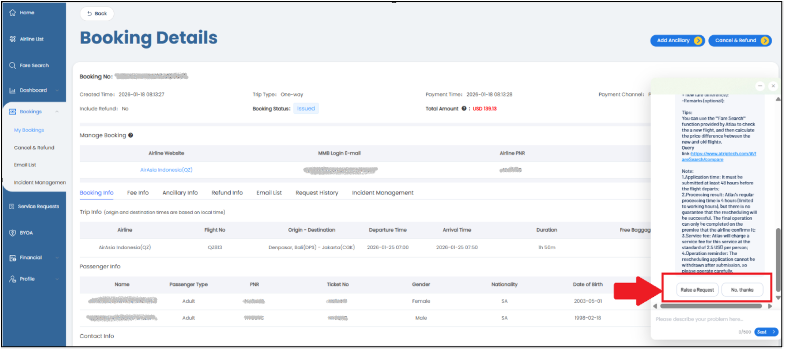

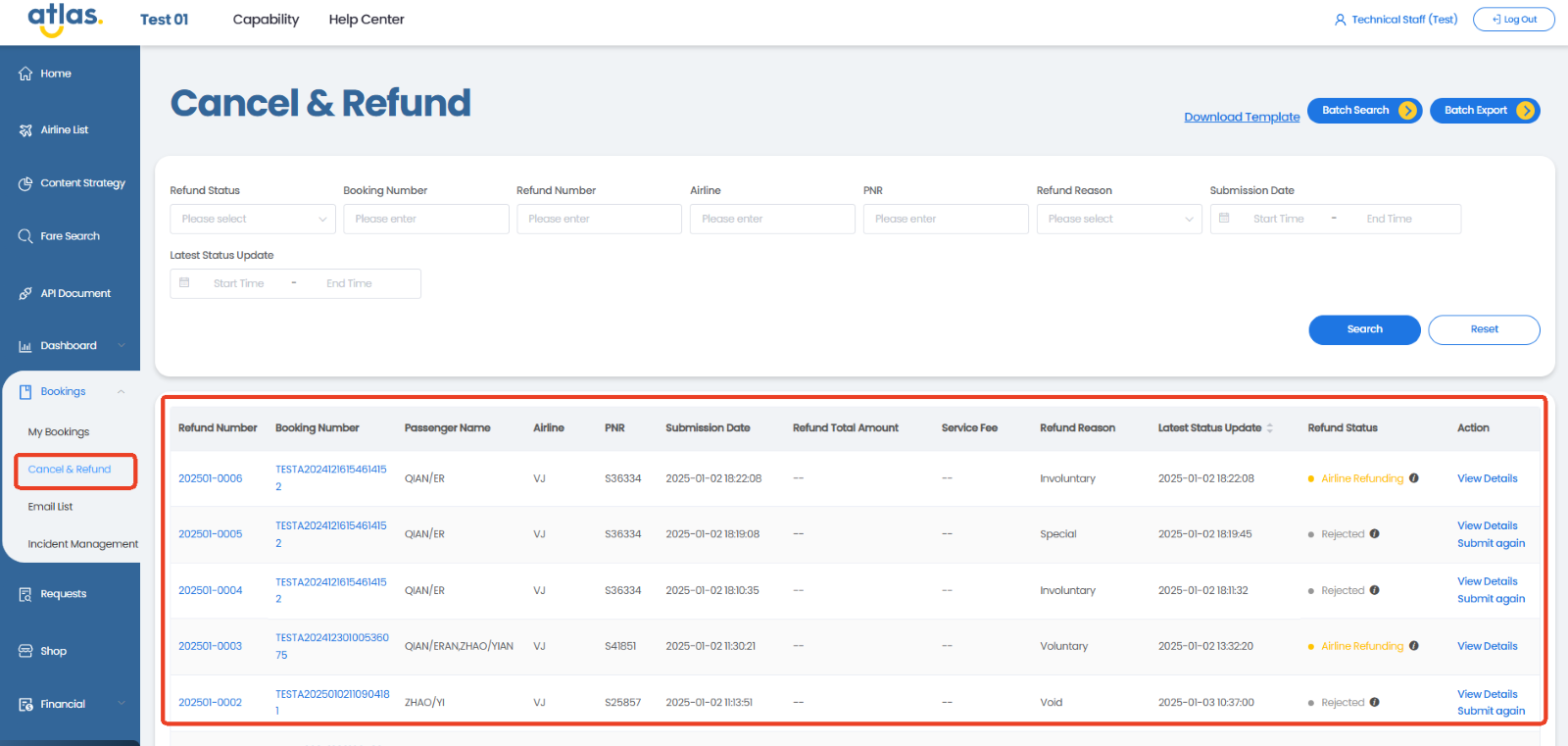
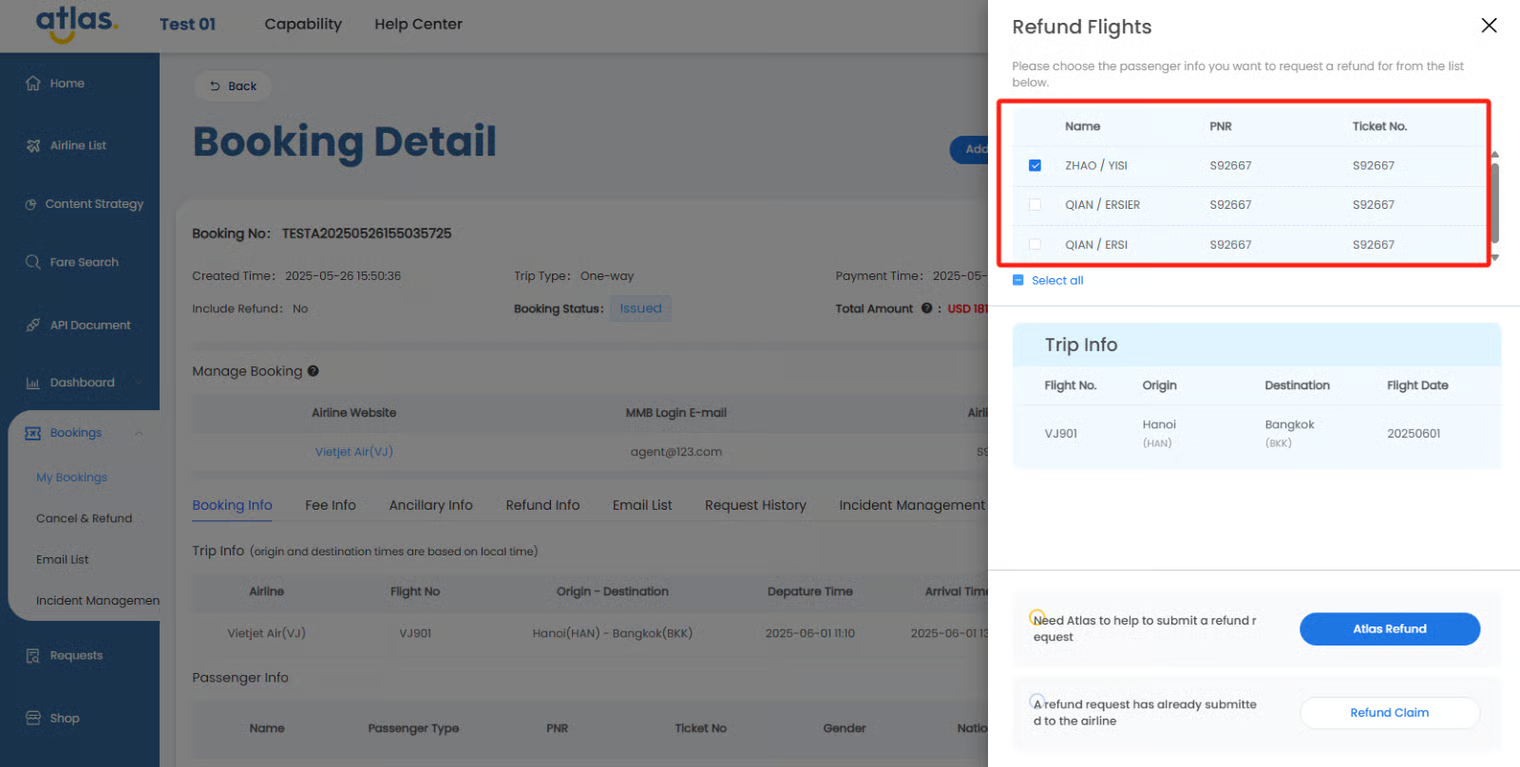
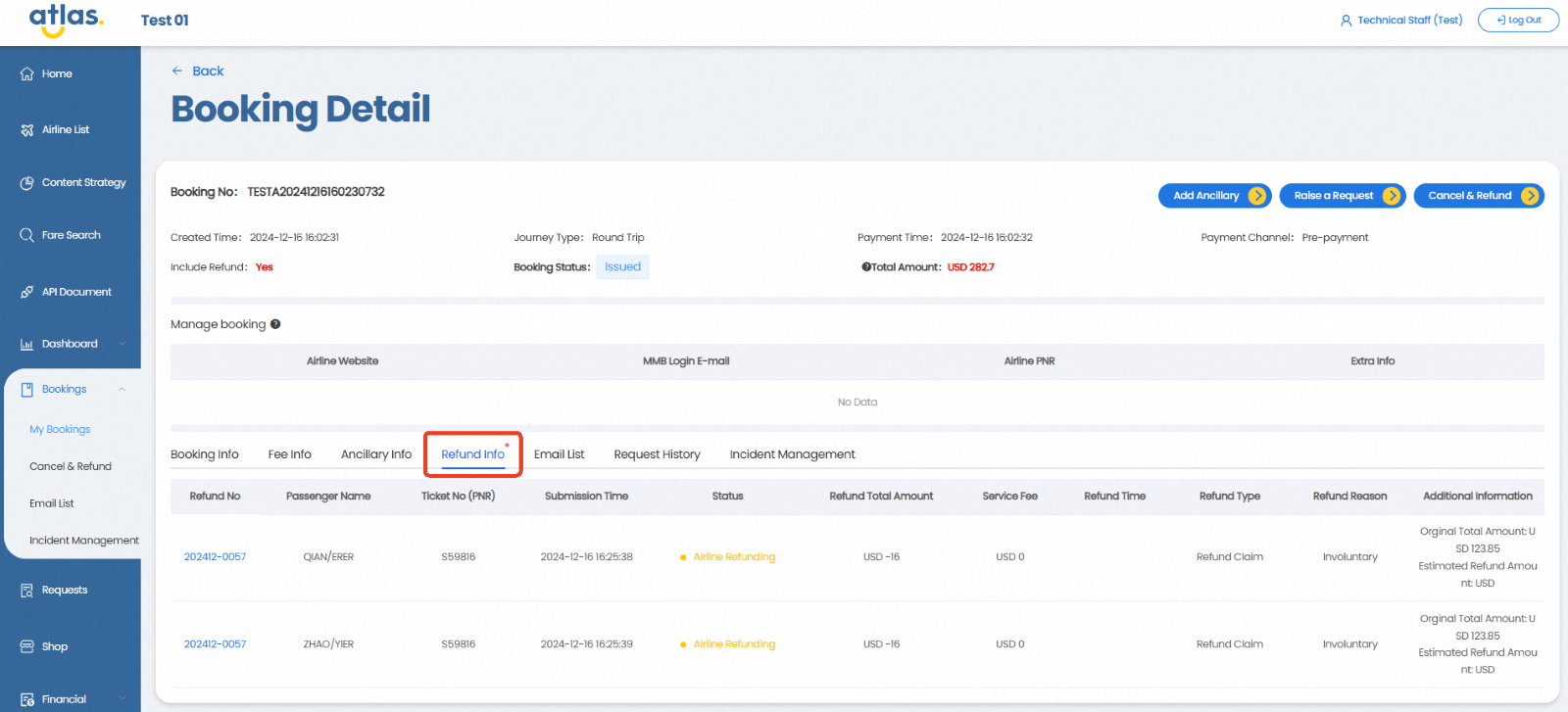
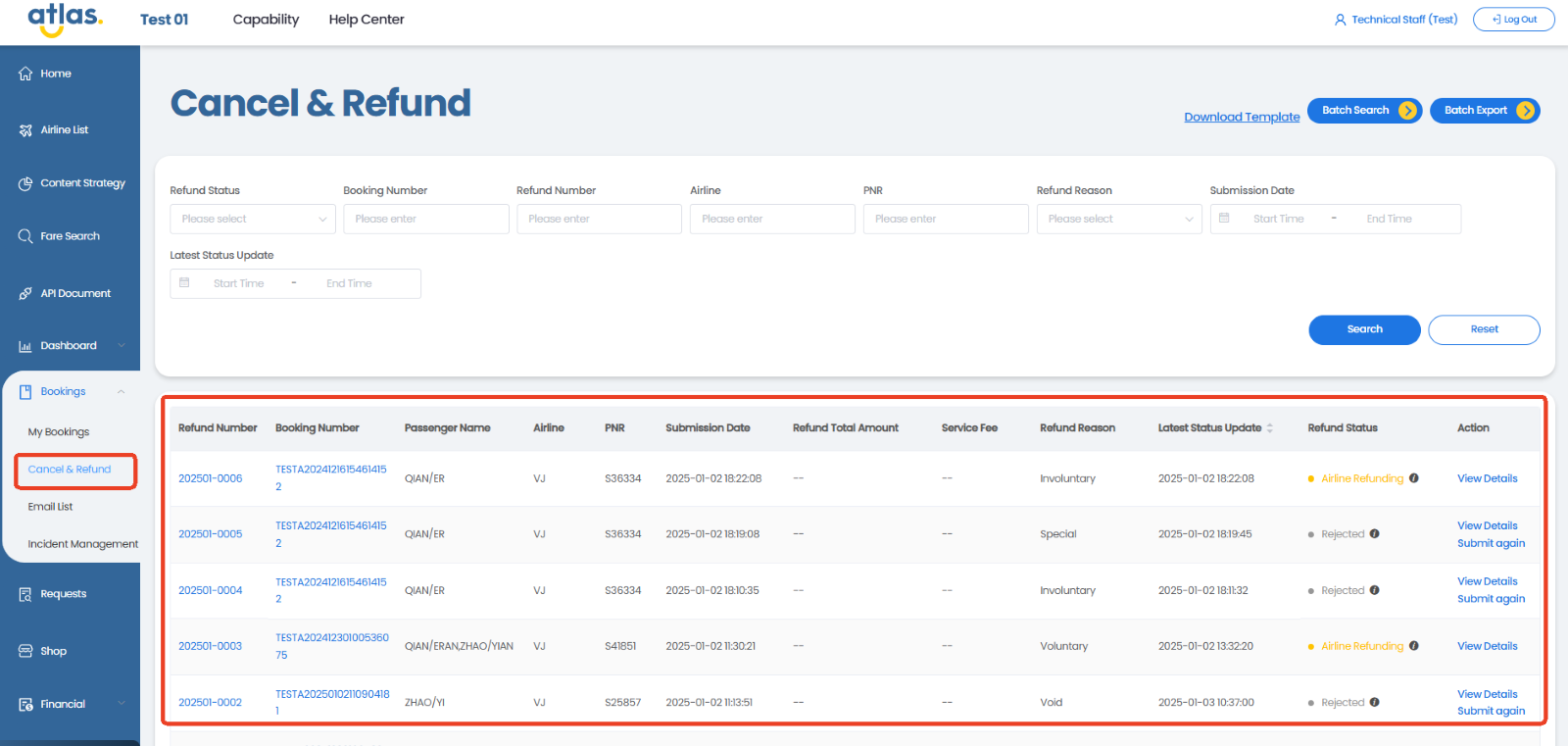
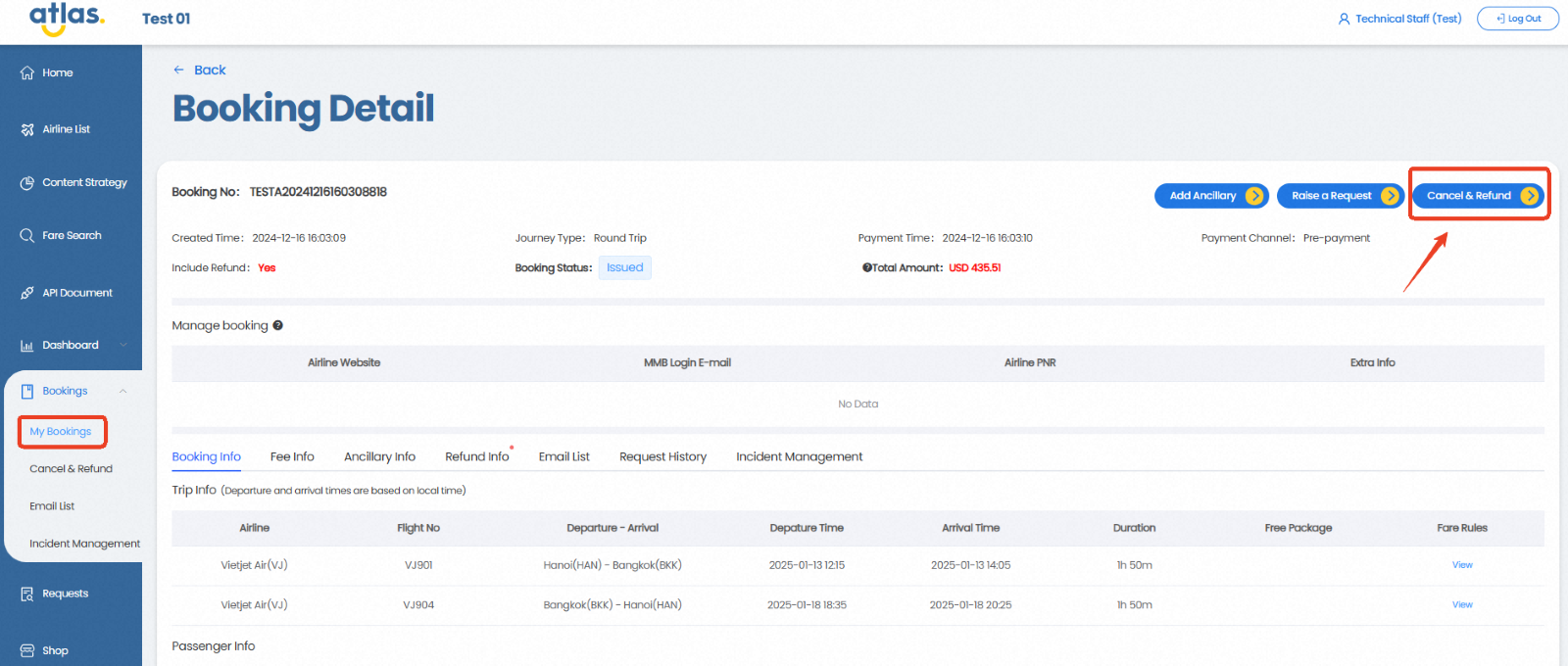
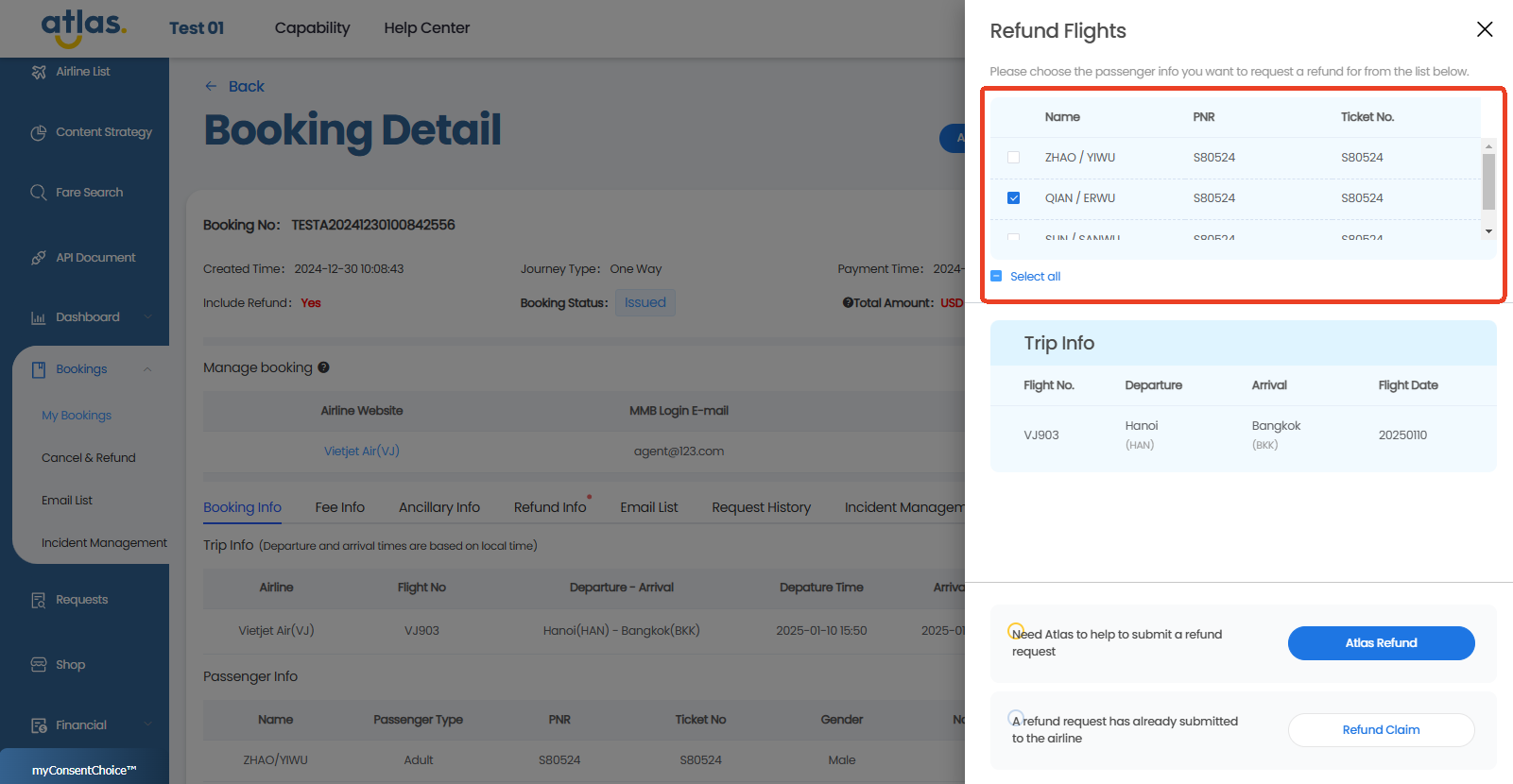
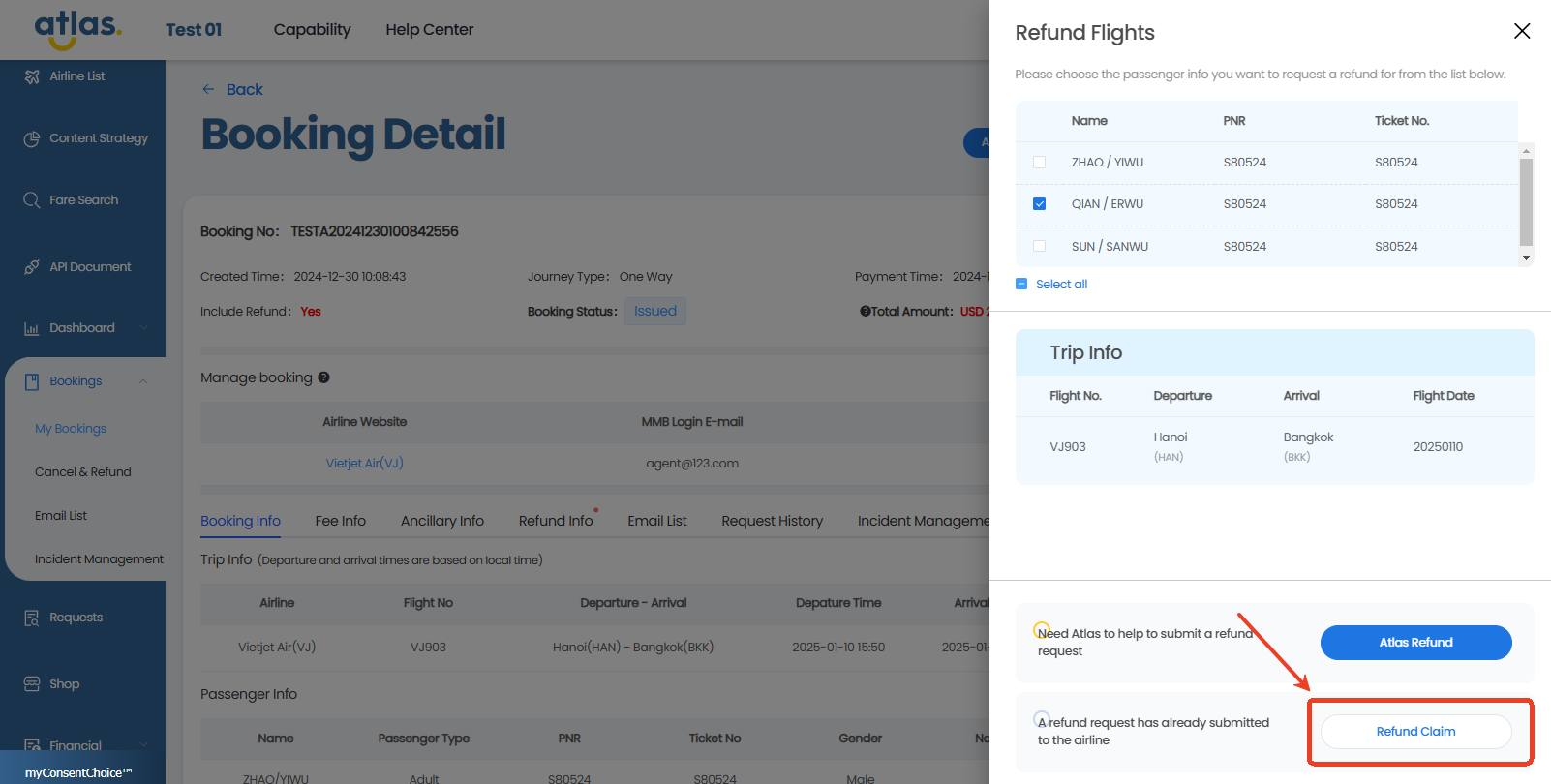
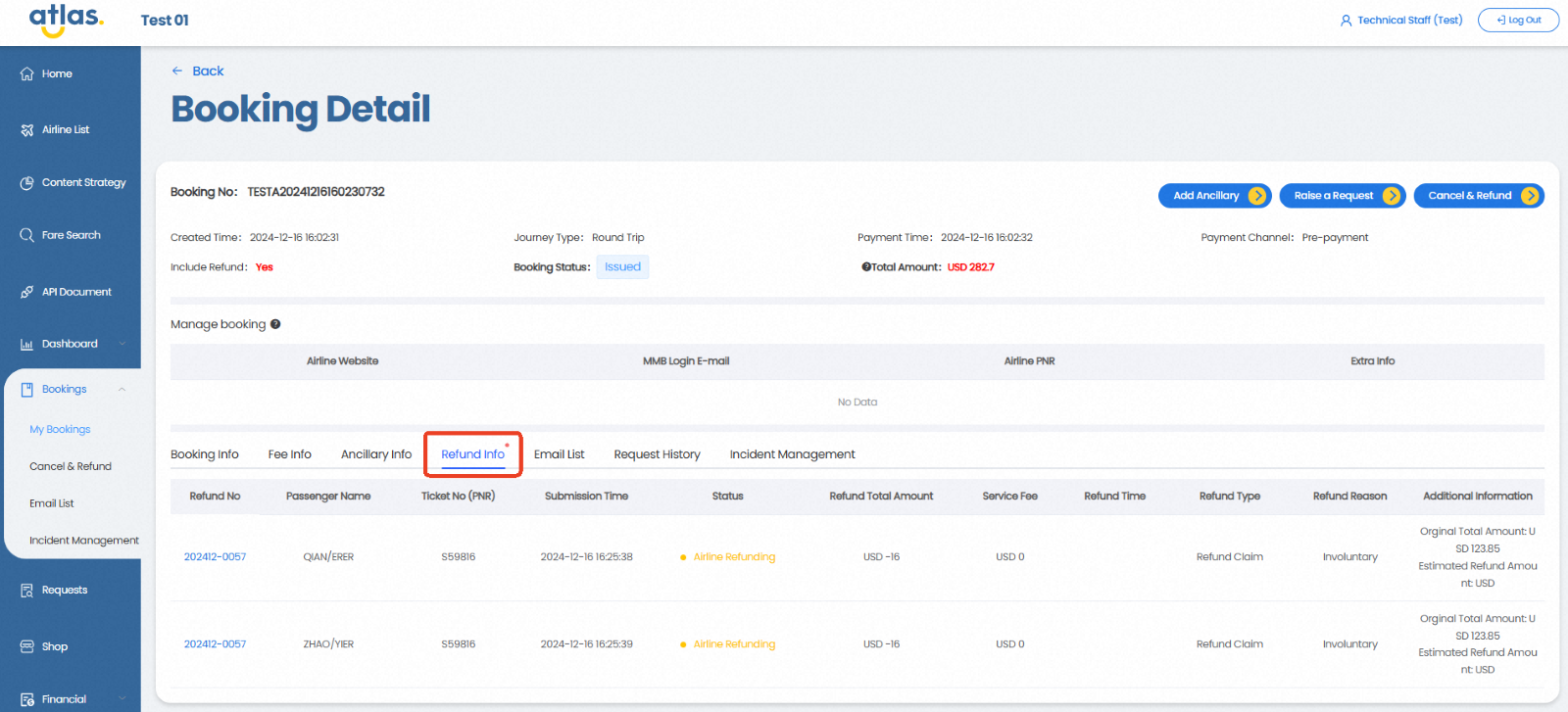
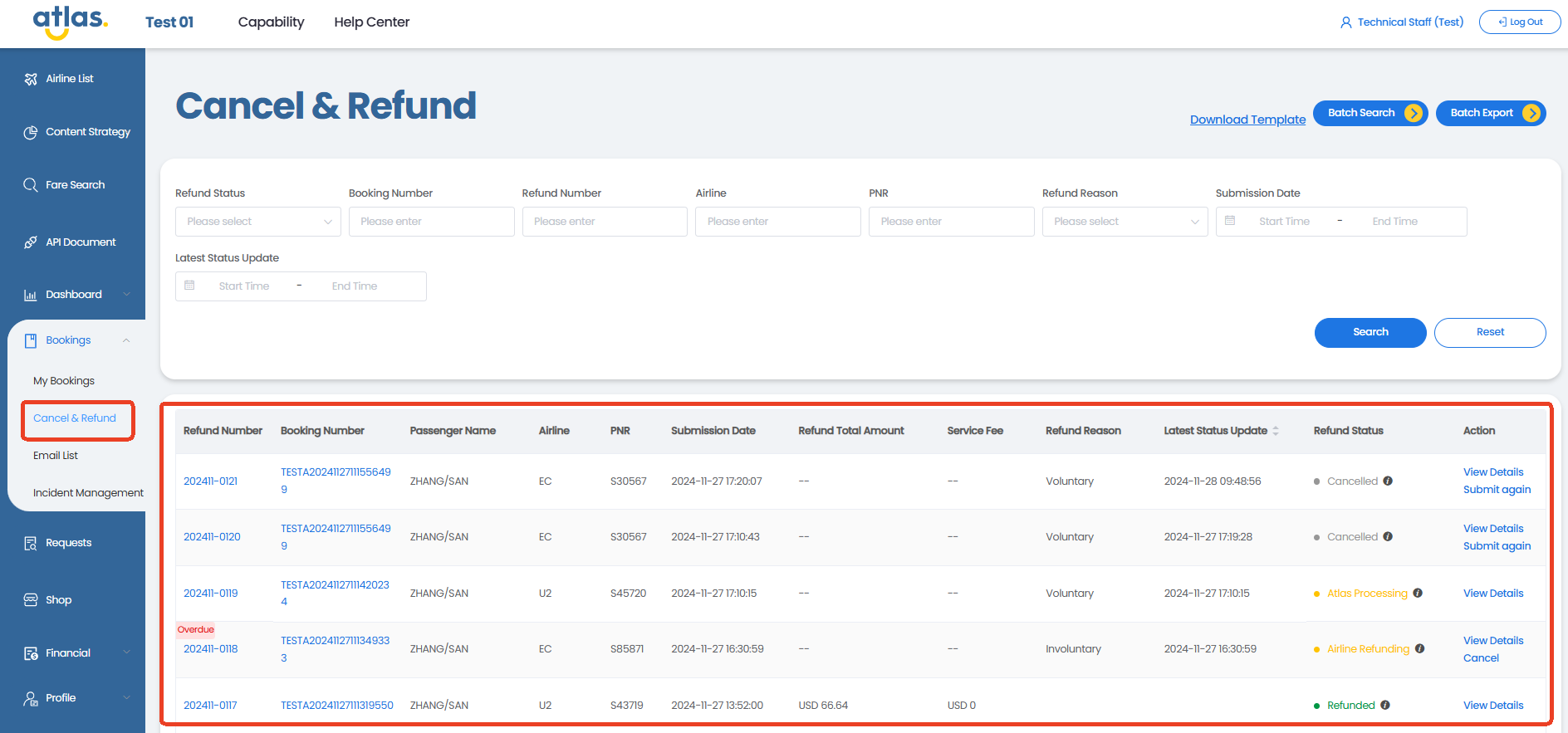
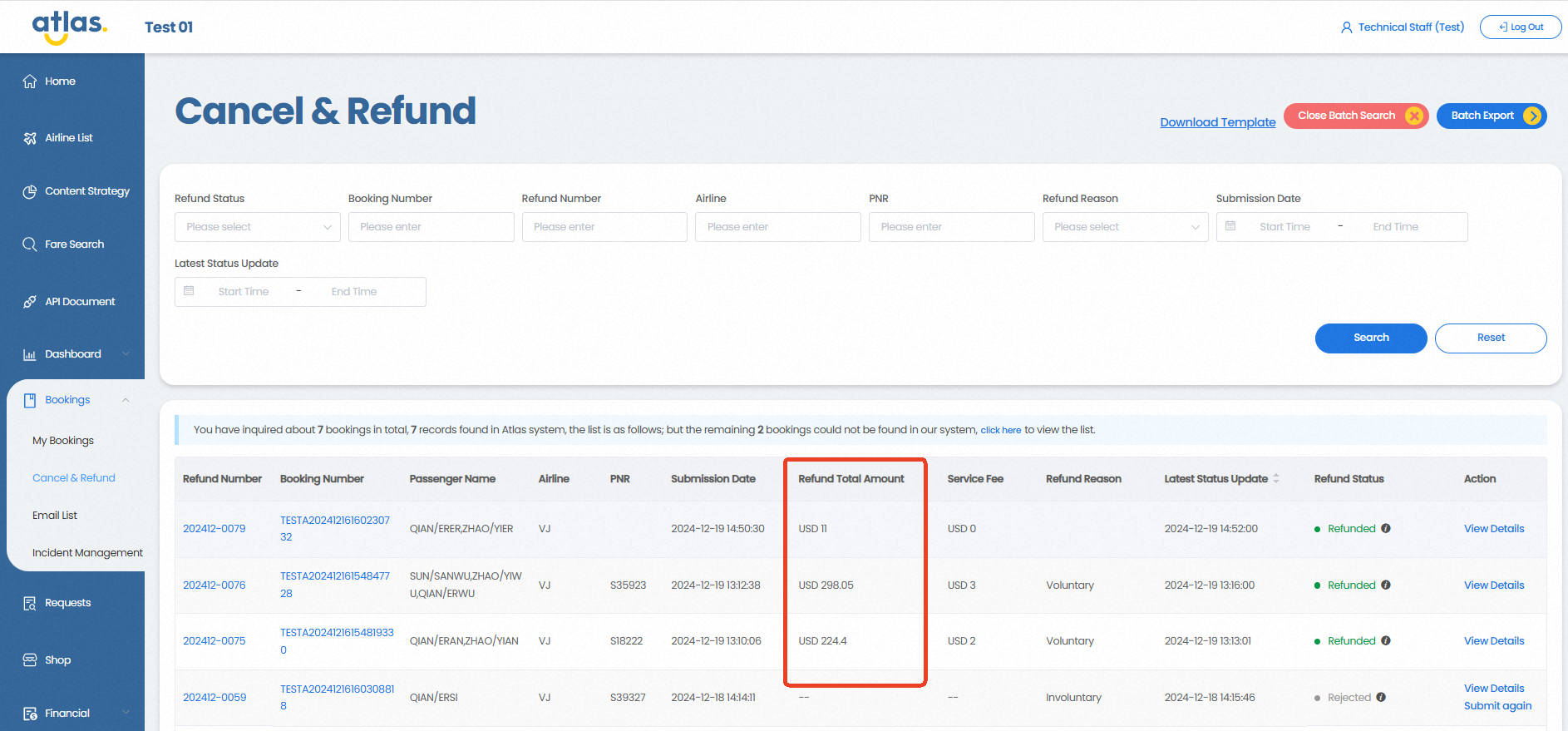
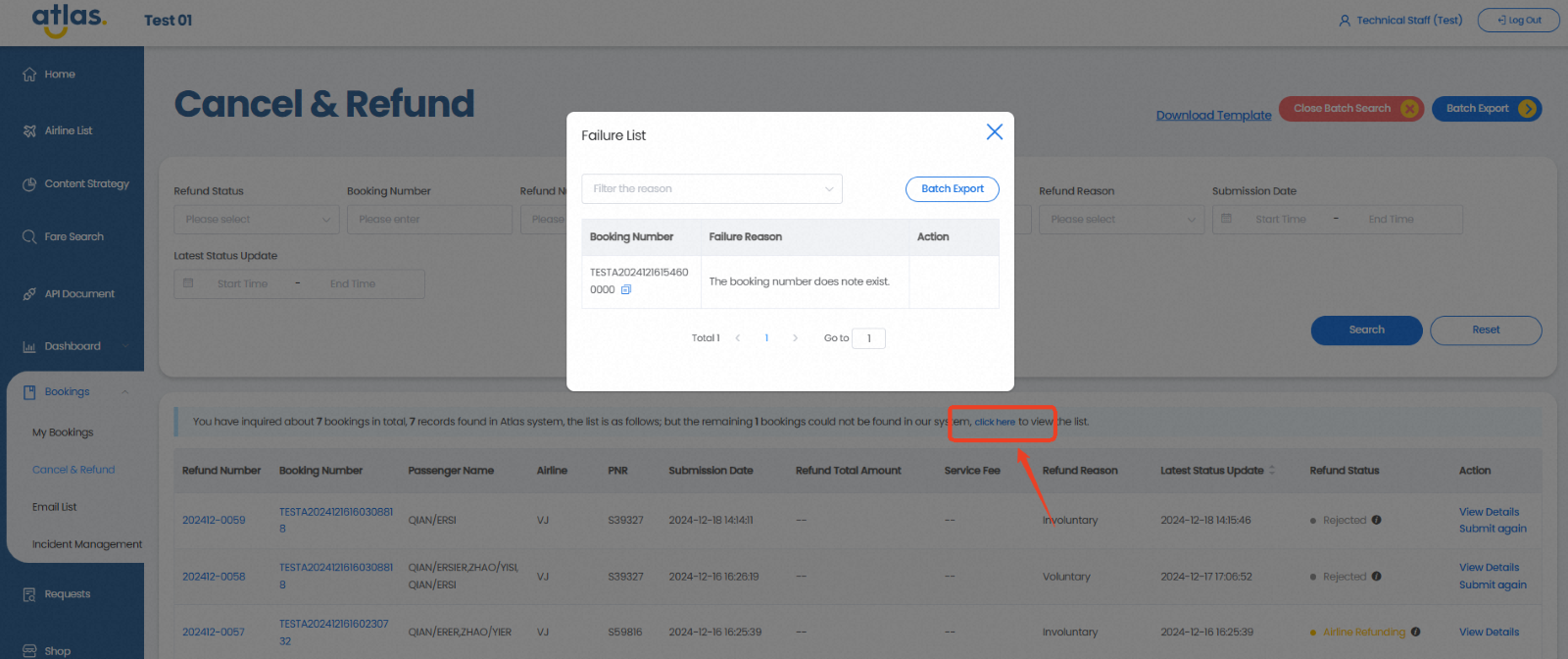
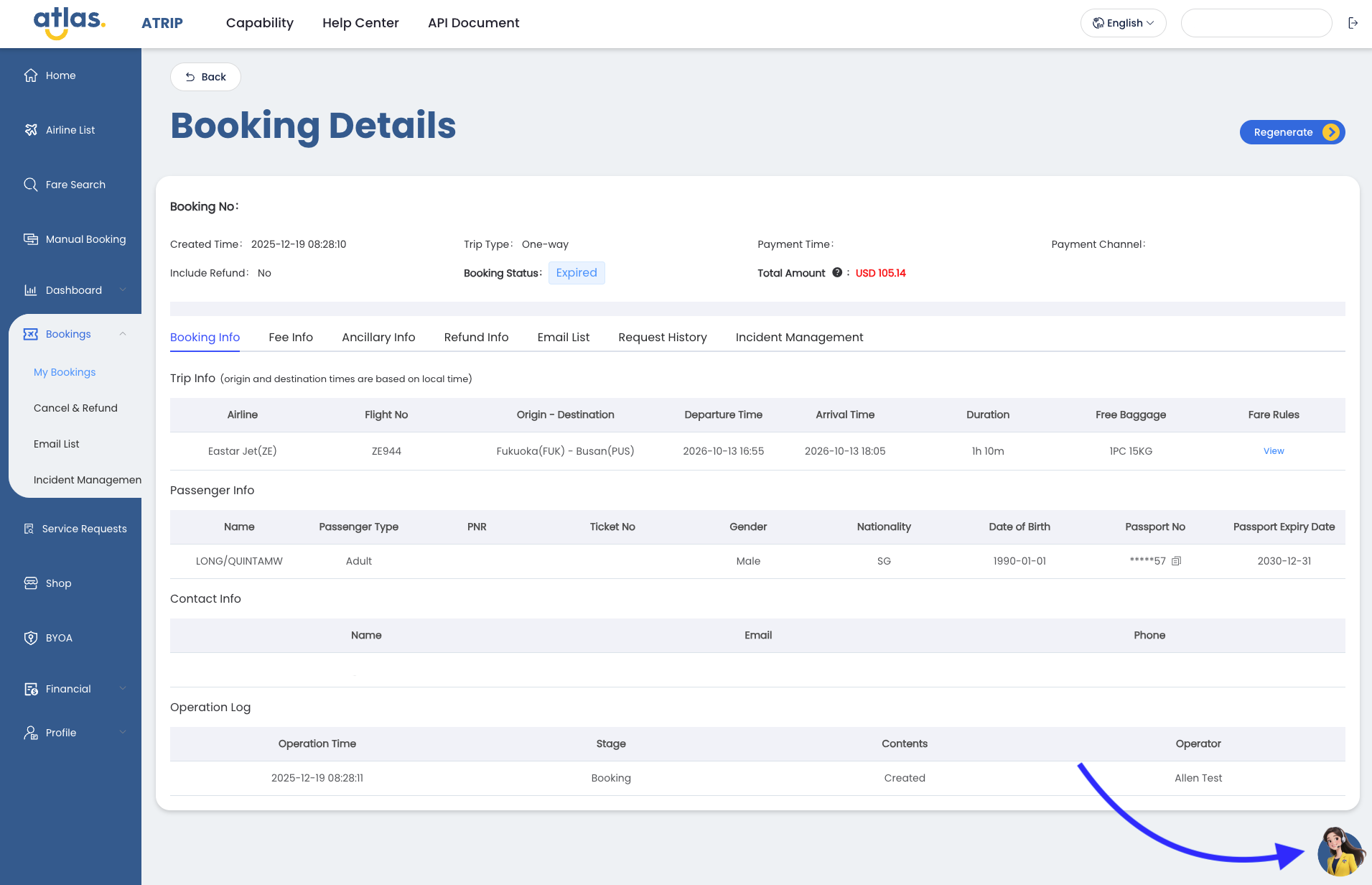
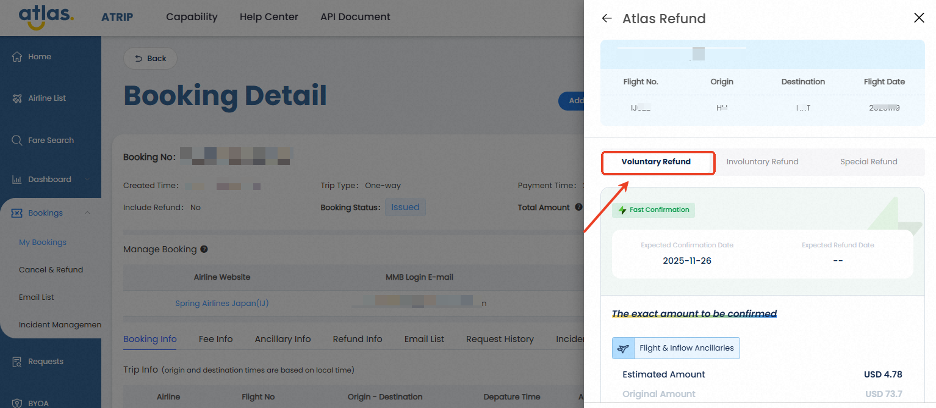
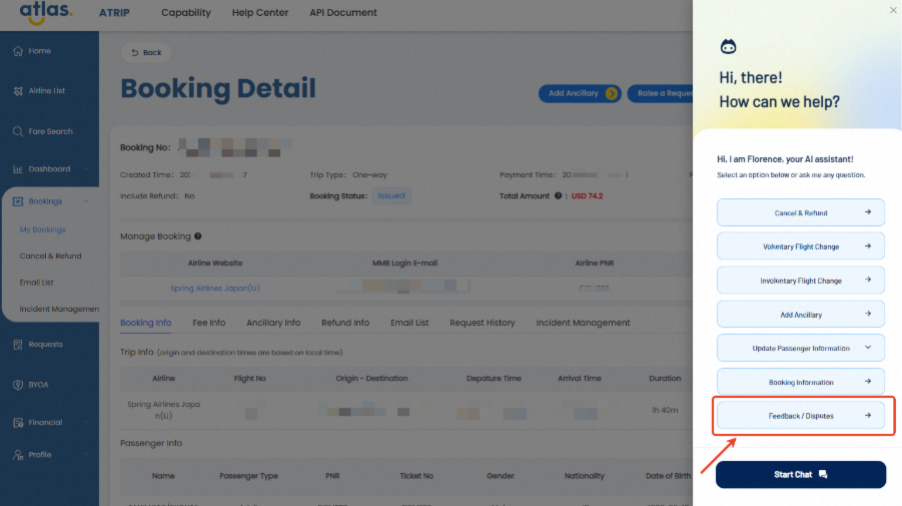
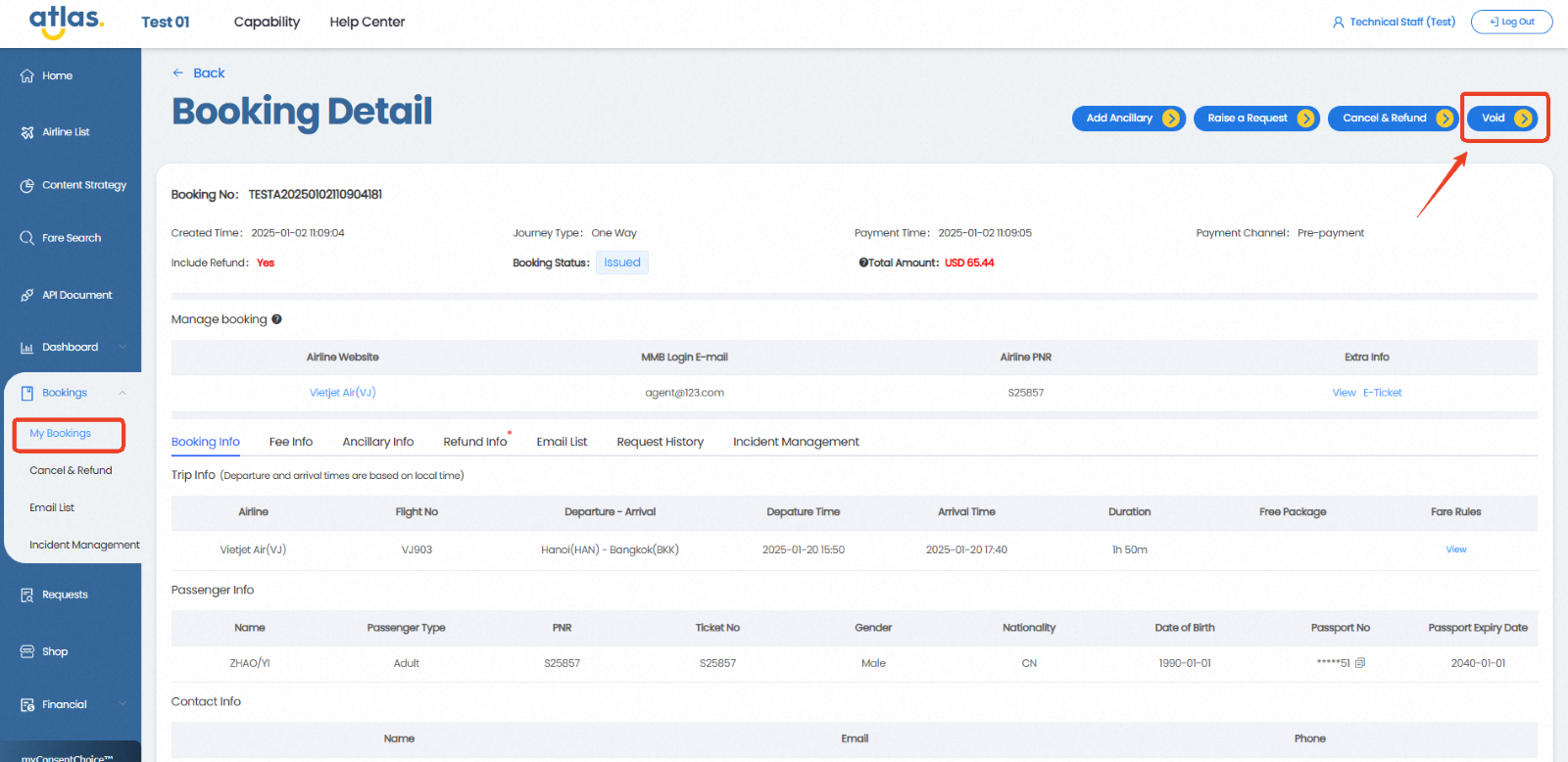
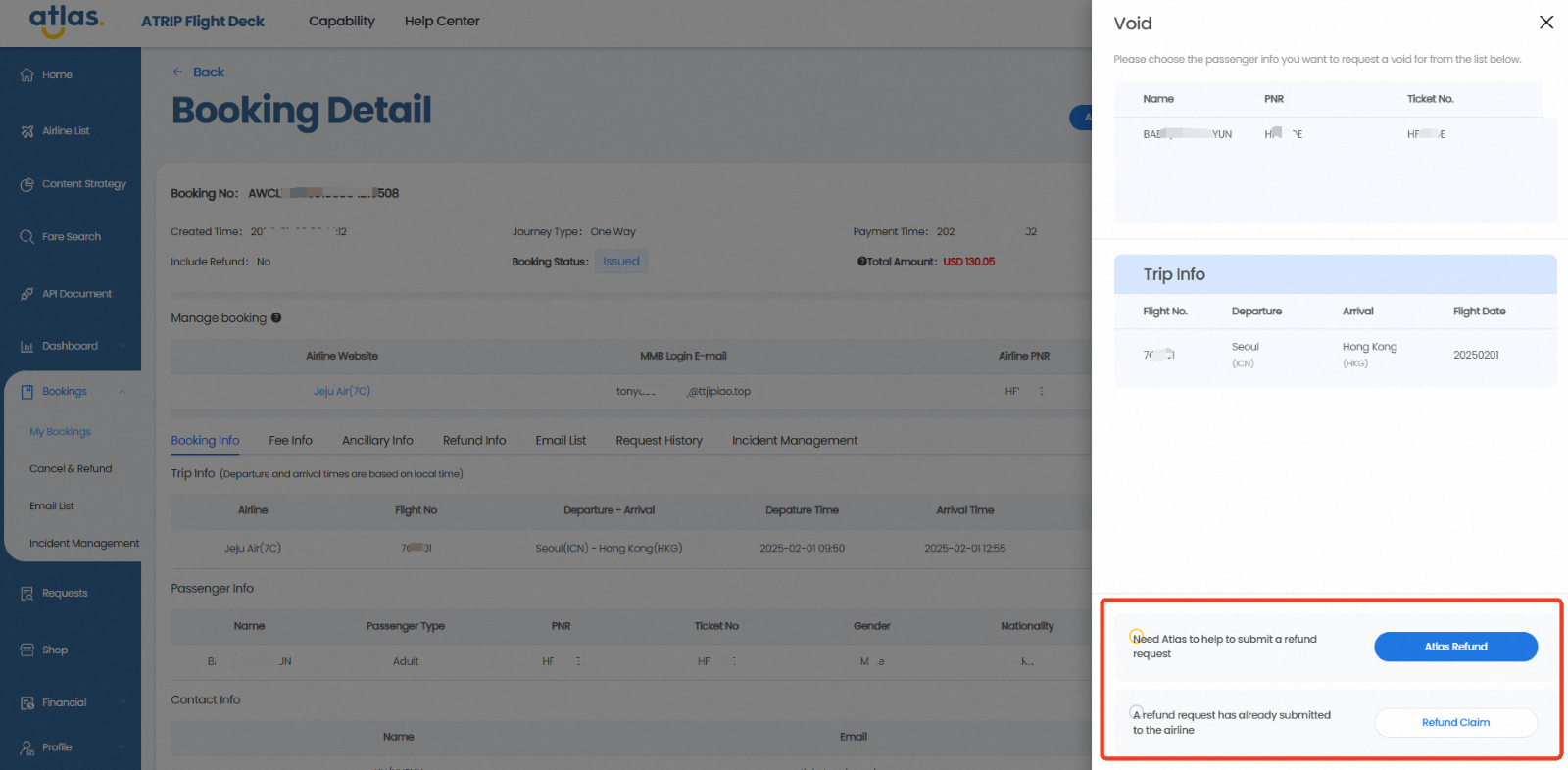
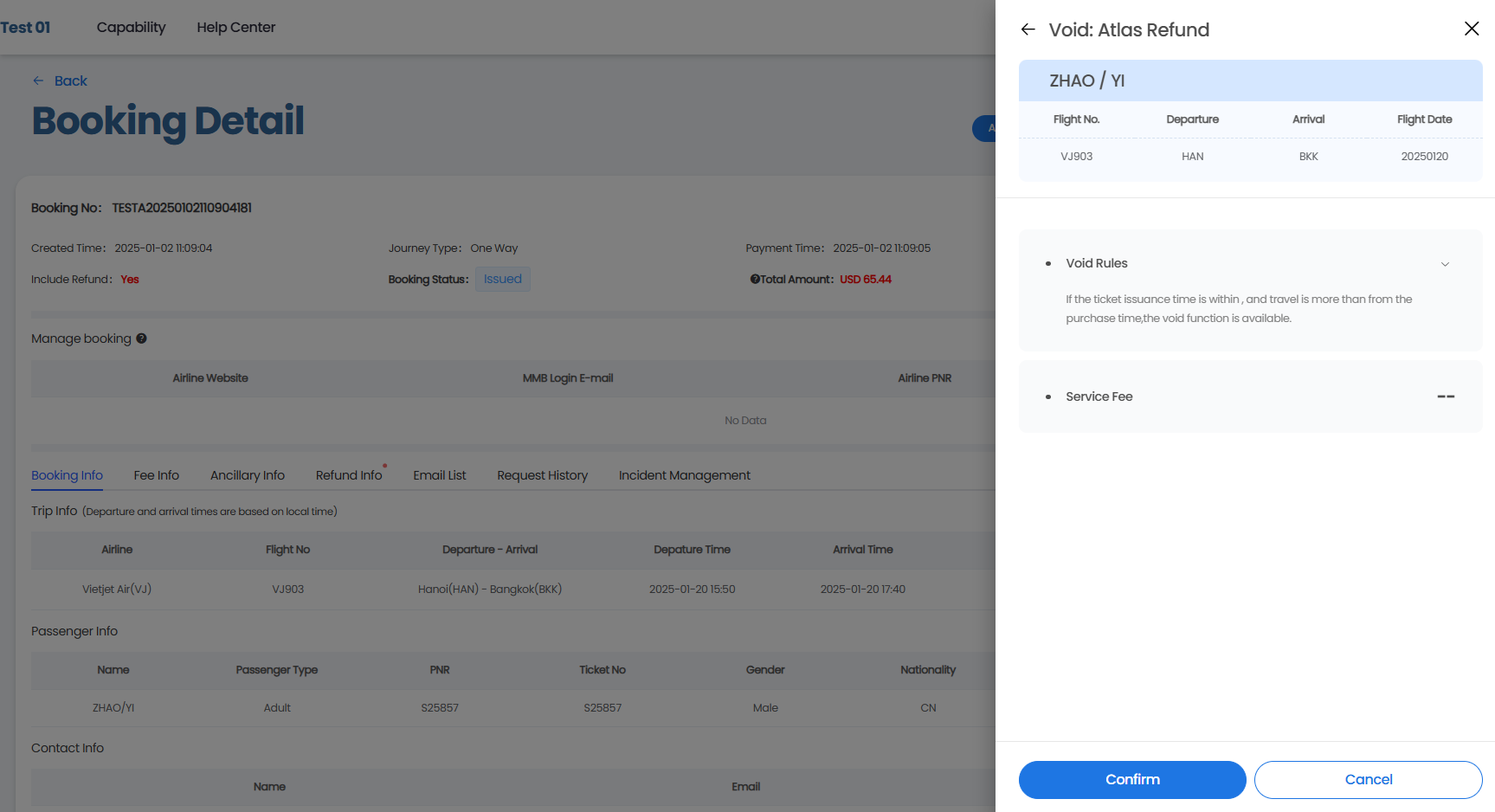
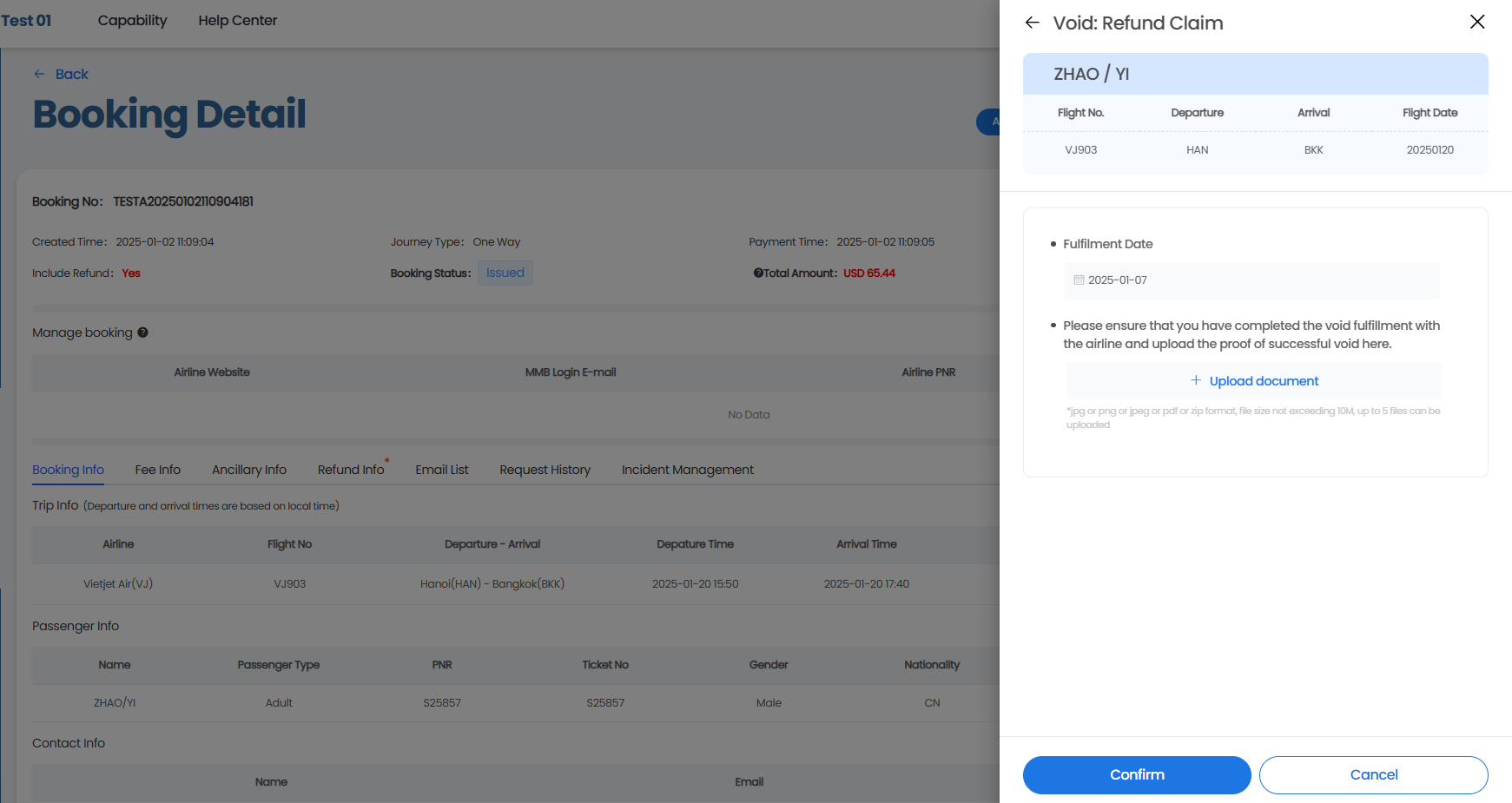
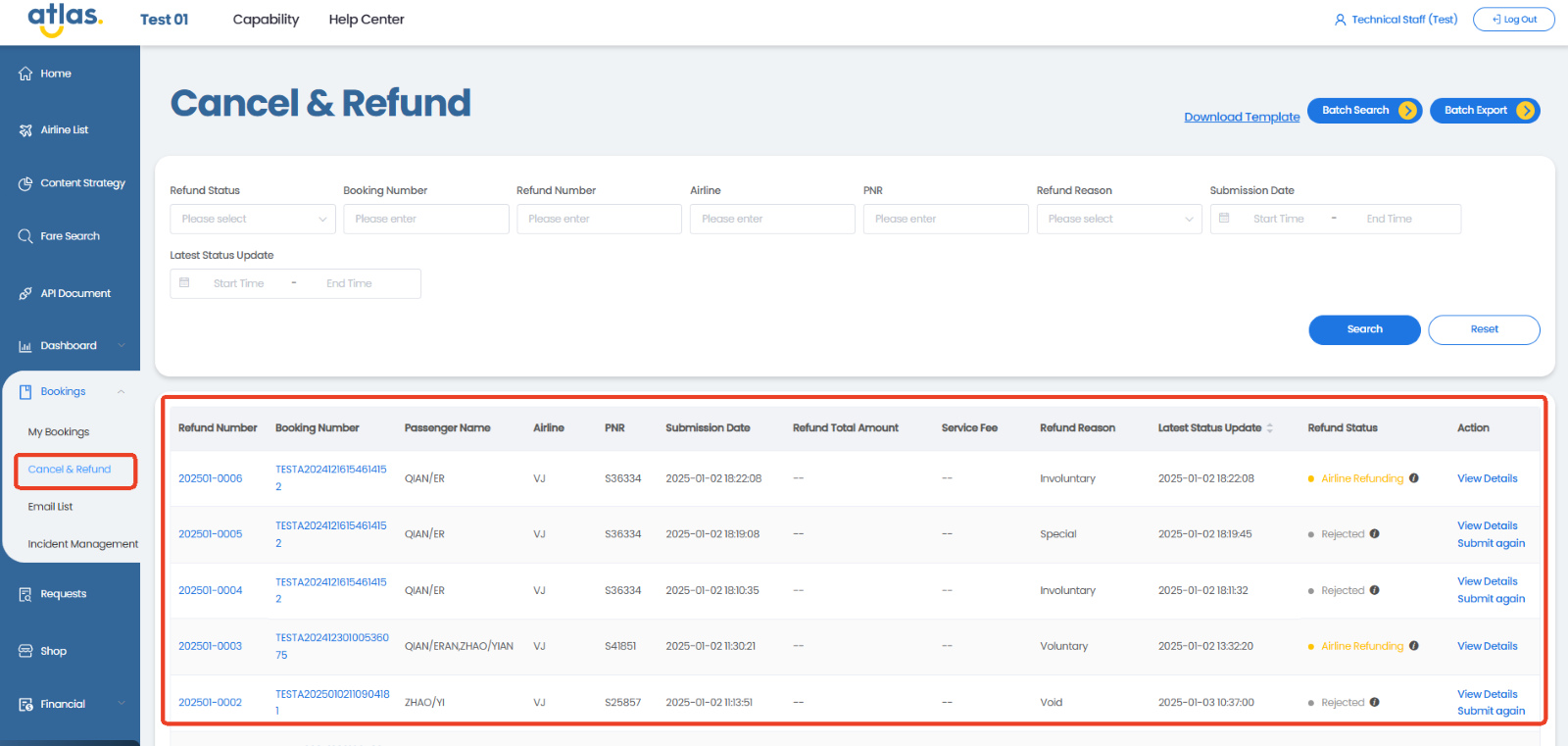
.png?alt=media&token=eebb48db-b93f-4540-a99f-80b773e90a1a)
.png?alt=media&token=af185451-5b65-4481-a445-ceba788072db)