> For the complete documentation index, see [llms.txt](https://resources.atriptech.com/llms.txt). Markdown versions of documentation pages are available by appending `.md` to page URLs; this page is available as [Markdown](https://resources.atriptech.com/popular-topics/post-booking/refund/refund-claim-through-atlas-after-completing-the-refund-request-with-the-airline.md).
# Refund Claim Through Atlas After Completing the Refund Request with the Airline
If you or the passenger have submitted a refund request to the airline and have been confirmed by the airline, you can submit a '**Refund Claim**' on the ATRIP platform. Atlas will refund you immediately after receiving the refund from the airline.
#### Important Notes
1. **This refund process does not apply to orders using the VCC Passthrough payment method** (identifiable through the payment channel: virtual credit card in the order details). This is because when clients use their own credit card for payment, the information exchange only occurs between the client and the airline, and Atlas is unable to determine the actual refund amount received.
2. **According to IATA standard, a ticket is generally valid for one (1) year from the date of issuance.**\
After the validity period expires, Atlas will no longer be able to process related refund requests. For any incomplete **Refund Claim** that meets **both** conditions below, the system will automatically reject and close the request:
* It has been **1 year since the ticket issuance date**; and
* It has been **1 month since the customer submitted the refund request**.
**Claim Path:**
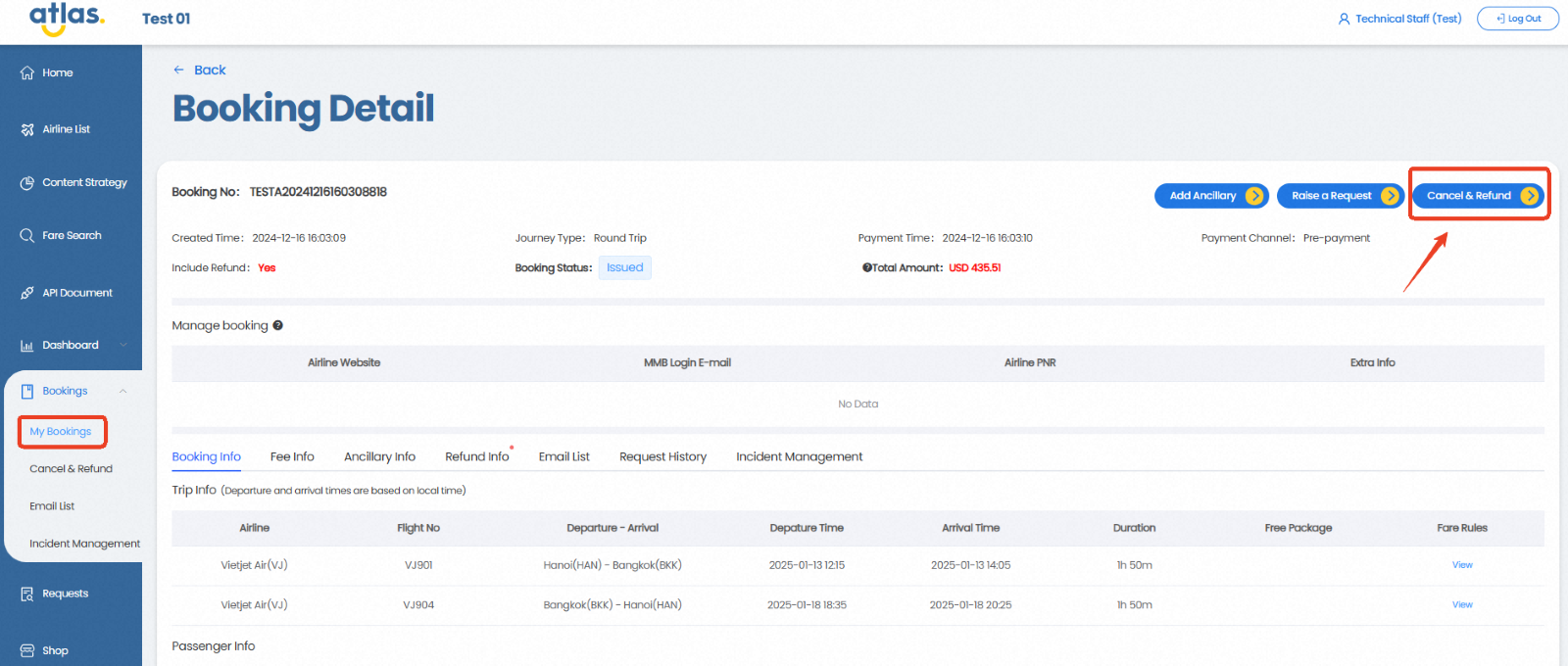
ATRIP → Bookings → My Bookings → Booking Details → Cancel & Refund
**Refund Process:**
1. Click the "**Cancel & Refund**" button.
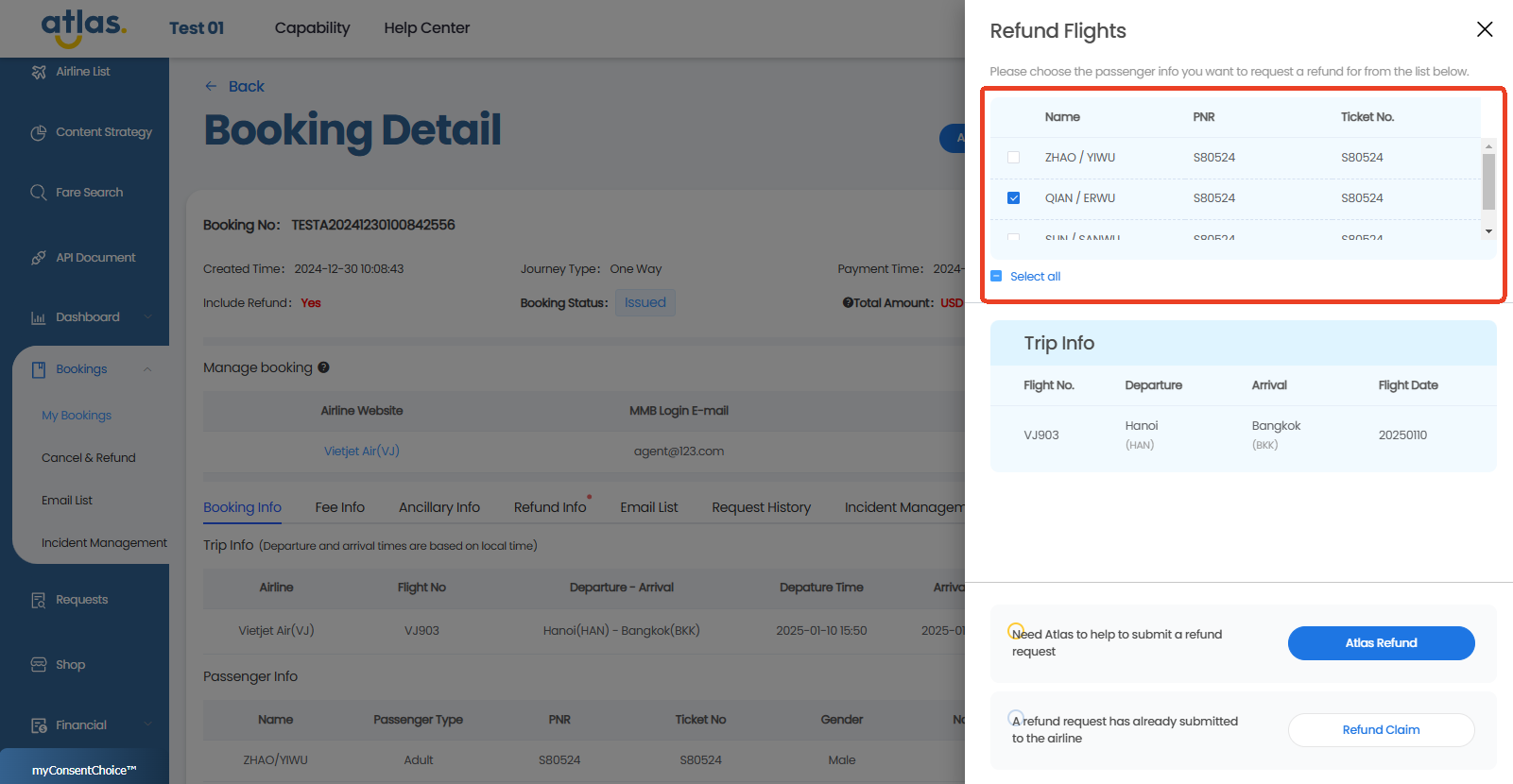
2. Select the specific passengers and segments you want to refund.
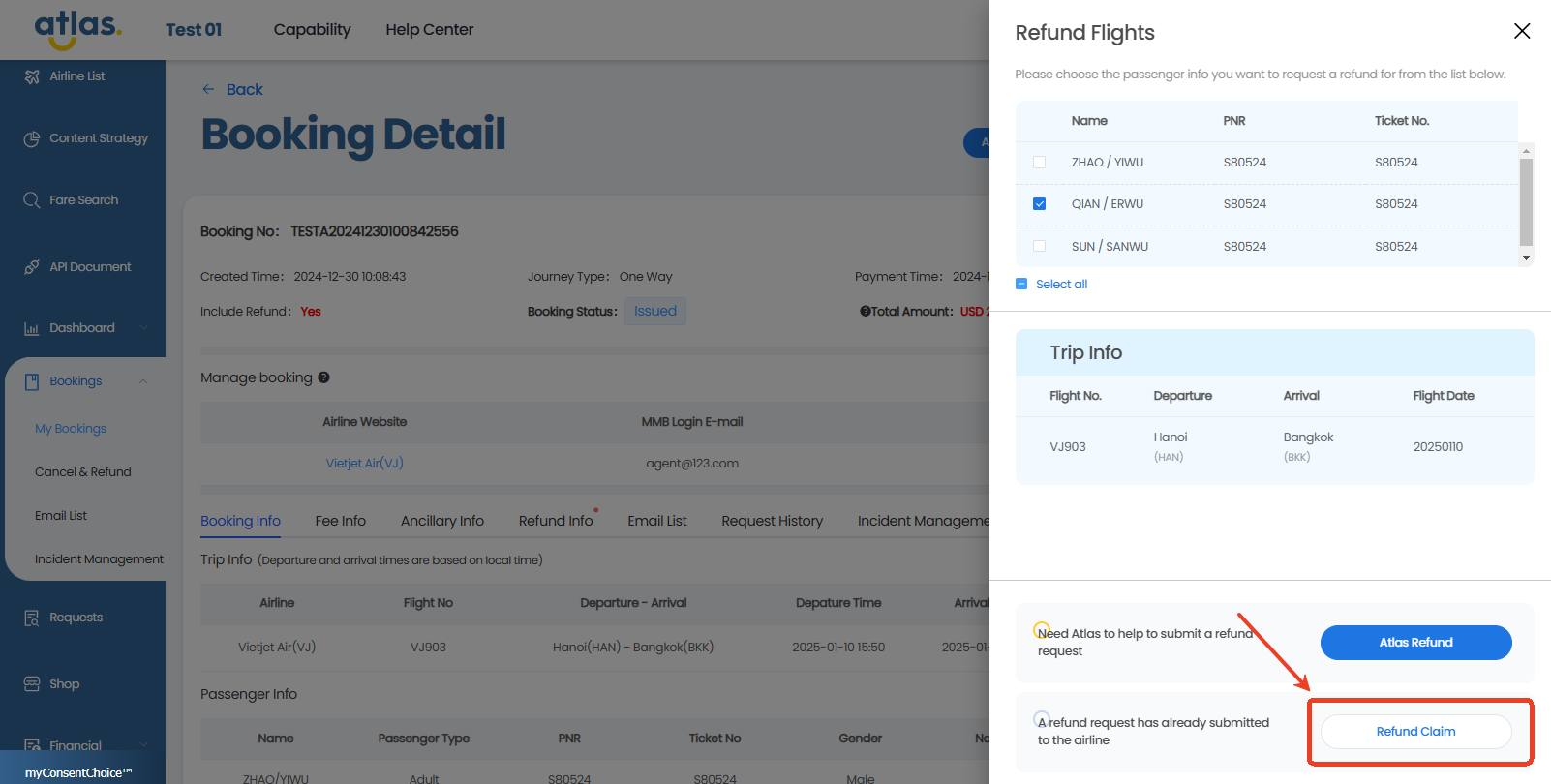
3. Click the " **Refund Claim** " button.
4. According to the page instructions, select the reason for the refund, fill in the airline company's fulfillment date, upload the proof of airline confirmation of fulfillment, then click the "Confirm" button to submit the refund request.

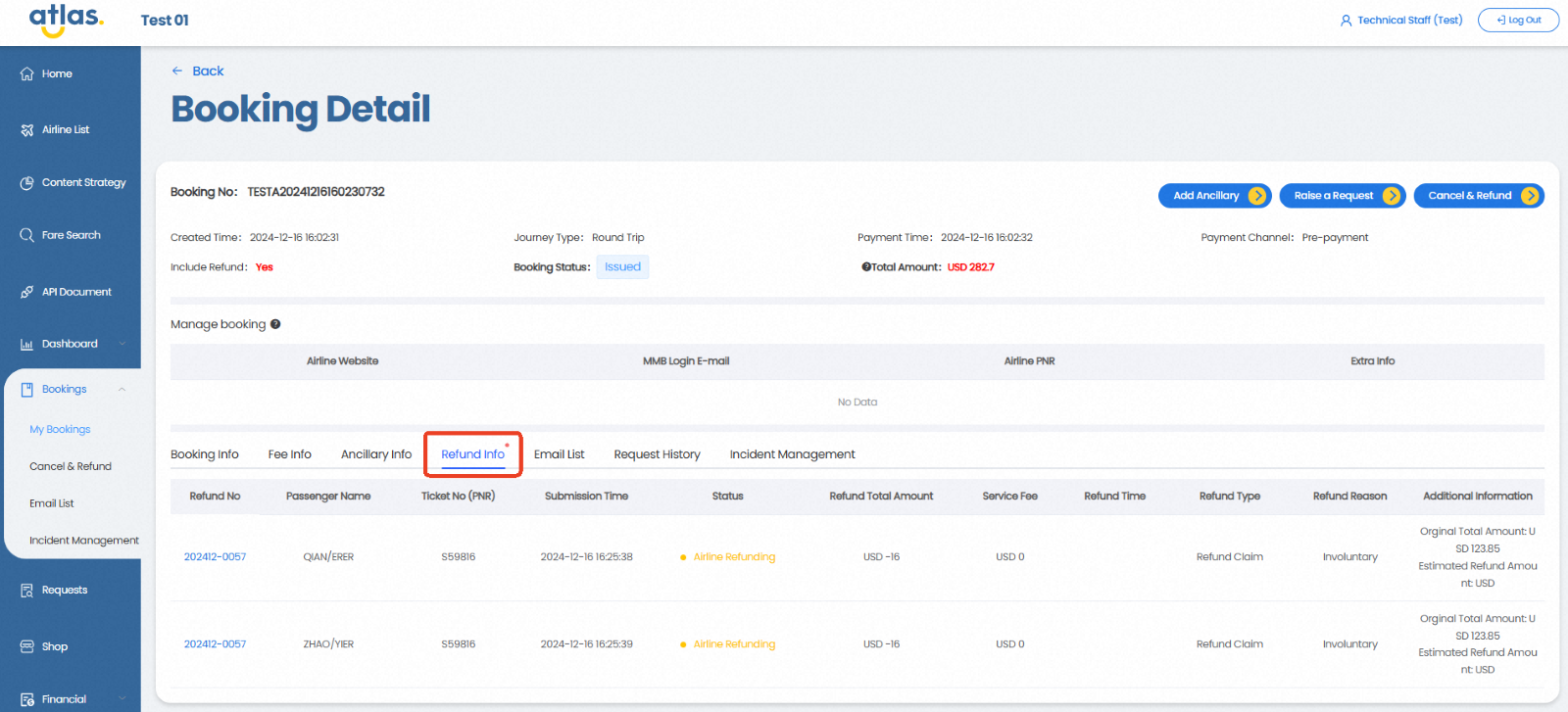
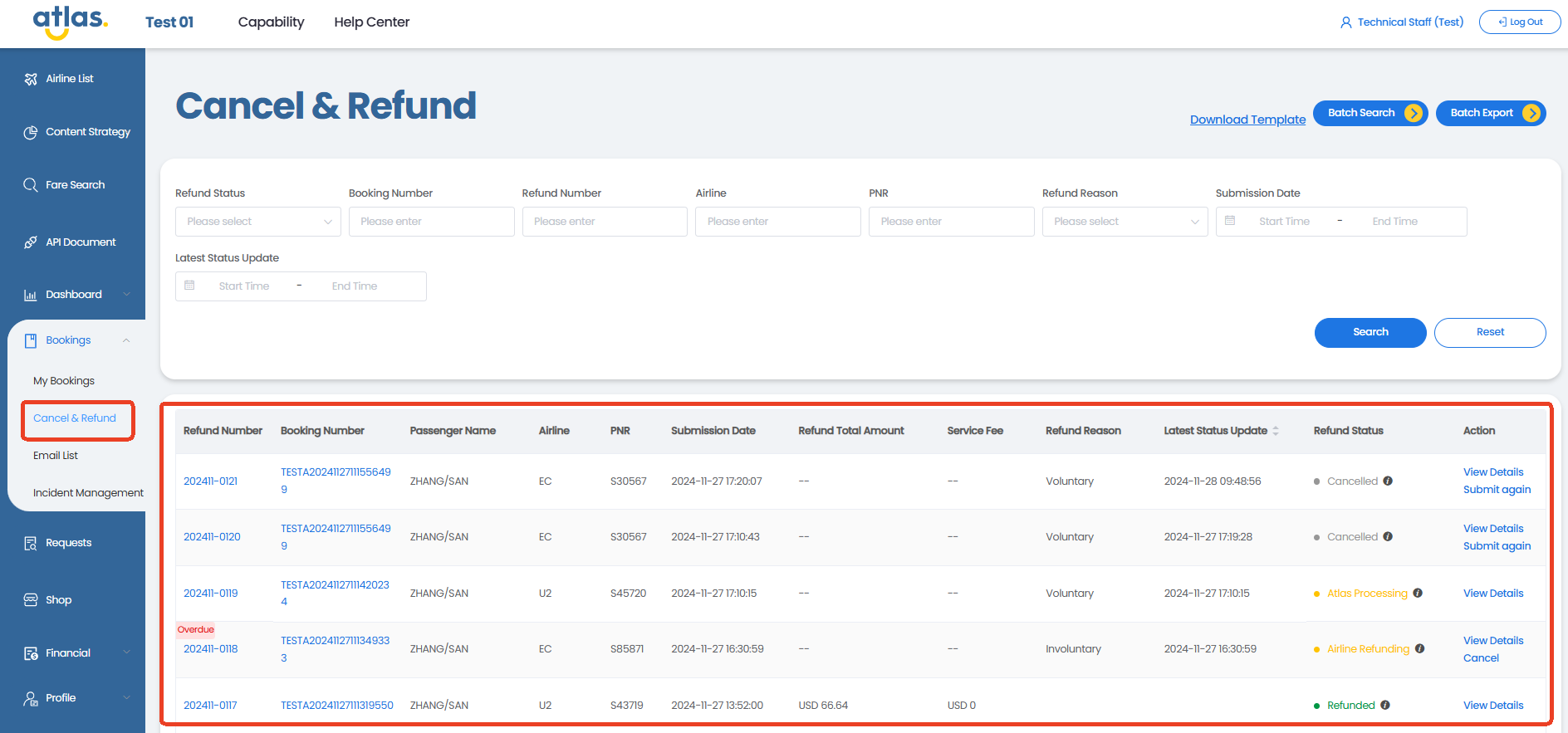
5. Once the submission is successful, Atlas will receive and process your refund request. Atlas will issue the refund to you immediately upon receiving it from the airline. Additionally, your refund information will be displayed on both the "Refund Info" and "Cancel & Refund" pages, allowing you to track the progress of the refund on either page.
* Refund Info Page:
* Cancel & Refund Page: