> For the complete documentation index, see [llms.txt](https://resources.atriptech.com/llms.txt). Markdown versions of documentation pages are available by appending `.md` to page URLs; this page is available as [Markdown](https://resources.atriptech.com/popular-topics/post-booking/void/applying-for-void-through-atrip.md).
# Applying for VOID through ATRIP
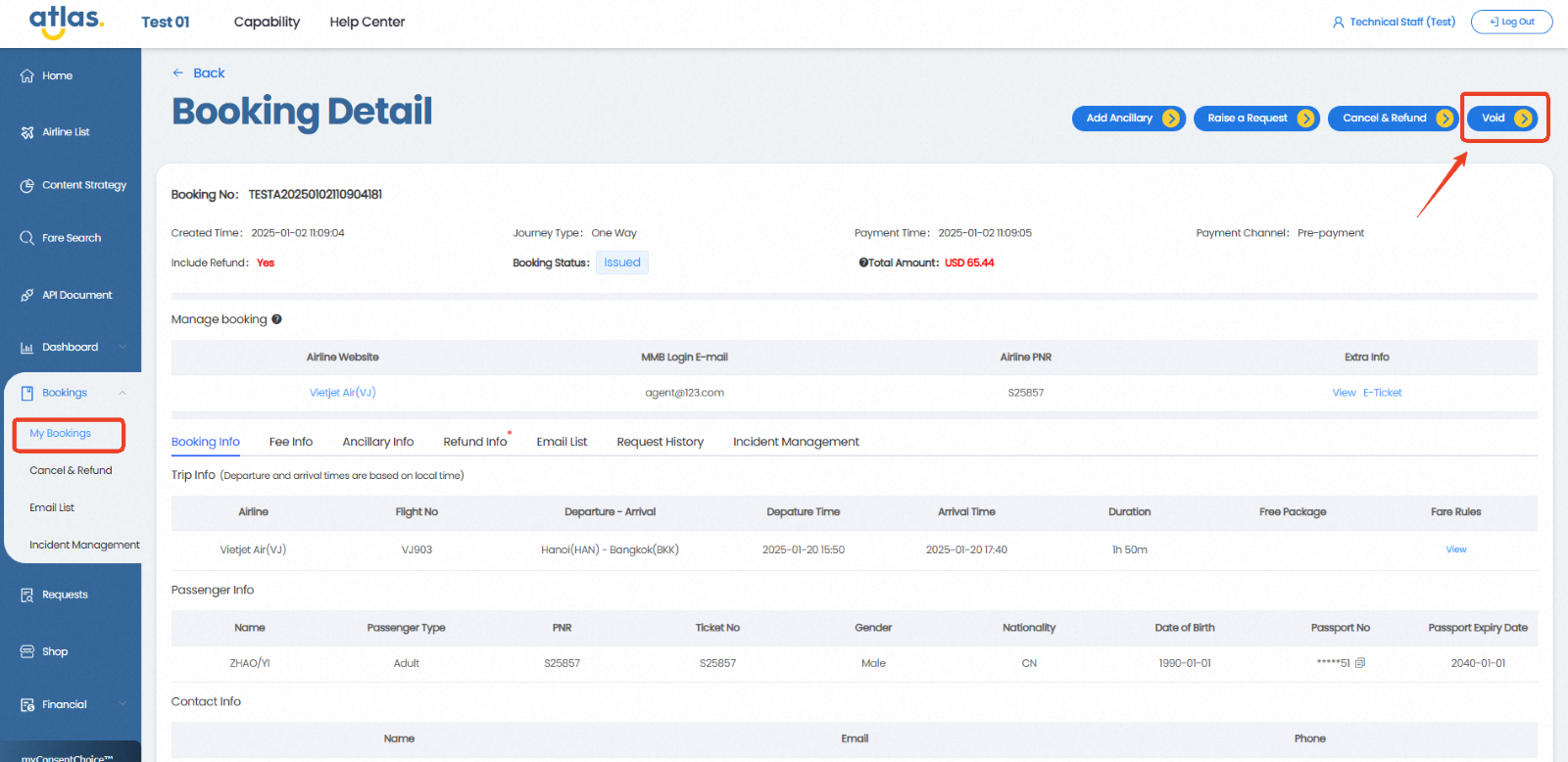
**Path:** ATRIP → Bookings → My Bookings → Booking Details → VOID
{% hint style="warning" %}
If you do not see a VOID button, it means VOID service is not available for that airline.
VOID requests can only be submitted at the PNR level (not for partial passengers).
A VOID request cannot be submitted once the window period has expired.
If some passengers in the order have already requested a refund for other reasons, a VOID request cannot be made.
{% endhint %}
### **VOID Process**
#### 1. Start the VOID Request
* Click the VOID button.
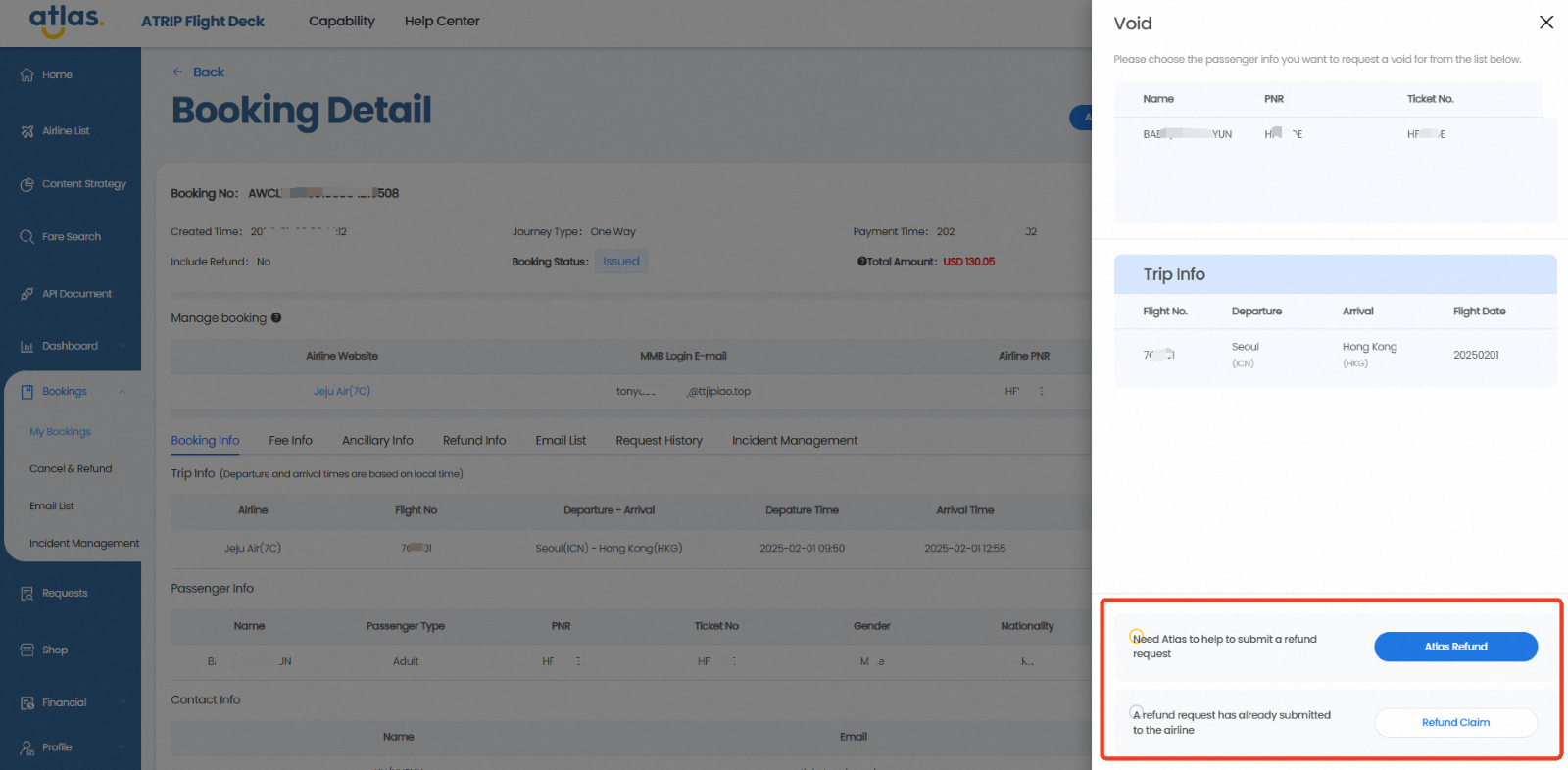
* Confirm the passengers and flight details requiring VOID.
* Select one of the following options:
* **Atlas Refund** – Atlas will submit the VOID request to the airline on your behalf.
* **Refund Claim** – Choose this if you or the passenger has already submitted a refund request directly with the airline and it has been confirmed. Atlas will refund you once the airline refund is received.
**Note: Once the VOID application is submitted, it cannot be withdrawn. Please proceed with caution.**
{% hint style="warning" %}
**Refund Claim** does not apply to orders using the VCC Passthrough payment method (identifiable through the payment channel: virtual credit card in the order details). This is because when clients use their own credit card for payment, the information exchange only occurs between the client and the airline, and Atlas is unable to determine the actual refund amount received.
{% endhint %}
#### 2. Submit the VOID Request
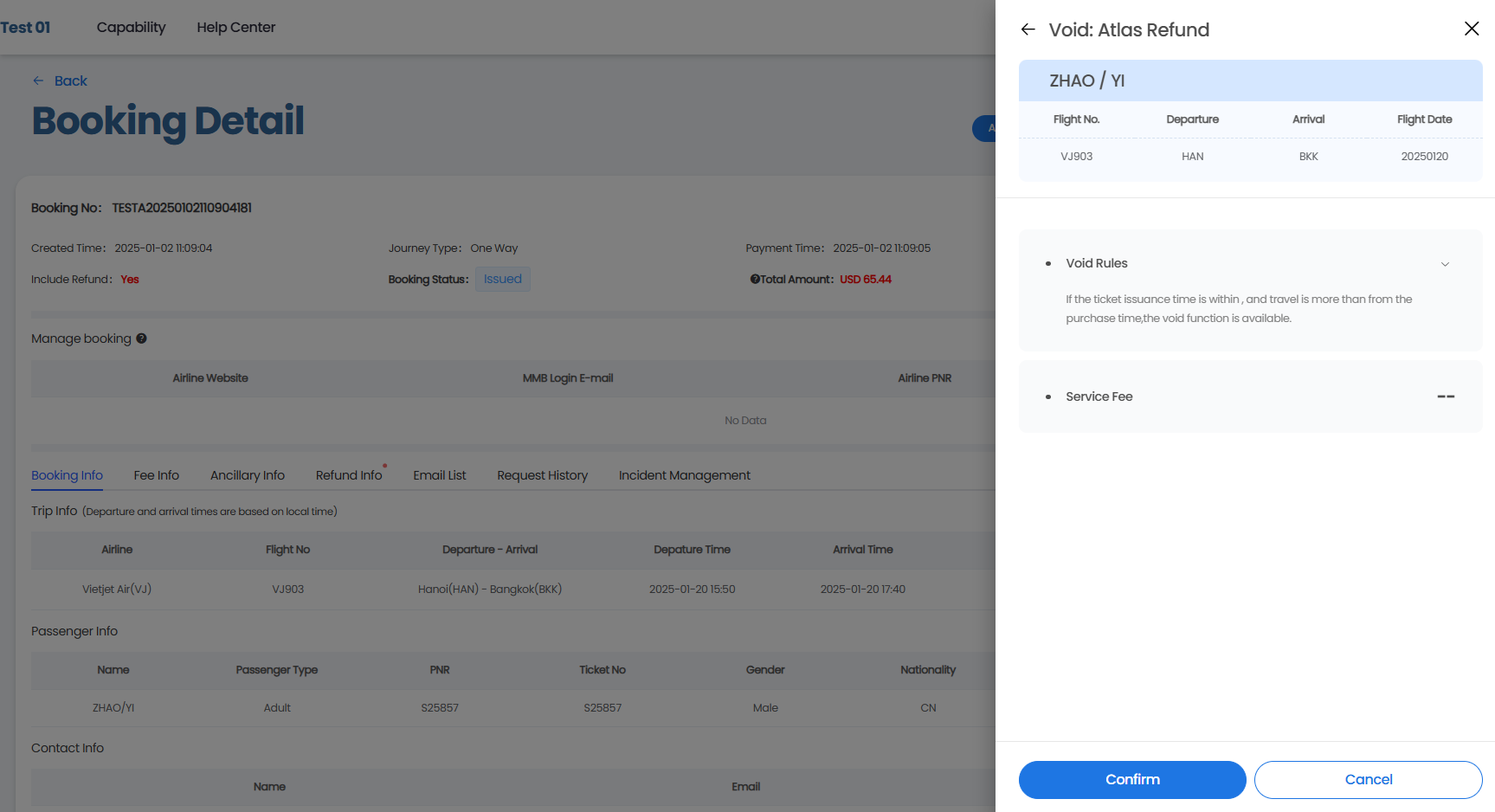
* **Atlas Refund:** After selecting "Atlas Refund," the corresponding void information will be displayed on the page. Click **Confirm** to submit the VOID request.
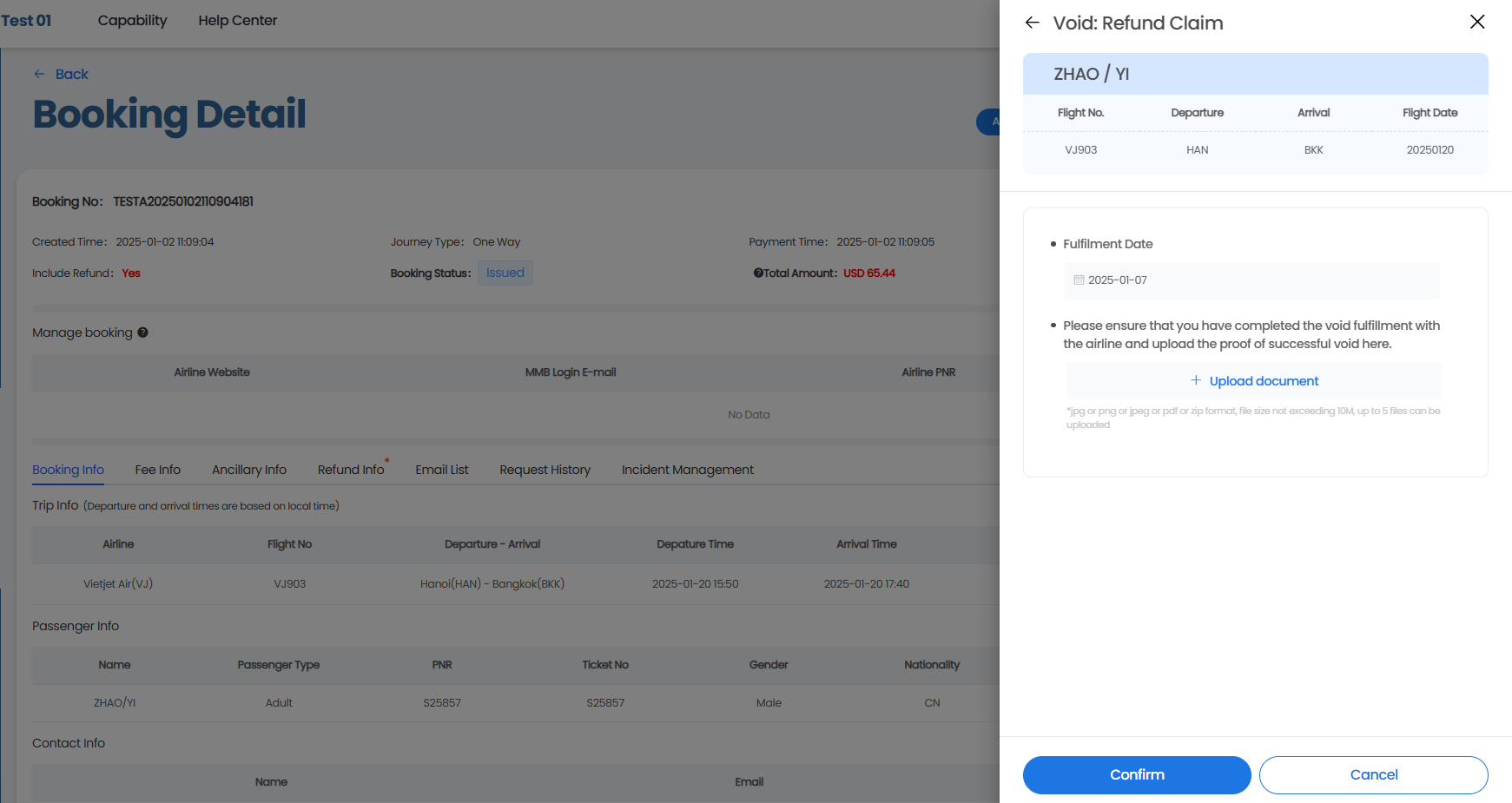
* **Refund Claim:** After selecting "Refund Claim," please follow the instructions on the page to **fill in the airline fulfillment date, upload the proof of airline confirmation of fulfillment**, and then click **Confirm** to submit the VOID request.
#### 3. Track the Request
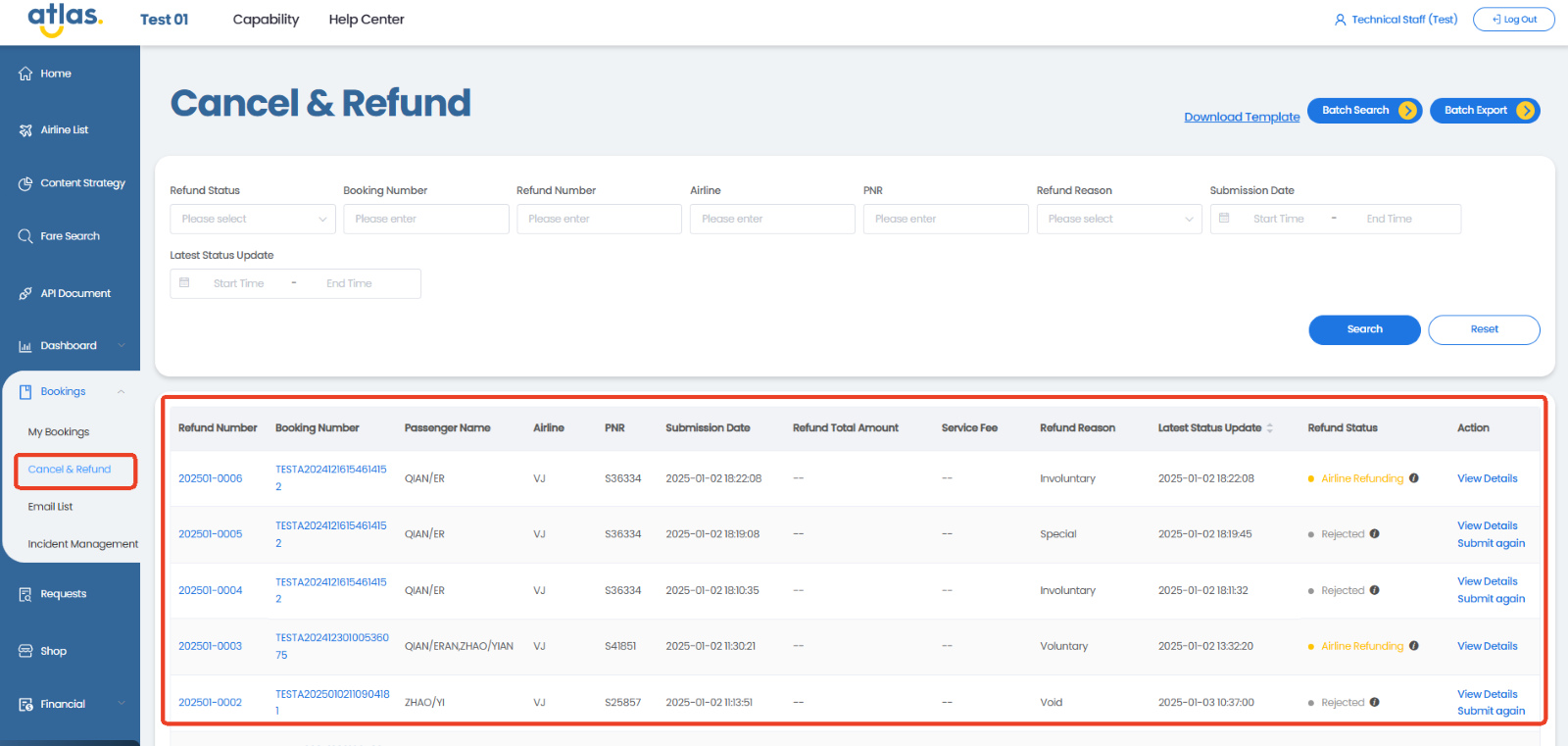
After successful submission, Atlas will process your VOID request. You can track its progress under:
* **Refund Info** page:

* or **Cancel & Refund** page: