> For the complete documentation index, see [llms.txt](https://resources.atriptech.com/llms.txt). Markdown versions of documentation pages are available by appending `.md` to page URLs; this page is available as [Markdown](https://resources.atriptech.com/popular-topics/payments-and-billing/multi-currency-account.md).
# Multi-currency Account
**What is a Multi-currency account?**
A Multi-currency Account lets customers specify the settlement currency for each transaction.
Previously: Customers needed separate Atlas accounts for each currency, and the same email could not be used across accounts. \
Now: **One account can handle multiple currencies, all through a single API**.
Benefits:
* **Flexibility & Control**: Choose your preferred settlement currency per transaction, based on market condition or financial strategies.
* **Cost-effective**: Atlas provides local bank accounts in multiple countries, enabling faster and cost-effective payments.
**Supported Currencies:**
**AED, AUD, CAD, CHF, CNH, CZK, DKK, EUR, GBP, HKD, HUF, IDR, ILS, JPY, MXN, NOK, NZD, PLN, RON, SEK, SGD, THB\*, USD, ZAR**\
*\*THB is only available for top-up made using Citi.*
**How It Works**
* Request relevant bank information from Atlas.
* Transfer funds and upload documents in ATRIP.
* Add the "currency" element in the search request with your desired settlement currency.
**Account Top-up**
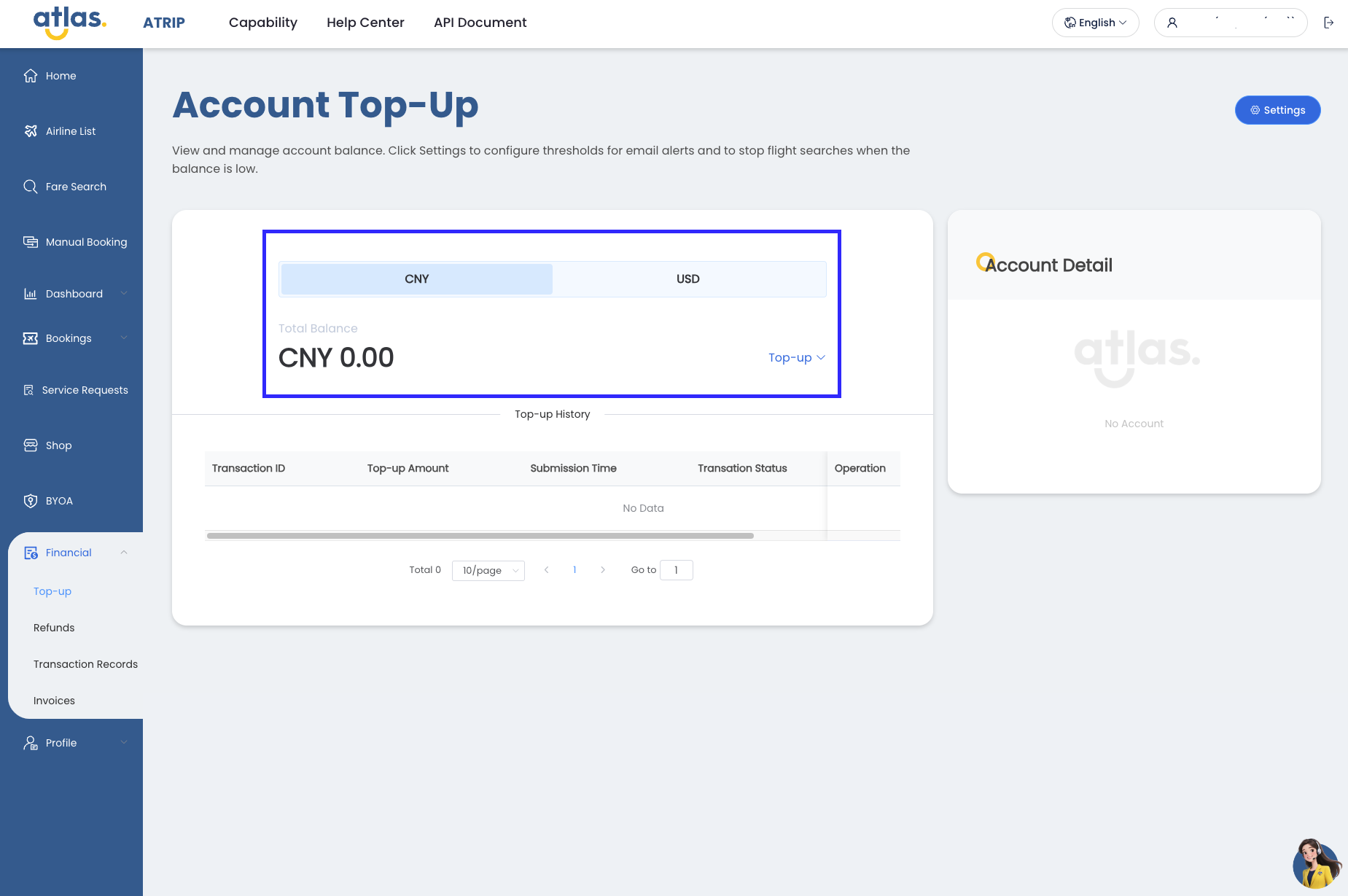
* Select your preferred currency when making a top-up.
* Balances are displayed dynamically for each currency.
* Top-up history can be viewed by settlement currency.
**Transaction Records**
In Transaction Records, currency filter is available to help find transactions quickly.
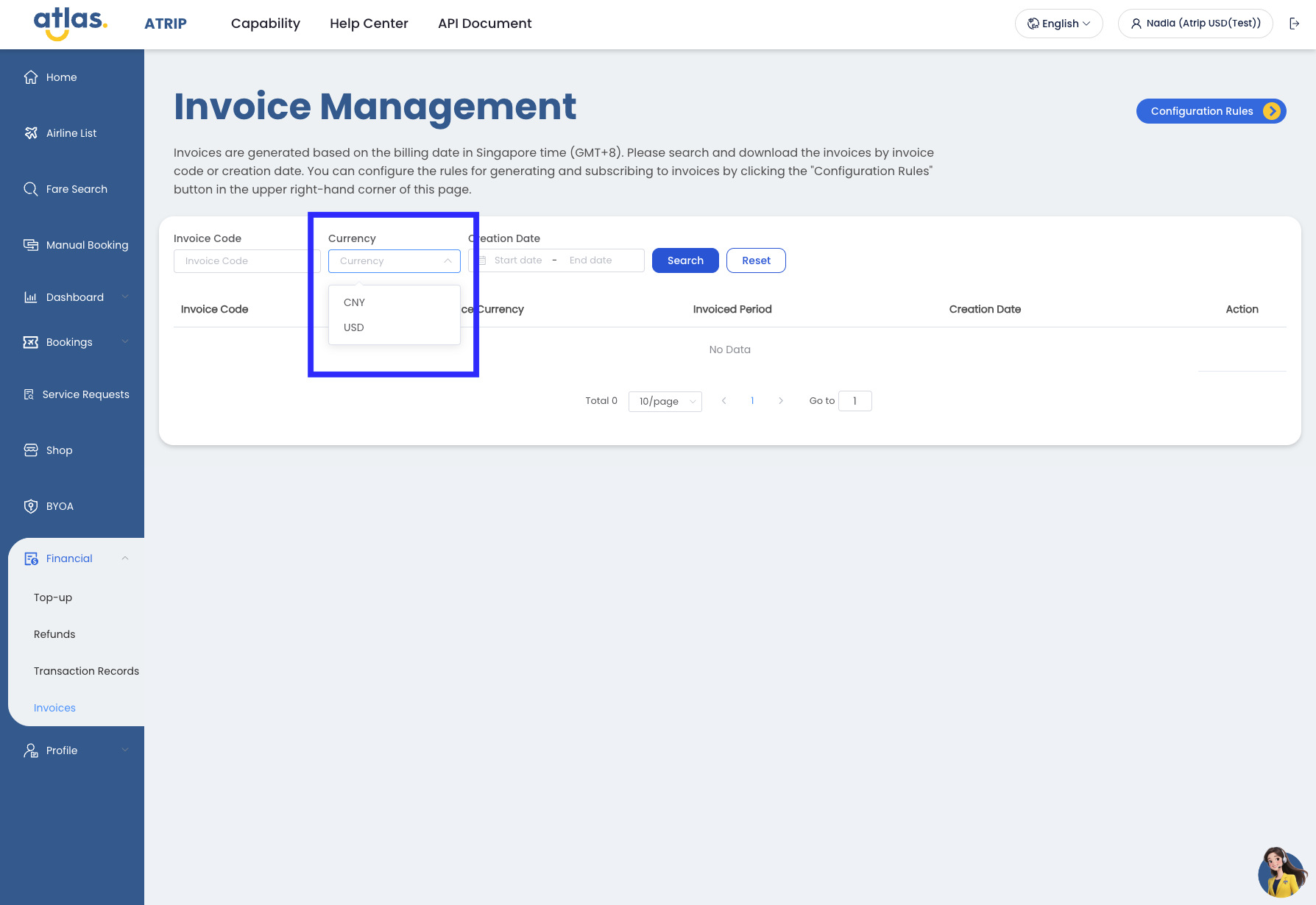
**Invoice Management**
In Invoice Management, currency filter has also been added for easier tracking.
**Invoice and Reconciliation Statements**
* Invoices are generated separately for each settlement currency.
* Transaction fees and post-booking services fees are converted into the chosen settlement currency in invoices/statements.
Sample invoices and statements as per below:
**Settlement Currency: CNY**


**Settlement Currency: USD**


**Emails: Invoices and Statements**
Invoice and statement emails are sent separately for each currency.


**Emails: Insufficient Balance**
Account balance alerts are triggered when funds in a specific currency drop below the threshold.

#### **API Update**
**Search Request**
```
{
"tripType": "2",
"adultNum": 1,
"childNum": 0,
"infantNum": 0,
"fromCity": "KRK",
"toCity": "LTN",
"fromDate": "20240326",
"retDate": "20240423",
"airlines": ["W6"],
"currency": "GBP",
"displayCurrency": "PHP",
"requestSource": "Organic"
}
```
Notes:
* "currency" defines the settlement currency.
* By default, Atlas uses the contract currency if none is specified.
* In "Search" and the subsequent responses, the pricing as per the settlement currency will be provided in the "currency" element and the subsequent "price" element.
**Transaction Fee Conversion**
Transaction fees are converted to the settlement currency based on the **verify response timestamp** (when ticket price is quoted).